
Hi Alex,
Hope all is well.
I’m sure I’ve seen it somewhere but I can’t find it now that I need it…: What’s the ID Attribute to assign to an element you don’t want to show on the PDF??
Many thanks again!!
Tim
Hi Alex,
Hope all is well.
I’m sure I’ve seen it somewhere but I can’t find it now that I need it…: What’s the ID Attribute to assign to an element you don’t want to show on the PDF??
Many thanks again!!
Tim
Hi Tim, maybe it’s this forum post you’re thinking of?
Can also be found in the docs here.
You can’t hide elements/pages based on an ID attribute, but you can certainly do so by using conditionals and URL parameters.
Hopefully that solves the issue, but let me know if you’ve any other questions.
Hey @code-escapee, look like a Bubble/Cloudflare setting is causing this.
Are you bulk creating PDFs by any chance? My best guess is Cloudflare might be seeing a lot of traffic from PDF Potion to your site and flagging it.
The most robust solution is to ask Bubble support to whitelist the PDF page URL, but not sure how open they are to that.
And thank you for the kind words!
Getting the file size of a PDF - August-25 update
Updated the documentation with a new guide on how to get the file size of PDFs generated by PDF Potion.
Any questions just let me know 
Convert markdown (from ChatGPT, Claude etc.) to a PDF in your Bubble app - video tutorial - August-25
Just released a new video on taking markdown generated by LLM’s and converting it to a PDF using PDF Potion.
For those who don’t want to watch the full video, the basic workflow is:
Any questions just let me know.
Alex
New feature - custom headers/footers - August-25 update
You can now add really detailed headers and footers to your PDF using custom CSS/HTML:
Previously PDF Potion supported pretty basic plain text and static image headers/footers. This update means you can now:
How to add custom headers/footers
Simply add your custom HTML/CSS to one of the header/footer content fields in the ‘Create PDF’ action. As long as you start your expression with <html> and end it with </html>, PDF Potion will interpret it as a custom header/footer.
See this article for full details.
Tip #1: LLMs (ChatGPT, Claude) are really good at generating the HTML/CSS for headers/footers
Tip #2: I recommend using the arbitrary text operator when adding custom HTML/CSS to your fields as otherwise it can get quite difficult to read
Any questions just let me know.
Alex
Specify different top/bottom margins - August-25 update
Just released a new version of the PDF Potion plugin. You can now specify different values for the top and bottom margins:
This may be particularly useful if you’re creating a complex header/footer that may take up a lot of space on one end of the page, but have a relatively small header/footer on the other end.
Please note: This update is backward compatible, so if you’re still on an older version of the plugin you will be able to set the top/bottom margin using the single field.
However, please be careful when you upgrade to the latest version to ensure you add your top/bottom margin to both of the new fields or you may run into issues.
Any questions just let me know.
Alex
New template editor and API - September-25 update
I released two pretty significant new features for PDF Potion on Friday:
Template Editor
You can now design your own PDF templates with our new editor. Once you’re happy with your template, you can generate a PDF of it from your Bubble app (using a new plugin action called ‘Create PDF from Template’).

Try it out by navigating to the Templates tab of your PDF Potion dashboard and clicking on ‘Create New Template’. Here’s a video I made that gives an overview of the editor.

The docs have also been updated with info on how to use the template editor.
If you try it out, let me know what you think by replying to this email. Feedback is really useful in helping me prioritise what features to add going forward!
PDF Potion API
I’ve also released v1 of the PDF Potion API. This means you can now generate PDFs with PDF Potion from any application - not just those built on Bubble. See the API docs for more details.
Any questions just let me know!
Alex
This plugin is getting better and better…
Nice job Alex.
Thanks @rpetribu - appreciate your support!
PDF Potion is now DocuPotion - October-25 update
PDF Potion has come a long way since I released the Bubble plugin early last year. What started off as a simple plugin has turned into a really powerful PDF solution. Our new template editor and API opens up a bunch of new use cases and I have more exciting new features planned.
With all that in mind, it makes sense to rebrand PDF Potion to reflect the new plan: to become a complete document generation platform.
Dashboard login
When you migrate a Bubble app from one domain to another, it causes an issue with user logins. So if you try to access your DocuPotion dashboard, you may be presented with the following message:
The solution is to clear cookies from the DocuPotion website. Here are instructions on how to do this for Chrome, Firefox and Edge.
Sorry for the hassle this causes anyone. I appreciate this is the second time in two months this issue has occurred - this should be the last time for many years to come!
Any questions just let know,
Alex
Creating PDFs of Invoices - video tutorial- Oct-25 update
Released a new video on ow to Create PDFs of invoices using the DocuPotion template editor.
Any questions just let me know.
Alex
Issues with PDF generation - 20th October update
Some DocuPotion users experienced issues with PDF generation for several hours earlier today. This occurred due to the AWS outage that affected a large number of apps.
I have been monitoring the situation and it appears as though PDF generation is now back up and running for the vast majority of users. If anyone is still experiencing issues, please let me know and I will look into it.
I’m very sorry for any disruption people may have experienced. I’m actively looking at what we can do to add more redundancy to our systems.
Any questions just let me know.
Alex
Creating PDFs of nested repeating groups - video tutorial - Oct-25 update
I’m seeing people create increasingly complex PDFs with DocuPotion. Creating PDFs of nested repeating groups is something quite a few people are interested in. There a few tips and tricks to get your PDFs looking as polished as possible when dealing with nested repeating groups - all outlined in the video tutorial below:
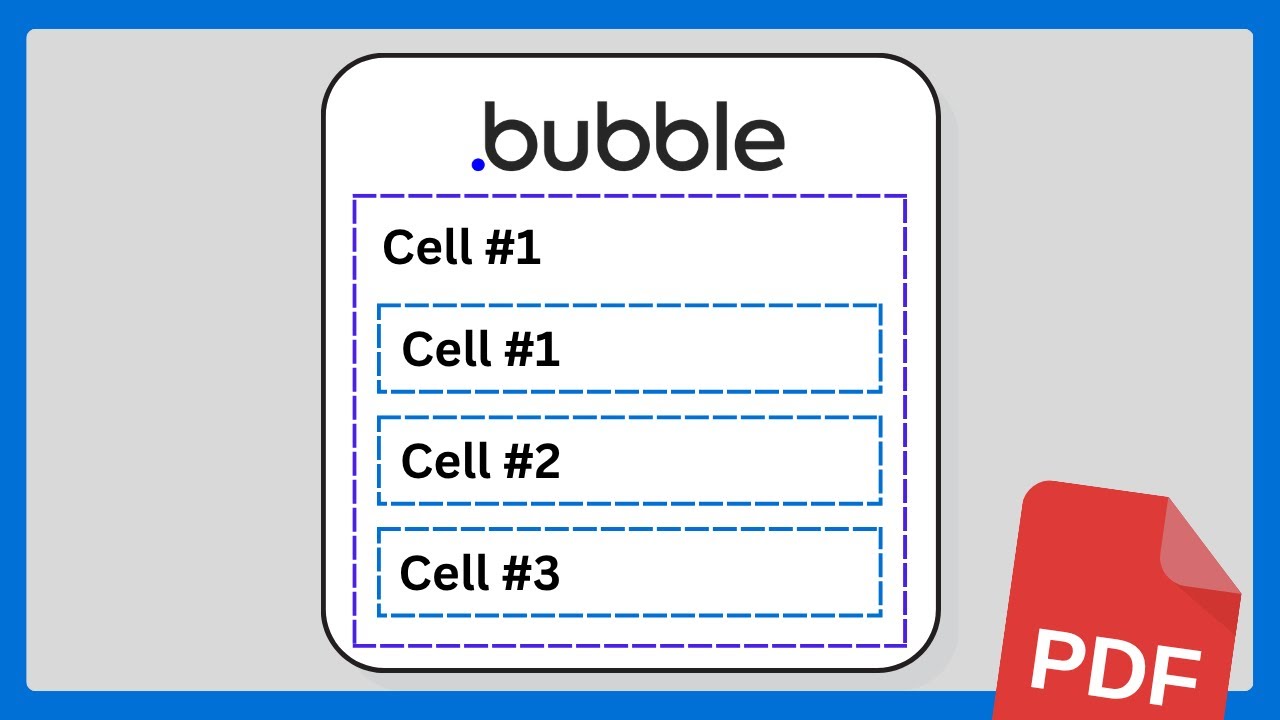
Any questions just let me know.
Alex
Adding DETAILED headers and footers to your PDF - video tutorial- Oct-25 update
Just released a video on constructing custom HTML/CSS headers and footers for your PDF with DocuPotion.
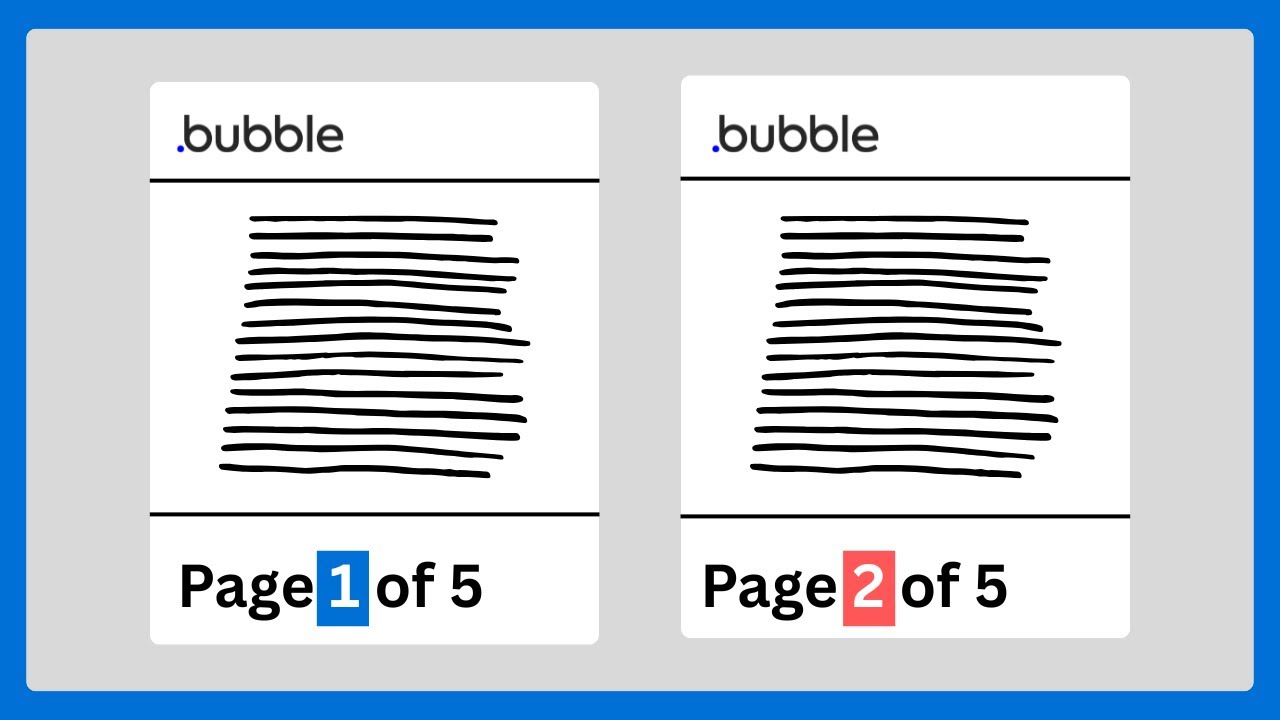
This can be useful for a number of scenarios:
Hope it’s useful - any questions just let me know!
Alex
Amazing updates!
On the note of both repeating groups and footers, I came a cross a “nice to have” that was the ONLY request I could not fulfill with DocuPotion, so here it is for some food for thought:
For Repeating Groups that break with “New Page Per Cell” - having a configurable footer that can pull data from that cell’s Thing. I was thinking this was not feasible because footers were configured elsewhere, but you have made a new feature where custom footers override the plain text 
I have no idea how feasible or big of a lift it would be to link cell data to footers in pdf generation. But that would enable useful things like “Purchase Order #” footer on a list of Purchase Orders on a single invoice. (Where, for example, “Purchase Order #101” may have lots of content that pushes the cell to be 4 pages long. In this example, those 4 pages would share the same “Order #101” footer, and then the next RG cell would pull in “Order #102” on its pages.
Again, just a nice to have! I already foresee a few reasons why this could be difficult. Plus maybe I missed a workaround, but I couldn’t think of a way to drop/fix-position some info (related to the cell’s Thing) to the bottom of that cell while obeying desired page break rules.
Nice idea - thanks for suggesting it @mkenton1.
May be a tricky one to implement, but I can certainly see the value in it. I likely won’t be able to get to it in the very near-term, but I have noted it down as a feature to investigate.
Create PDFs of detailed checklists - video tutorial - Nov-25 update
Just released a video on creating PDFs of detailed checklists with DocuPotion.

Topics covered include:
Any questions just let me know.
Alex
Improved error handling - Dec-25 update
An update that is way way overdue. Sometimes things go wrong and PDFs aren’t generated successfully.
Until now, PDF generations that failed would fail silently with no clue as to what caused the error. I released an update earlier today that means DocuPotion now returns an error message as part of the webhooks it sends to trigger the backend workflow.
Here’s a quick guide on how this new feature can be used:
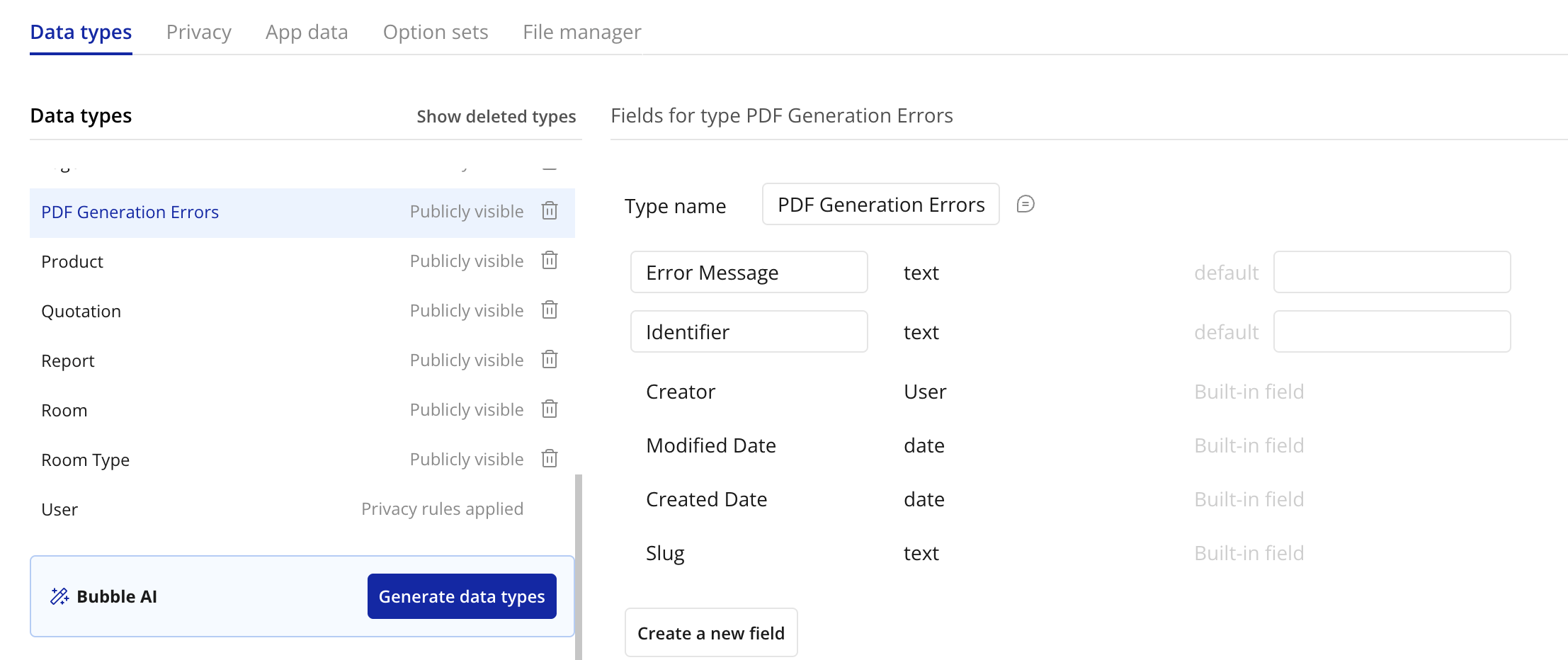
Create a new data type to store the errors.
I’ve called mine ‘PDF Generation Error’ but you can call it whatever you want. Add two text fields: ‘Error Message’ and ‘Identifier’
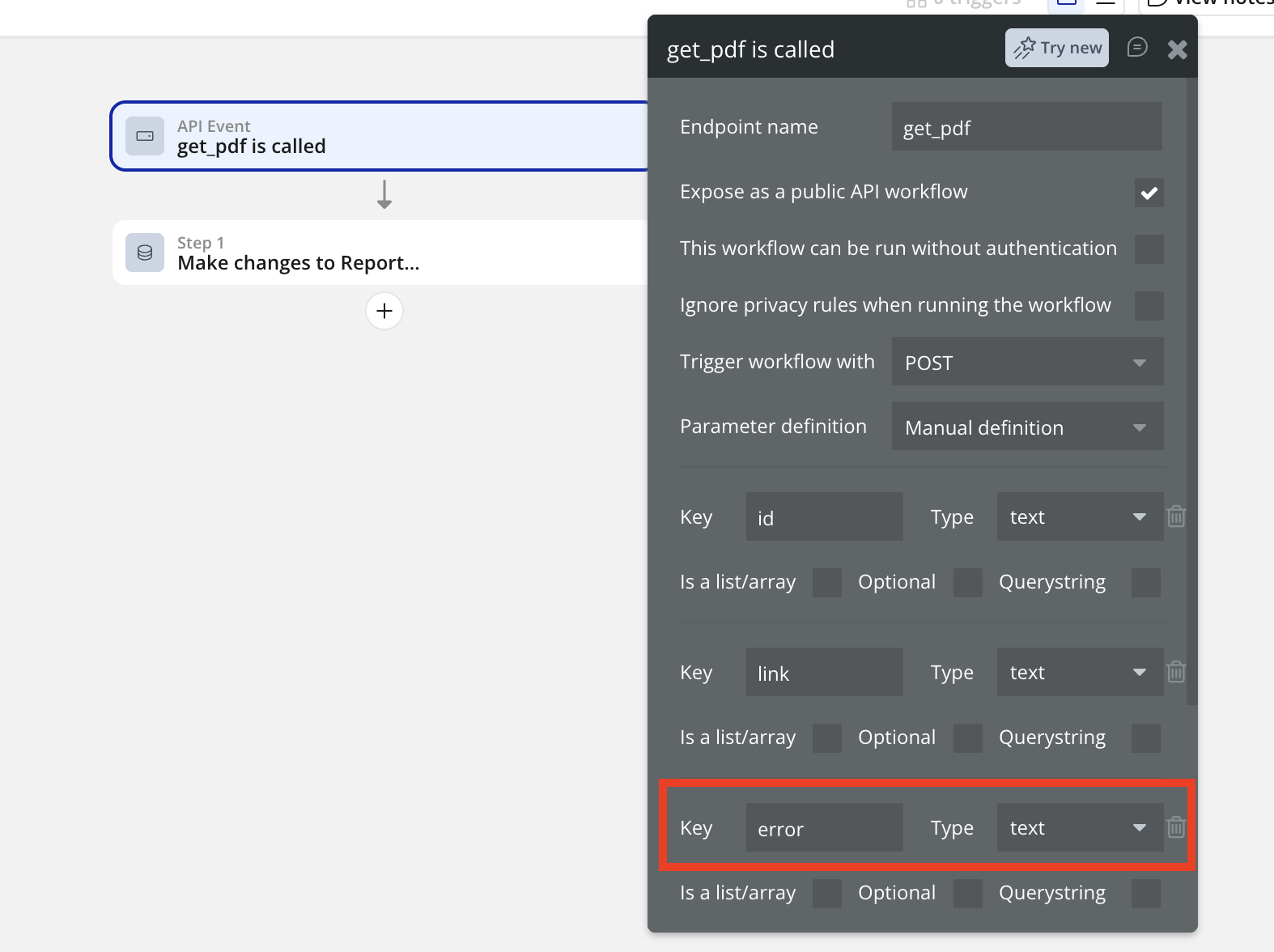
Add a key called ‘error’ to the backend workflow you’re using to process the PDF.
You must use a lowercase ‘e’.
Add an ‘Only when’ condition so that this action only runs when ‘error’ is not empty (i.e. when an error occurs).
Now if an error occurs, you’ll have a record of the cause. In the below example, an invalid API Key was used:
If you’re not sure how to solve an error, please contact our support team and include the Error Message in your message.
See this doc for full details.
Any questions just let me know!
Alex


