
nice keith
can you make it case insensitive?
@anon65040322, sure. I’m just enforcing an arbitrary rule to show how that’s done. (Also, this makes the usernames “reddit-like.”) It happens here:
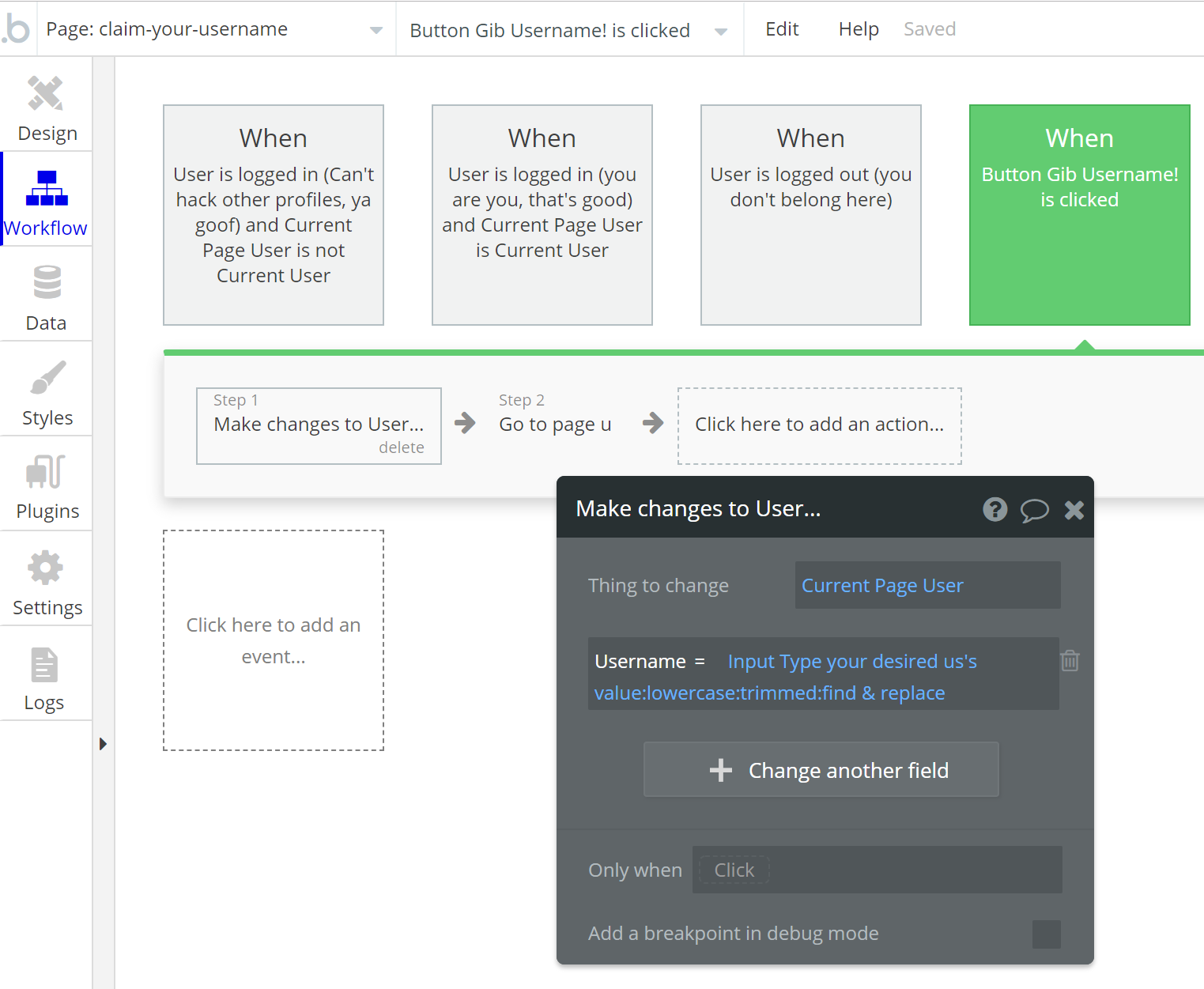
And then we echo that here:
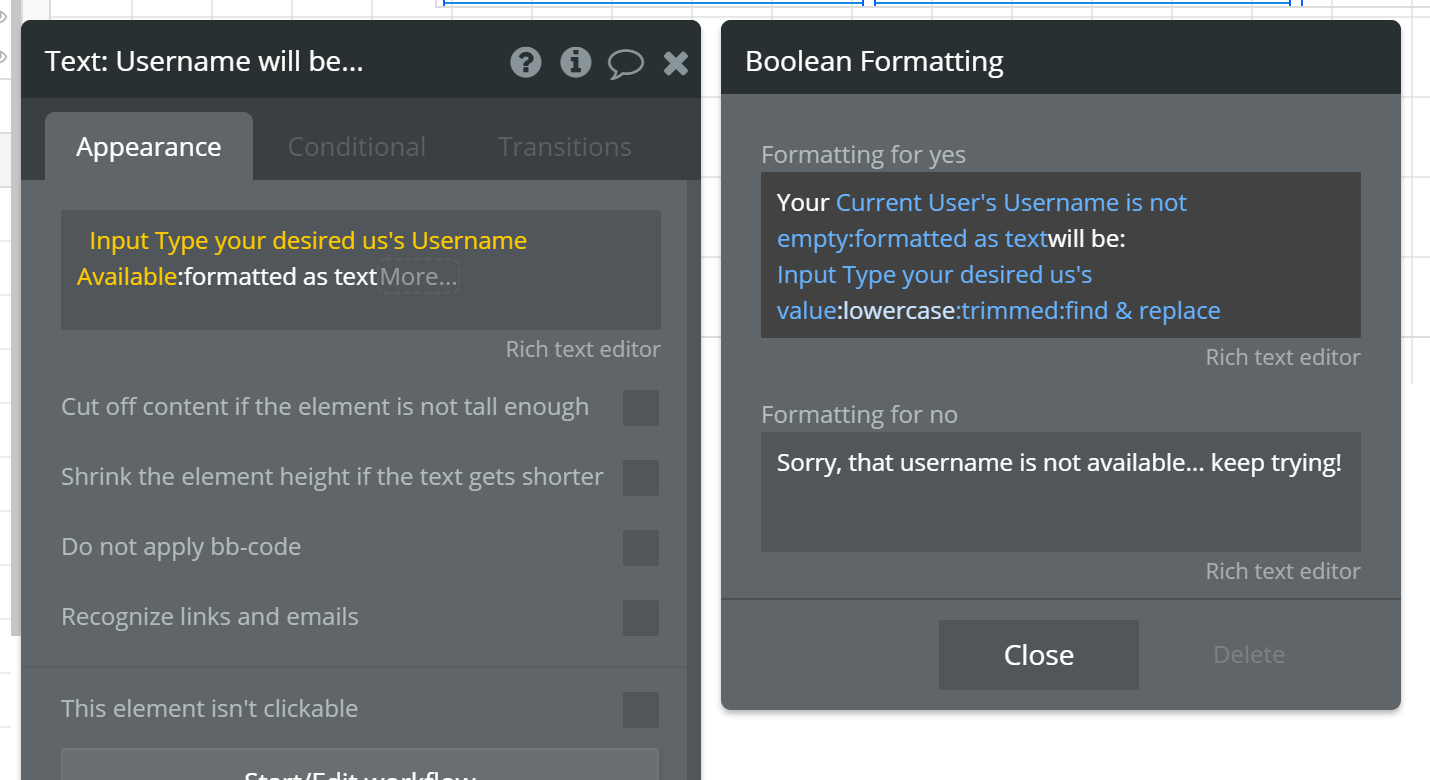
There’s no technical reason for doing this, I just thought it was amusing. It also makes usernames more exclusive, right? Which is sort of the funny subtext of this app that does nothing except give you a username.
(There can be only 1 “keith”! There can be only 1 “beau”! There can be only 1 “poop”! Better get it before it’s gone!  )
)
yeah ahah, gib is like how a baby would say give …right.
How would you make a case insensitive search for username?
@keith, you must be unlocking all sorts of word count achievements on this forum.

Hey, someone’s gotta explain this stuff. 
Yep, that’s what it means. Gib! (つ ◕_◕ )つ Gib!
So, to ignore case in a search (which I guess would actually make sense in my example – there can only be 1 “beau”, so we might as well return “beau” if someone tries “Beau”, “bEau”, “BEAU”, etc.) you just convert both your search token and targets to lowercase and compare them that way.
I just went ahead and did that. In gibu, this means changing our URI Decoder Expression element to force lowercase (our search targets in the database already ARE lowercase):

(We don’t have to change our Do a Search… expressions around the app since they all just look to this Expression element’s value for the criteria. That was a bit of foresight, eh?)
Now, if you database WAS full of usernames with mixed Latin cases, you’d have to modify your Searches to use the Advanced filter criteria so that you could operate on them. Like this:

^^^ this is fake, OK? the last part isn’t a real thing, I’m just trying to get the idea across. You take the acquire the search string from an input or somewhere and then you :lowercase it. You may or may not be able to do that directly here in this dialog without using the “my search token is not empty:formatted as text” trick to get you to a full-fledged text expression builder.
Oh, BTW, made this part of the app of course, so you can just try it: https://gibu.bubbleapps.io/u/kEiTh
Awesome!
BTW, I could be wrong about the page name thing… perhaps “This Page” is a string containing the page name. It probably is…
Great stuff!
But I’m wondering, does the Bubble team have any plans (hopefully in the near future) to solve this issue with an easy-to-implement solution?
Sorry for such a late response. I have been extremely busy lately. Anyway, I’ve gone through this a few times and I’m still experiencing issues, so I’m going to go ahead an show a detailed breakdown of what I’m doing. I’ve attempted to simplify what you’ve shown above, just because emoji’s in a URL are of no concern to me.
Also instead of doing “do when condition is true” workflow, I’ve changed it to trigger “on page load”.
Birds eye view of workflow:
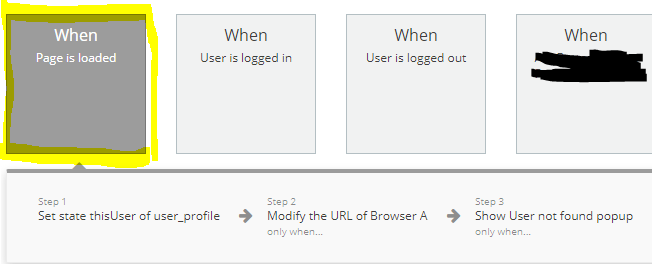
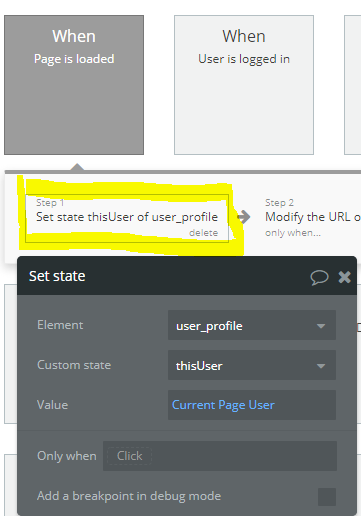
Here is where it sets the state “thisUser” of pagename “user_profile”
Here I am modifying the URL
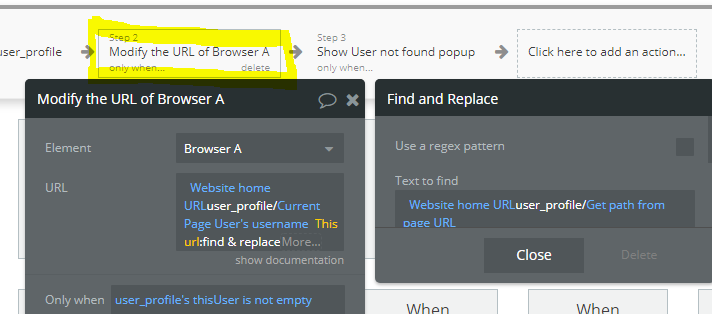
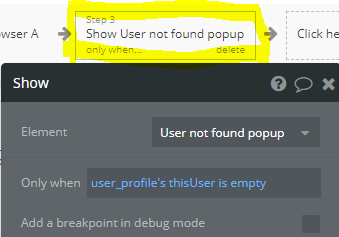
Here is a popup to show user is not found
Now this is what I’m experiencing on the browser side of things. In this example the user name is “Tim Oliver”. If I click the “view profile” button to be taken to this users page, from a logged in users page, this is what the URL appears as

As you can see above, the username has a space in it, the the space is given “%20”. You can also see that the page populates all the relevant data for that user.
Now lets see what happens when I refresh the page from here

The above result is actually the identical result I get if I attempt to just type the URL in my browser, simulating being a person who is not a signed up member of the site. So, all-in-all it isn’t working.
Additional screen shots to help trouble shoot
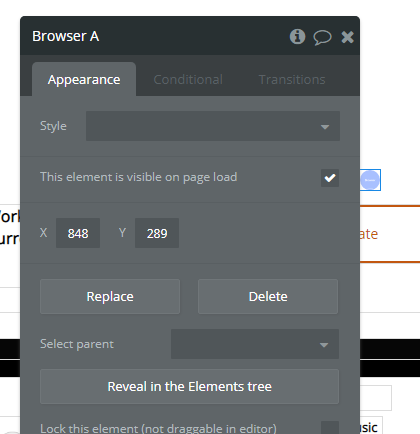
And here is a shot of the page settings themselves

I’m still at a loss. Maybe I’m making a mistake. Any ideas?
Also, just a little context for why this feature is so important. I’m in the process of attempting to launch a “two-sided market place” which is notoriously difficult to do because you’re constantly dealing with the “which comes first the chicken or the egg” problem. This URL is integrated with a feature that will allow me to attract the “supply” side, so I can then hopefully attract the demand side later. I’m not 100% sure it will work, but I’m going to give a real attempt at doing so…
I believe the issue you’re seeing is why I do the condition “when true” not on page load. <-- wild ass guess (but there’s a reason for everything in the gibu example).
ACTUALLY, here is the real answer:
Alternatively, you know that %20 in your URL? THAT’S A URL ENCODED VALUE.
So, you say you don’t need the Emoji support crap… BUT YOU DO. You need to get that %20 out of the URI to do your lookup properly. There IS no user named “Tim%20Oliver”.
In fact, you could go make him right now!
So you need to URI decode that so that your search for users is looking for “Tim Oliver”.
See?
Here I have added the “emoji” decoder because I can definitely see your point. I placed result type as “text” which I hope is correct. I’ve also made sure it’s a capital “uri”, not “url”. I did try both because I wasn’t sure at first which one it was.
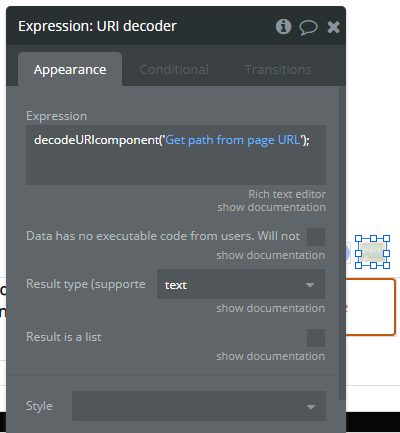
Next I’ve added it to the workflow
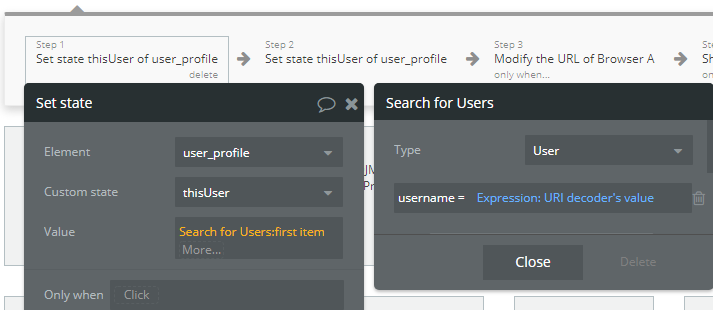
Now this is the result I’m still getting on the browser side

Since that didn’t change anything, I’m going to attempt all of this with a “when condition is true” workflow instead of a “on page load” and see what type of results it yields.
One can only dream
Hey @sounderly.help, I’m AFK ATM. Here’s the thing: as this is all pretty tweaky (not difficult, but detailed), for something like this you’d really have to share your editor.
But the reason I made this sample app is to, once and for all, show folks how to do this in a robust way. And so I also documented it extensively.
Examing the app should be all you need to grok the concept and implement on your own. (After reading and understanding the explication I posted previously.)
Yes, you’re making some error. What is it? Hard to say w/o being able to examine your app and run in debug mode. (But you can examine your app and run it in debug mode right?)
I went and literally did an identical set of workflows and it still didn’t work 
I’ll come back to this when I’m feeling centered again. It goes without saying, but again, thank you for your help.
it works nicely for me just have issue with browser back button after modifying url, any solution to this @keith?