🎉 Better Boilerplate by Not Quite Unicorns - Our take on what a good Bubble app looks like

Today I’m open-sourcing Better Boilerplate - an opinionated Bubble boilerplate with native Stripe integration.

If you’ve wondered “what does a good Bubble app look like?”, this is our answer.

Public editor → https://notquiteunicorns.xyz/boilerplate

Template → Better Boilerplate By NQU Template | Bubble

Run as the user to view the dashboard.
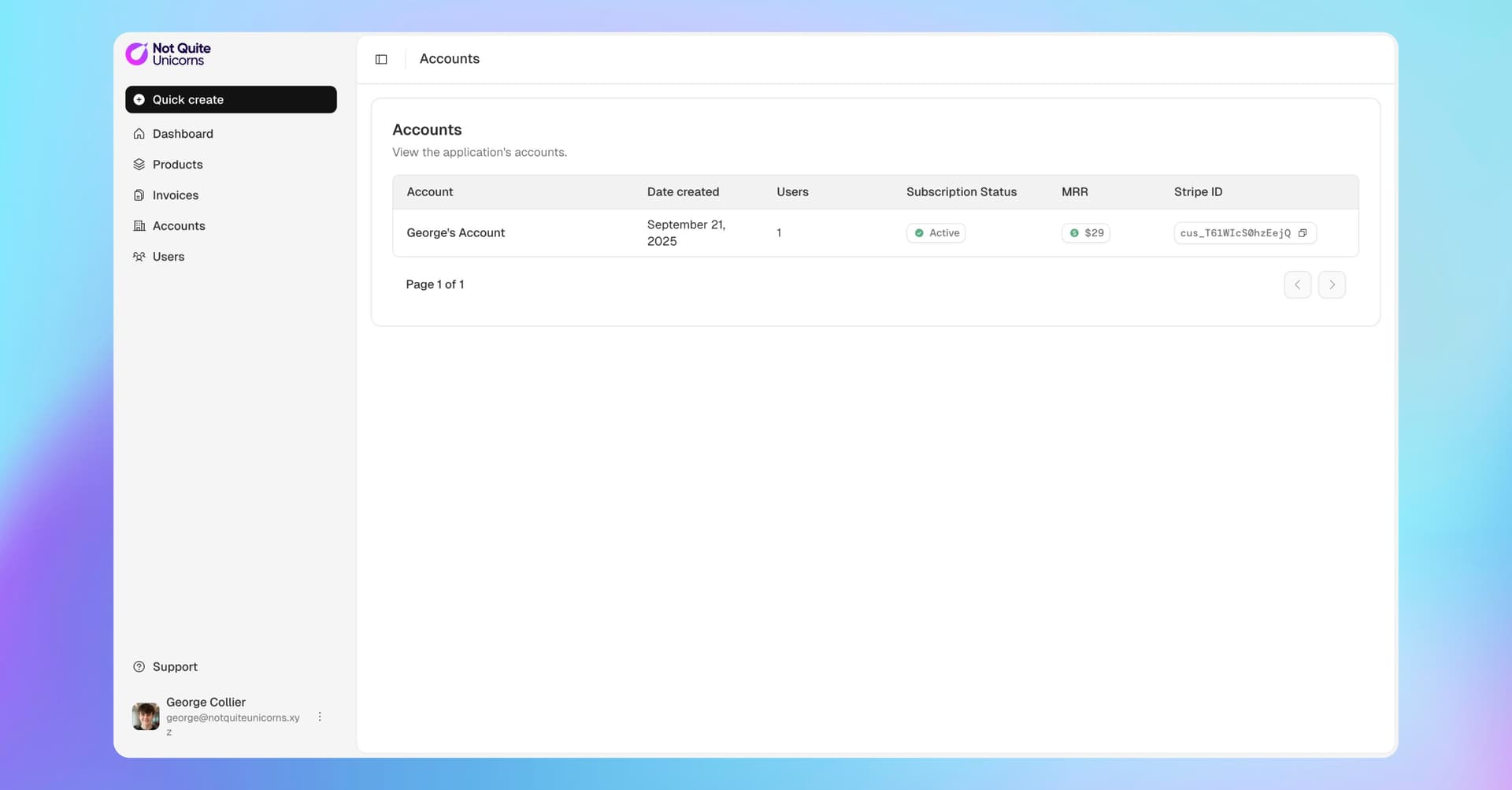
One of Bubble’s biggest problems: it’s hard to see how good apps are built - most are private, and the template marketplace is full of apps that aren’t built well. So we made a reference you can inspect, borrow from, and ship with.

Better Boilerplate is a public editor designed to share how we build at Not Quite Unicorns: pragmatic patterns, clear maintainable structure, and a robust production-ready Stripe setup.

This is opinionated. You may disagree with some choices - please say so publicly. Debate makes the ecosystem better. If we’re inefficient, we’re leaving money on the table for us and our clients.

Inside you’ll find:

  • Maintainable build patterns
  • Security practices
  • Database conventions

All three are critical for secure, performant, maintainable apps.

If we’ve done our job, the app is mostly self-documenting. You can view the app to see how it works, then use the docs to understand the whys.

This is what we think is good. There’ll be some things you disagree with - please share them, publicly! Discussing these things benefits us all. If we’re building things inefficiently, we’re leaving money on the table for ourselves and our clients and I want to know about it.

Dig into the editor → https://notquiteunicorns.xyz/boilerplate
Read the rationale + comment on the docs → https://docs.google.com/document/d/1K2nthZadHXv44VFAxQ-QJXYSfmjq-Z8XxSjxqhJ2CYg/edit?usp=sharing

34 Likes

hey nice boilerplate

noticed that you fetch the object from Stripe in the first steps when webhook is triggered, which is a great step. however, since the webhooks are exposed AND seeing that the Subscription data type privacy rules allow User to see all fields in the linked Subscription object, that user could try to send malicious requests to webhook endpoint with values they already have access to

for important webhooks like Stripe i tend to use combination of your method (fetching the object from Stripe at the end of webhook URL in Stripe) PLUS using API token to secure the workflow (adding ?api_token=API_TOKEN in Stripe). it identifies the API call as made by an App Admin so both:

  • this workflow can be run without authentication

  • ignore privacy rules when running the workflow

can be unchecked

They could, and they won’t be able to do anything malicious.

The reason we fetch the data from Stripe after receiving the request, is that:

  • if the user provides a valid object ID with malicious values, we fetch the results from Stripe and pretty much just update the object (likely with no change, or a ‘correct’ version from Stripe)
  • if the user provides an invalid object ID, it fails

So, this isn’t actually useful (alone).

  1. We don’t want to hand out an admin API token any more than we need to. Stripe likely stores these in plain text which isn’t what we want for an admin token that an external service can access.
  2. The idea that ‘unchecking this workflow can be run without authentication’ and using an admin token secures it is also not quite right. Any logged in user is authenticated, so unchecking that checkbox has almost no security value. That checkbox does not check the user is an admin - only that they’re authenticated (who they are - not whether they’re permitted to do something). If you did want to secure it by verifying the request came with an admin API token, you should add something like ‘Current user’s unique ID contains admin’ as admin API tokens have a special unique ID that can be used to verify the authentication is from an admin token.
2 Likes

you make good points about the stripe fetch protection, but i’m still not convinced about leaving the endpoint completely open and without privacy rules.

i just tested it - simply making POST requests to webhook endpoint /stripe-subscription, WF creates new database entries (Subscription data type) every time, even without valid stripe data.

when using api tokens, the workflow only runs when authorized, which prevents unauthorized workflow runs and database writes.

appreciate you sharing this with the community though!

1 Like

Ah, it’s because this workflow was missing a terminate action like all of the other ones :slight_smile: Still, whilst you could create empty rows, that’s not particularly useful! The design of the endpoint means that if mistakes do happen that let a user through that shouldn’t be, they still can’t do any real damage.

Everything we build in Bubble should be built in a way such that there’s no single point of failure (and you found one example of why there’s multiple protections)

No, that’s not true.

Take this workflow (I just edited it for demo) as an example:

This would not be secure.

It seems to me that you think that it is secure because it requires an admin token. That is not true. It requires to be authenticated, and any user with an account in this case can be authenticated. So, all it does is restrict the endpoint to subscriptions the user’s privacy rules permit them to access (their own subscriptions).

Edit: You might find this post useful!

Bubble them-selves are largely silent on “best practice” so I applaud this - and George putting money where his mouth is. kudos.

There is a lot of mis-information and out-of-date information getting baked into LLMs.

4 Likes

tell me if I’m wrong about anything in this app because if I am then I’m spending more time than I need to when I build apps and could be making a lot more money :smiley:

George hard carrying the Bubble community once again. Stripe is one of the most annoying things to get right and takes weeks for a first-time builder, so this will speed things up a lot for them.

I really hate the fact that properties are only on reusable elements because they’re so much better than custom states, which require you to waste a workflow/action just to set default values. This leads me to the only thing I really disagree with (not because it’s inherently wrong, but because it doesn’t fit my needs):

Multiple layers of nested reusables - For me this completely breaks the flow of designing/iterating. I can see how it might be needed on very large apps or if you think there will be no further changes to the UI for a very long time, but it just feels like I’m constantly “losing my place.” I like seeing all my workflows in one place, separated by folders. Making sense of certain workflows would be very difficult without the recently-added “go to custom event” feature, you pretty much have to depend on that. It’s just a claustrophobic experience.

Also for the invoices I would personally just rely on Stripe’s “customer portal” thing instead of importing the invoices/etc into the Bubble DB.

There are a couple of questions I had:

  1. What’s the point of the username database trigger? Basically auto-saving?

  2. For API objects, does it really just say “data from API connector” in the editor? You can’t even click on it to see the data. That seems really annoying and inconvenient.

Screenshot 2025-09-24 070629

1 Like

So every place a user’s first or last name updates, I don’t need to also remember to set the full name.

Yes

I mean, fair enough. We work on apps with technical debt all the time and almost always find that the less reusable elements an app has, the harder it is to maintain. Of course that’s a correlation not causation and doesn’t cover people ‘consciously’ deciding to use less reusable elements, but when well organised and scoped appropriately, they are super super powerful.

1 Like

Of course there had to be a catch.

I love this so much

Thanks @georgecollier

Once refined (if there are any refinements needed LOL), can you also post this as a free template on the marketplace?

I was under the impression that we needed Privacy Rules to have a failsafe conditions like

Current User's Account's Billing Account is This Billing Account AND This Billing Account is not empty

This was highlighted by Victor in BubbleCon’24: https://www.youtube.com/watch?v=Bx7mOnWtLrE (around the 15 minute mark)

I can see that some privacy rules are structured like this, but some aren’t? Is this a mistake? Or am I not getting the complete picture in Privacy Rules?

Thanks @georgecollier!

when you have 1 is 1, you don’t have to validate if the first is empty. Else the condition fails => 0 is not 1

when you have 1 (but can be 0) = 1 (but can be 0) you have to validate that the first one isn’t 0, else it can enter a 0 is 0 state and expose data to anonymous visitors who also have 0 as their value

The trick is with the “Current User” because it has another layer of variability - whether is logged in or not.

2 Likes

As @akamarski points out, ‘This X’ is logically always not empty :slight_smile:

1 Like

No because template marketplace has all sorts of pain in the ass admin stuff to deal with, but you can probably export from the app settings in general tab if you want to use it as a template?

Very true @randomanon

For the most part true. Definitely no need to overpay for anything, especially the storage and retrieval of information. If Stripe has it, let them handle it. If you really need it in the app DB as well, save it as a the api object itself and leverage the cost savings of fetching api objects instead of custom data things.

Since I struggle with this, the improper data structure around names, I’ve decided to try and simplify things and put that data on one location only in the database. Not much use in having the same data stored on two different data types so long as you relate things, which bubble does with the creator field, so if every single data type has a built in relation to user through the creator field, the likely best place as a single location to put the name of the user is on the user data type.

Yes, this just means, do not rely on the data tab as the source of information and build out in five minutes a page and visual of the data so you can see it or the app owner could, similar to a dashboard with analytics.

The correct and most balanced way to use reusable elements is lost on many developers and is a complicated topic that takes some time to fully understand the nuances and tradeoffs.

You already have the documentation, you have the link in forum, and can easily setup the ‘demo user’ access. Other than those things, for free templates the only admin stuff is pressing the submit button. Bubble then verifies it works and puts it on the marketplace.

@georgecollier Thanks for sharing.

One suggestion. If you are putting this out as how to do Stripe properly, you should show how to initialize the Create Subscription so as to enable multiple subscriptions at once. I’d say as well, add in how to do that for products only, so can check out and pay for products, not just subscriptions. And maybe consider showing how can do multiple products in one checkout session.

If you want to take that further, show a checkout with multiple products and multiple subscriptions in one checkout. Stripe allows for up to 40 products and 20 subscriptions in a single checkout (maybe those numbers are different now since I last looked), but an optimal Stripe setup will enable multiple subscriptions and/or multiple products at once with a single action.

Those points were some of the things I saw as missing from Gregory John video on Bubble youtube about how to setup Stripe via API.

Hey @georgecollier - nice work on putting this out to the community!

my 2c on a couple of things which will hopefully help

Camel Case

  • usingCamelCase came because of a need to set variables in programming without spaces. In my view simple english syntax is better for most people and will decreaseCognitiveLoad when viewing everythingForYou as a Developer (whether in fields, groups or anywhere else in the editor) .

API connector objects in data - incredibly useful but important to be aware of the tradeoffs (and likely not suited for beginner users)

  • stores the whole object and all the bubble connector ‘fluff’, so will inherently be a large field
  • at some point, you’ll need to export your data , keeping the important stuff hardcoded (e.g. sub id) is key here
  • at some point, you’ll likely break the setup or have legacy API structure (it’s based on what you have in the API connector), for that reason, you can store the actual API object as a string for redundancy if needed
  • it’s undocumented, so who know’s where it will go in the future, so best to hedge bets with the actual JSON as a string (also) where required so you can extract info however you may need.

No OS denominator on Option sets

  • The utility for having ‘OS option set’ or ‘option set OS’ grows with the app :wink:

You may not agree with the above, but again great work contributing to the community yet again!

2 Likes

I think we agree on the principle that stuff should be as readable as possible in the editor.

The reason we use camel case in fields is to distinguish primitives (yes/no, text, number etc) from rich types (data types + option sets). I wrote more about this a bit in the docs. Overall I’d say the benefit of the convention we use is that when using it consistently not just in the database but in workflows/properties/logic all of the fields line up with your parameters nicely, and its easy to see what type of data you’re dealing with. I wrote about it a bit more in the docs.

Overall the naming convention is one of the things we’re least fixed on, as long as an app HAS a naming convention it’s generally going to be fine.

Yes on data export, definitely a downside, but should that be necessary, you can always add a new JSON string field or add more fields for the data you want to keep. It’s also a native feature that many apps use in other ways - which means that support for it will have to continue.

Given the app’s context (or sometimes with no app context) it should be easy to tell what’s an option set and what’s a data type. Both are interacted with in the expression editor in mostly the same way hence no real need to differentiate them except in instances where you have an option that’s similar to a data type. Storing it in a string as-is might be wise for peace of mind, I can see.

Thanks @georgecollier - I suppose we can agree that a simple, consistent approach is the best :slight_smile: . Every Dev has their own preference, that I can’t say is better or worse (which makes it challenging for those who work across apps with other developers)

1 Like