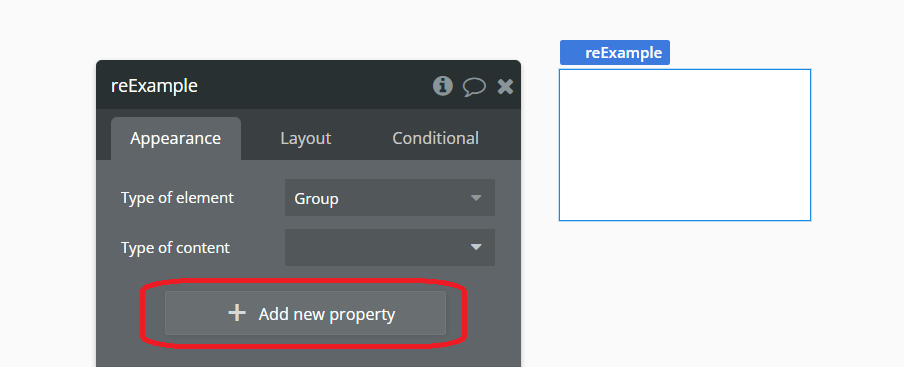
I want to be able to turn this Force Signup state on and off depending on the page.
Edit: I’ve been able to access the state of the Reusable Element via Workflows to chang the state. However, I was expecting to change this state manually through the Element Inspector inside the Design Tab. Isn’t that possible?
you cant read the reusable element custom state, use url parameter , and set that parameter on parent page. and inside RE have a workflow which get trigger when ever that parameter is set.
Hmm, when we were learning the bubble in airdev, we never used it, it may give you option to setup the RU parameter.
so you have a CS on top leverl RU, and inside that RU when the CS value is change you are running a workflow which show the signup popup, and you are setting the RU custome state on parent level.
Hi data1, it is possible to give a state in a reusable element a default value.
Navigate to the reusable element (or click on the text that says “This element is a reusable element, click here to…”, it is in the second screenshots in your initial post).
Go to details for the reusable element → element inspector, there you can set the default value.
Thanks for that. However it’s not quite what I mean to achieve. What you suggested would be a shortcut to editing the re-usable element from a page using this re-usable element.
However, what I would like to achieve is to set the state of this element’s instance for this page. i.e. for page A, reusable element’s Sign Up state would be YES and for page B, reusable element’s Sign Up state would be NO.
Note: When field optional is yes you can give it a default value & you can set the value on the page where you use the reusable. When you uncheck optional and you do not set a value on the page where you use the reusable it will even trigger an error/issue.
Now when you drop the reusable on a page, you can set the value for property: