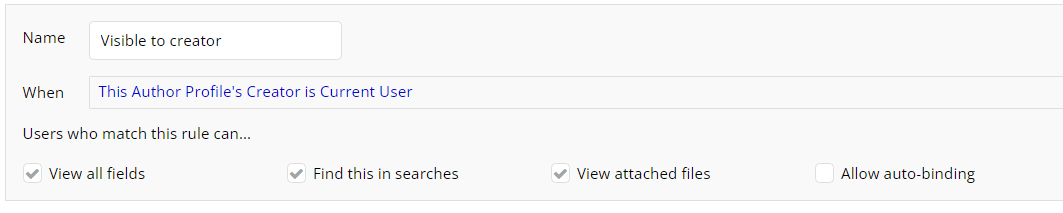
Hi I am trying to create a dynamic dropdown that uses data from the data base as choices.
Example using Author data.
I would like to have multiples Authors that can be chosen in the drop down, but they are specific to the individual user. I tried search for Authors and added the constraint Created by = Current User’s email but that wont work. I also tried just Current user before that and didnt get any choices to show up that way either.
Is there a good tutorial available that would fit this use case?
Thanks
Likely you either have privacy rules that cause the data to not be available or you are not logged in as a user who has created any author data type entries.
Privacy rules seem fine. I went to Users and “run as” to test it so I think it should be showing up.
Now I’m wondering if its just not pulling the author names in to the dropdown because it is showing two empty lines that can be scrolled over and highlighted.

I only mentioned Author earlier to keep it simple - its actually Search for Author Profile - Each items Author Name.
The dropdown will show whatever you define in the Option Caption box.
You haven’t defined anything there, so nothing will be shown.
So you need to define what to show in the Option Caption (which, given you’re using Text for your dropdown, can only be ‘This text’).
But why are you using Text here? It’s almost certainly better to use the actual datatype for the dropdown.
1 Like
I had started with the data type and changed to text later when it wasn’t working. That fixed it.
Thanks for all the help!
1 Like