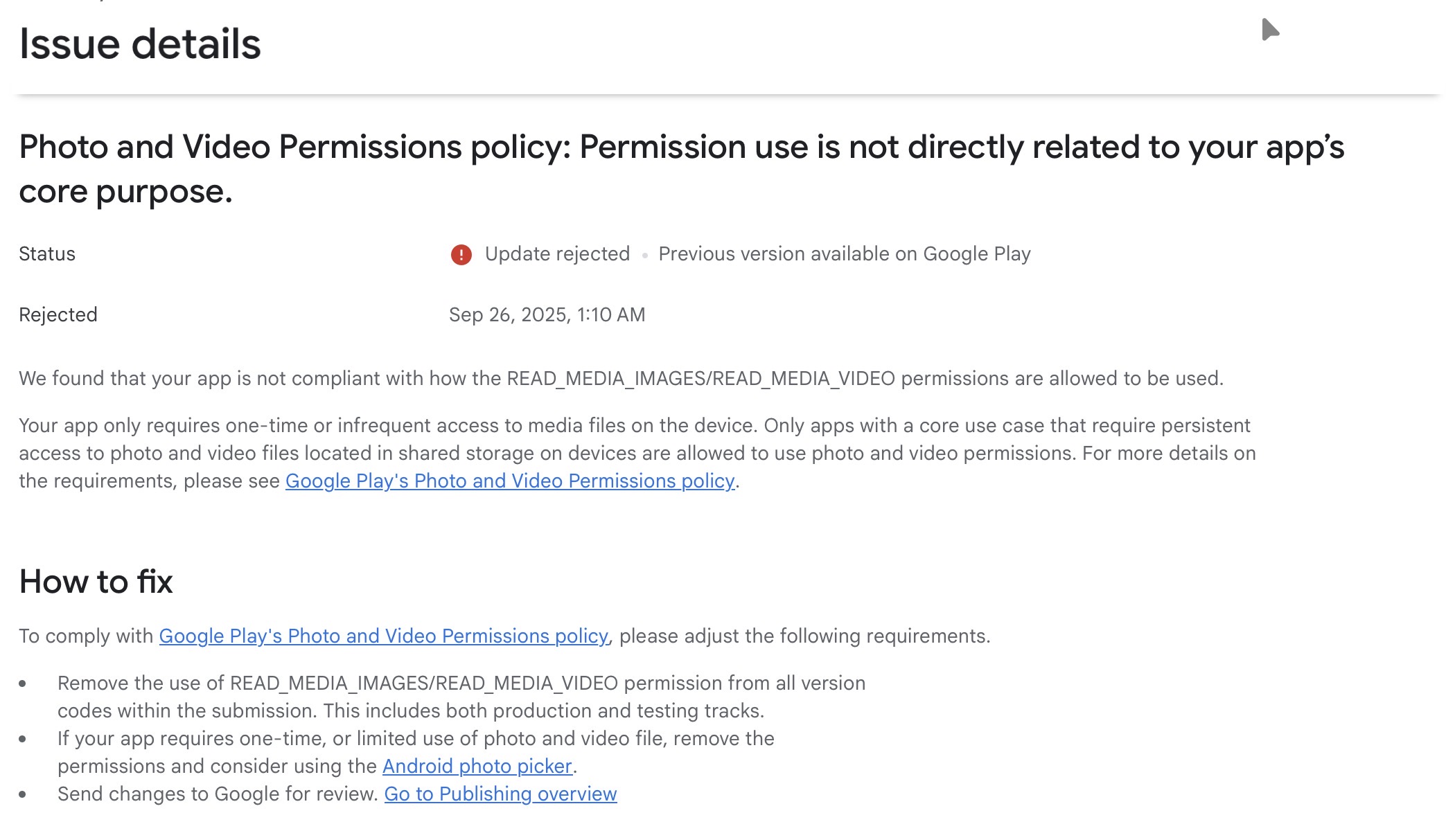
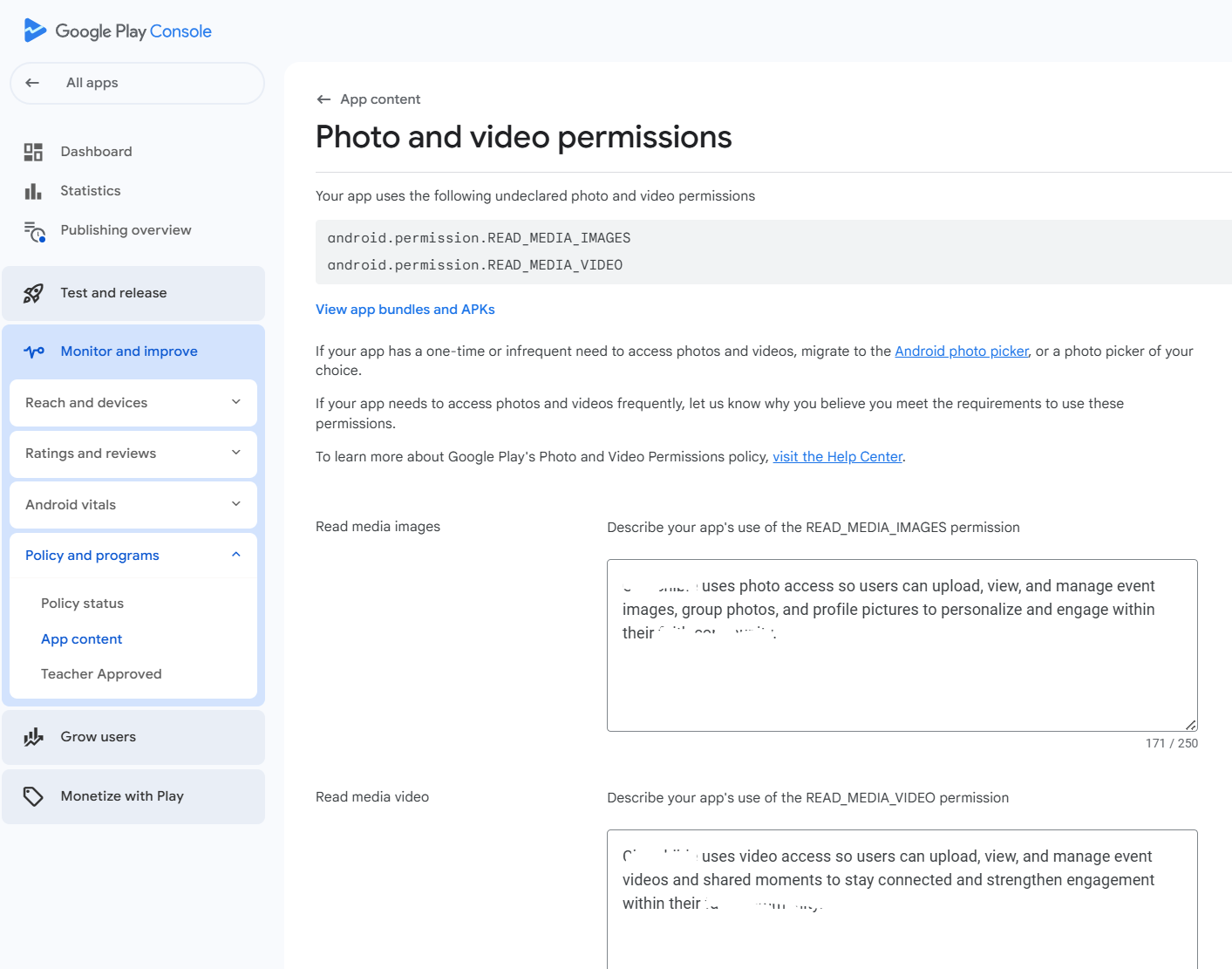
I’ve built an app in Bubble that has already been approved and published successfully on the Apple App Store, but I keep getting rejected on Google Play.
The rejection message says:
“Permission use is not directly related to your app’s core purpose. We found that your app is not compliant with how the READ_MEDIA_IMAGES/READ_MEDIA_VIDEO permissions are allowed to be used. Your app only requires one-time or infrequent access to media files…”
Context:
The app only uses Photo Library / Camera access for updating the user’s profile picture.
I do not need persistent access to all media files, just a one-time upload.
On iOS, I provide NSPhotoLibraryUsageDescription and Apple approved it without any issues.
On Android, however, Google Play rejects the build because the Manifest contains READ_MEDIA_IMAGES and READ_MEDIA_VIDEO.
@webziper.team It is because google only allow apps that require the use of camera/video capture permission if it’s necessary for the core functionality of the app or apps that requires persistent access to photo and video files
but your app’s core functionality doesn’t justify persistent access.
To resolve this, you’ll want to request a more limited, contextual permission that Google is more likely to accept. Instead of persistent media access, use permissions that provide scoped, user-granted access.
Best you can do is restructure your permission’s to something like this;
Allows access only to the media the user selects, not the whole gallery.
Perfect if your app just needs a user to pick or upload a photo/video occasionally.
Btw, did you build the app using the mobile app editor or webapp+wrapping into a mobile app?
Edit the permission text in a way that demonstrates the app wouldn’t use the camera or video element consistently
Because right now, according to your description on the app, camera and video capture isn’t a or required as part of the core functionality of the app so Google wouldn’t let you deploy the app if you present your app in a way that appears users consistently using camera/video capture
I am facing thesame problem. This is not our first build that is live. I dont know why this new version build update is flagged. @tobixzybolumole@nick.carroll Any recommendation?
We also are having this issue, I have rewritten the permission as suggested above and we were still rejected:
READ_MEDIA_IMAGES/READ_MEDIA_VIDEO is a restricted permission and apps must only declare this permission if their core functionality requires broad access to all photo or video files on the device. Apps that request this restricted permission are subject to review, and those that do not meet the acceptable use case criteria will be disallowed from publishing on Google Play.
Being able to take photos and have them uploaded to our database is an essential function, although it is not a core function. So at this point the built in mobile native camera access is completely unusable, unless we decide to not have an android app.
If anyone has found a solution to this. Please let me know
The solution @tobixzybolumole recommended didn’t work for us either. I reach out to support and they said they are aware of this issue. It’s been so many days now. We have users waiting to update their Android apps, but can’t because of an issue we have no control over.
I think the main issue for us is that we need the user to be able to take a picture and that picture is uploaded to our data, it is not saved to the customers device. So technically we do not need access to the photo/media library, but currently it is tied to the camera access on the bubble end. Although, there are separate toggles in the setting for camera access and photo library access and each of those also have their own workflows. Even with this if you turn off the photo library access permission it creates an error for the camera workflow. So on the bubble backend these are tied together. I currently have not been able to find any individual (google/ios) camera plugins. I do see that there are a couple of paid camera access plugins.
Unfortunately its a change we need to make on our end following an update from Google on newer Android versions that use a different set of permissions for the image picker.
For additional contect - READ_MEDIA_IMAGES and READ_MEDIA_VIDEO are still valid permissions requests, they are just handled more strictly by Google because they ask for full access to the device media library - hence the short declaration that says how you are using images/videos in your app. The new permission that google wants requested when using the image picker is READ_MEDIA_VISUAL_USER_SELECTED.
@nick.carroll Thanks for your response.
I seriously hope this is on Bubble’s Priority, as without this, no new build with these permissions can be published on Android. We have tried every work around, rewriting language settings, etc. still rejected by Google Play Store. For us, we have serious bug fix affecting our users for 2 weeks now that needs to be pushed out. We can’t do OTA (currently unavailable), so we are left with a new build (which is rejected by Google)

 Context: