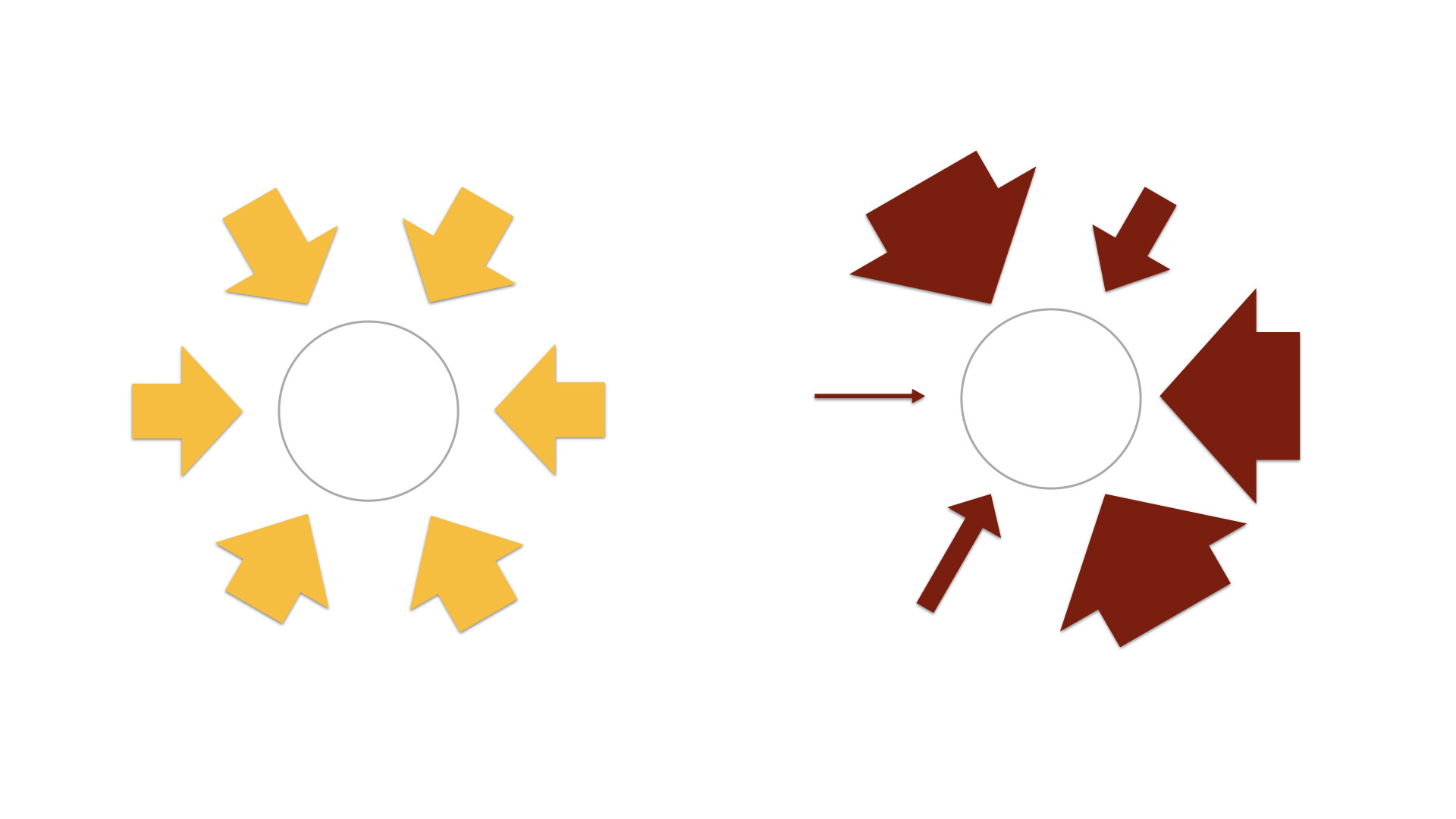
I’m building a visual analysis tool in Bubble, and I’ve hit a wall with dynamic sizing of shapes.
I have a page where AI generates a long block of text (an organizational analysis). That part works perfectly: I pass the AI result into analysis_dashboard using a URL parameter, and it displays correctly inside a text element.
Now I want to extract specific numbers from that analysis and use those numbers to dynamically resize shapes — 6 arrows around a circle.
The problem:
1\. Display the AI output (already working).

2\. Use regex to extract numbers from that text (already working — the extracted numbers display correctly in a test text box).

3\. Resize shapes or groups dynamically *based on those extracted numbers.*

4\. Build diagrams:

•	6 arrows radiating toward a center circle

•	Each arrow should resize based on its associated numeric score.

5\.     How do I create each arrow and link their size to the AI outputs?
For dynamically resizing shapes based on extracted values, here’s the approach:
Create 6 arrow groups in a Repeating Group
Set the data source to a list with 6 items (your extracted numbers)
Position each arrow using rotate transform based on index
Dynamic sizing
Set each arrow’s height to: Current cell’s number * scale_factor
Use min/max bounds to keep arrows visible
Formula example: max(50, min(Current cell’s value * 5, 300))
For the circular arrangement:
Use CSS transform rotate for positioning
Arrow 1: rotate(0deg), Arrow 2: rotate(60deg), etc.
Set transform origin to place arrows radiating from center
Alternative using HTML Canvas element:
Use a plugin like Chart.js or create custom plugin
Draw arrows dynamically with JavaScript based on your values
More flexible for complex visualizations
If you’re extracting 6 specific numbers via regex, store them in custom states (score1, score2, etc.) then reference those in each arrow group’s conditionals.
Want me to walk through the repeating group setup specifically?
For what you’re trying to do, the biggest thing to understand is that Bubble won’t let you resize actual “shapes” based on dynamic values. The trick is to put each arrow inside a group and let the group be the thing that changes size. The arrow just sits inside and stretches with it. Since you already have the AI text coming through the URL parameter and your regex extraction is working, you’re halfway there.
What I usually do is store those extracted numbers in custom states on the page, one for each arrow, or even keep them in a single list state if that fits your workflow. Then you bind each group’s width or height to the value you stored. Something like a percentage calculation works well depending on the scoring range you’re using. Once the group has dynamic dimensions, the arrow inside it will respond instantly. That’s how you get the six arrows around the circle to expand or shrink based on the AI output without Bubble fighting you.
It’s basically just a layout trick: groups can resize dynamically, shapes can’t. So wrap the arrow in a group, connect that group’s size to your extracted numbers, and you’re good. If you tell me the exact range of the numbers you’re extracting, I can help you set the right scale so the arrows don’t look too small or explode off the screen.