How to handle error: "sorry, we could not find a user with email _____"?

I was just playing around with my app. I was intending to create a new test user but accidentally clicked “login” instead of “sign up”.

This resulted in this error popup being shown
image

I hide my login screen and show a loading spinner when users are being logged in / signed up because it can be kinda slow so when I clicked the Ok button I’m stuck on the blank spinner screen.

Is there anyway I can customize that Error popup?

I’d love to have one of the following happen:

  1. Ask user if they’d like to sign up using the supplied login / pass
  2. Trigger workflow to hide spinner and show Login / Signup group
  3. Reload the page

Any ideas on if I can accomplish any of the above?

Hey,

You can easily catch errors on the client-side.
image

Editor:

Preview:
https://just4tests6.bubbleapps.io/version-test/catch_error

1 Like

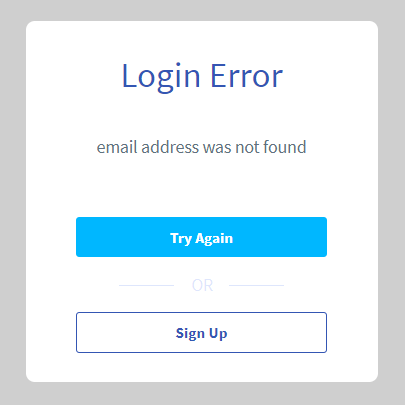
This is great. I was able to show the following popup in lieu of the default pop up and the buttons work as intended.

image

However the popup is displayed if a valid email / invalid password combo is displayed. Obviously I’d want to display a different message in that case.

I see you use Data to Display and Current Workflow’s Error’s message:

But when I try to emulate this I’m told my expression is incomplete:

Any ideas as to how I fix this so I can display a dynamic error message / show dynamic buttons?

Update: think I figured it out. Set popup’s type of content to text. Set text field’s to parent group’s text.

Once that is done, the expression that was giving me trouble becomes valid.

Thanks again!

This topic was automatically closed after 70 days. New replies are no longer allowed.