We’re excited to introduce the Audio Player Plugin for Bubble Mobile, a high-quality, interactive audio experience designed to seamlessly integrate into your mobile app built with Bubble’s mobile editor!
Key Features:
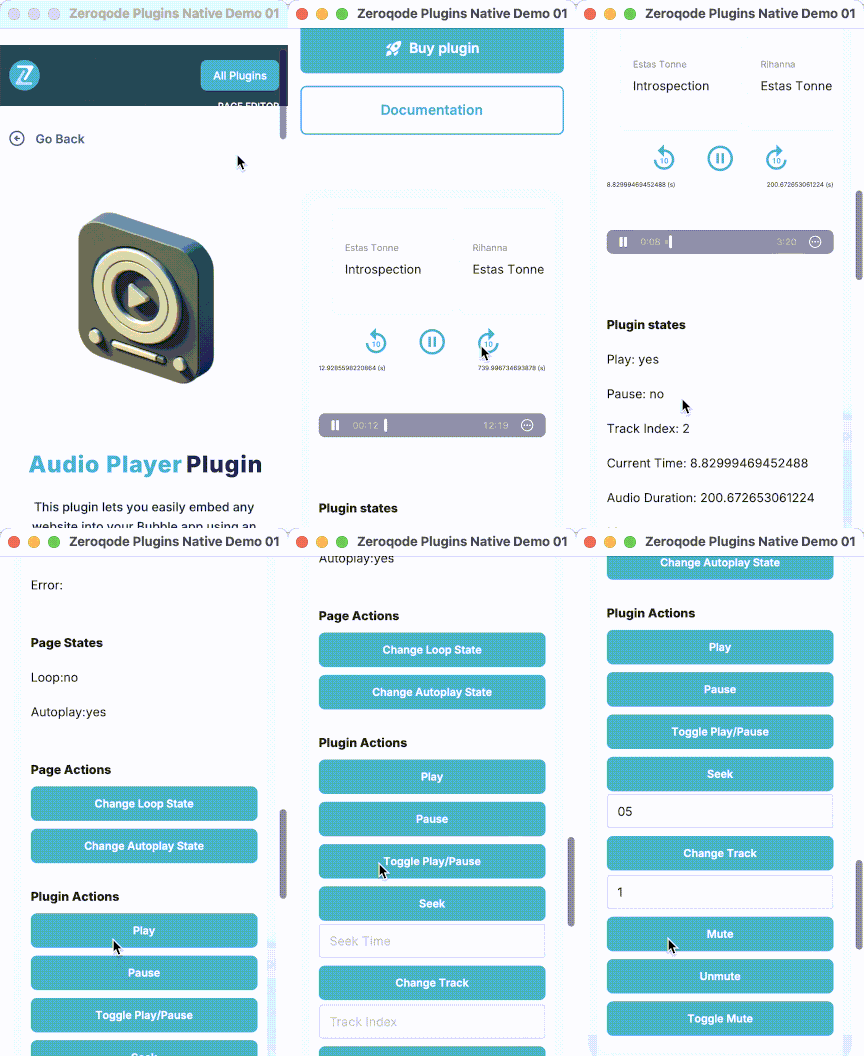
Enhanced User Experience: Autoplay, looping, customizable song title, artist, and artwork are all included, providing users with an engaging audio experience.
Intuitive Controls: Play, pause, seek, mute, and track navigation controls make it easy for users to interact with the audio player.
Playback Progress: Exposed states like current time, duration, and track index allow users to track playback progress effortlessly.
Essential Events & Actions: Supports key actions like play, pause, change track, mute/unmute, and more.
This plugin is the perfect tool for any mobile app that needs smooth audio playback with customizations. Whether you’re building a music app, podcast player, or any other audio-based application, this plugin has you covered!
Does this not work on android? Also I had to downgrade the version to 1.2.0 to make all the actions available. The newer versions only provide events(even in your docs).
We are excited to share that we have effectively resolved the issue with the Audio Player plugin action and have updated it to version 1.6.0 (Restored deleted plugin actions).
Could you kindly update the plugin within your app to this latest version and confirm whether everything is now operating smoothly?
Feel free to explore the plugin’s functionality on our demo page.
Your patience and cooperation throughout this process have been greatly appreciated.
Hi! I am using the plugin and find it very useful. One update I would like to see that would help a lot would be to add the exposed state of current audio URL. Is that possible? Thanks!
Thanks a lot for your kind words and for sharing the idea
Adding the exposed state of the current audio URL sounds like a very reasonable improvement. We’ve noted your request and will discuss it with the dev team. I’ll keep you posted once we have any updates on this.
As per the dev team’s note, if you set the audio URL in the field of the plugin element, you already have access to it in the Bubble editor.
You can see this in the plugin setup, where the audio source is defined directly in the element (screenshot example).
That said, we’ll add your request about exposing the current audio URL to our list of ideas for future improvements and will keep you posted in case of any updates.
Can we have a way to change the background color of the plugin, my app is in darkmode the white background of the plugin makes it look ungly, Thank you in advance
This feature is not currently available in the plugin, but we have already forwarded your idea to the development team and they will check if the plugin library allows adding the Dark Mode feature in the next plugin update.
Thank you for your understanding and have a nice day!
I’m considering Audio Player Pro for my Bubble native mobile app and would like to confirm whether it supports continuous playback across views.
The goal is to let children choose background music while doing activities. I’d like to:
Start a track in view A.
Navigate to view B without interrupting or restarting the music.
Pause or resume that same track from view B using custom buttons.
Keep the “Is Playing” state and current track information synchronized across views.
Is this supported? If so, how should I configure the player elements and the Storage ID across the different views? Should each view contain a player, or is there a way to control a shared player?
I saw the “Storage ID” and “Load track at position” features in the documentation, but I’m unsure whether they restore playback after navigation or allow truly uninterrupted playback.
I am glad to clarify how Audio Player Pro for Bubble Mobile handles navigation and how you can achieve your desired setup.
Continuous Playback and Navigation
The plugin does not support a single shared background player instance that can be simultaneously controlled across separate native views.
Here is how the navigation features work according to the plugin design:
Storage ID: This setting is a unique identifier used to persist and restore playback state across navigation. Each Audio Player element in a project requires a distinct Storage ID (for example, “player_home” or “player_activities”).
Load track at position: This action is built to restore a session after navigation by atomically loading a track and seeking to a saved position before playback starts. It is designed for session restoration rather than uninterrupted, continuous streaming between views.
Cross-View Control: In Bubble Mobile, elements and workflows are scoped to their respective view. An Audio Player element in View B cannot read states or control an Audio Player element located in View A. If View A’s player continues playing because the Destroy audio player action was not triggered before navigation, it persists as detached background playback that cannot be controlled or monitored from View B.
Recommended Setup for Background Music
To allow children to listen to background music without any interruption or restarting while navigating between music selection and activities, build this functionality within a single-view architecture using custom states:
Place a single Audio Player element on your main mobile screen.
Position the element outside of any conditionally hidden containers so it stays loaded at all times.
Create a custom state on the view (for example, current_section as text) to toggle between views such as Music and Activity.
Place the music selection interface inside Group A and the activity interface inside Group B. Set conditional rules on each group to show or hide based on the custom state value.
Add custom buttons in Group B to trigger the player actions directly (Play, Pause, or Toggle Play/Pause).
Reference the player element’s exposed states (is_playing, current_track_index, and current_time) across both groups to ensure indicators and button states remain synchronized without interruption.
Review the official documentation and the demo editor to inspect settings, actions, and states:
We have successfully published an update for the Audio Player Pro plugin. Version 1.25.0 is now available in the marketplace.
Update Details
Fixed the Remember Playback Position functionality.
Fixed double playback issues.
Fixed silent mode behavior on iOS.
Added a new Error event.
Added a new Is Playing state.
Update the plugin to the latest version within your Bubble editor to apply these changes. For additional guidance on configuring the new event and state, review the official documentation at: Audio Player Pro for Bubble Mobile.
If you encounter any issues or have questions regarding this update, please post on the Forum or contact us directly at support@zeroqode.com.

 Key Features:


