
Hi everyone,
Rutvij here, product marketer from the AI team. At Bubble Tour in October, we announced that the beta for mobile app generation with Bubble AI had begun rolling out to users.
Since then, thousands of you have generated native mobile apps, and today I’m excited to share that the rollout is complete and it’s now available to everyone (though it remains in beta). We’ve also made it easier to get started generating both web and mobile apps with AI from the same place.
What’s new
Starting today, when you create a new app on Bubble, you’ll now see options that let you choose how you want to start:
- Generate a web app with AI (powered by Claude Opus 4.5)
- Generate a mobile app with AI (also powered by Claude Opus 4.)
- Start with a blank app (web or mobile)
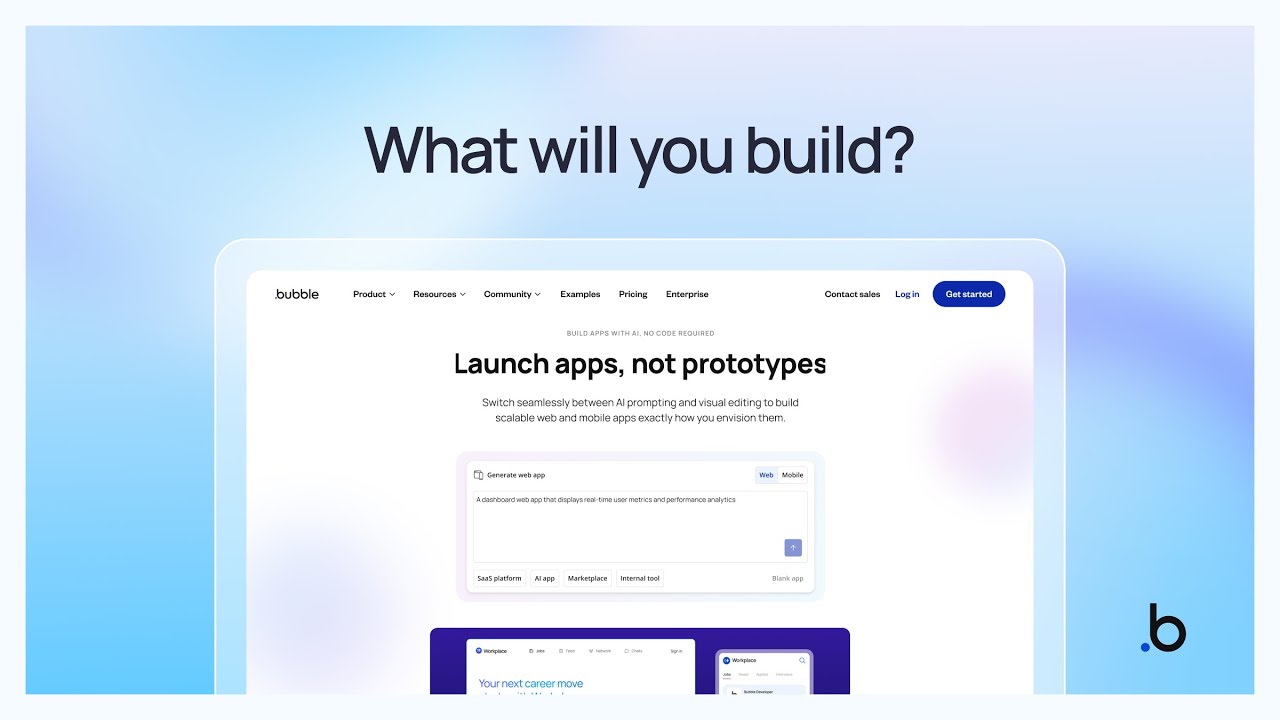
This means you can now use Bubble AI to kickstart native mobile apps just like you can with web apps. And since Bubble is the only platform where you can build both web and native mobile apps without code, you can switch between them as your idea develops.
Current mobile app capabilities
Mobile app generation now creates:
- Native mobile UI with design patterns for iOS and Android, including views, bottom sheets, stack navigation, and mobile-specific interactions
- Pre-populated sample data that shows how the app works
- Dynamic expressions that connect your UI to your database and display live data, for example, text, numbers, or images based on your data
Keep in mind: Mobile app generation is in beta and doesn’t generate workflows yet, so you’ll need to add those using Bubble’s visual editor. You can also, of course, use it to customize any other part of the generated app.
The Bubble AI Agent can also provide educational and troubleshooting support for mobile apps now. Prompt-to-edit capabilities for mobile will be in beta starting in Q1 2026.
Get started
To try mobile app generation, head to your bubble.io/home and click Create with AI. You’ll see options to generate a web app, mobile app, or start with a blank app.
If you run into issues or have feedback on how the feature works, share it in this thread. We’re actively working on improvements and want to hear what’s working and what’s not.
— Rutvij