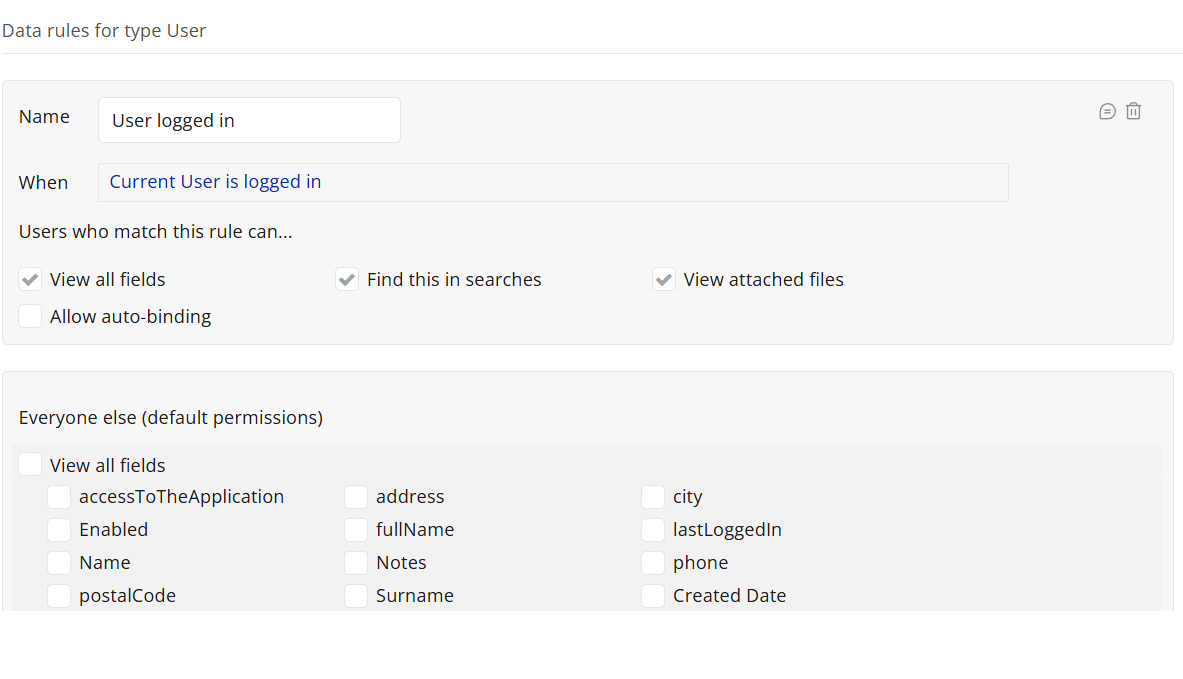
I have created an application, only accessed by logged in users. It gives the ability to upload and store files, using the Dropzone Multifile uploader plugin.
I have setup this plugin to make each file private and attach it to the user id of the logged in user that uploaded the file.
In the privacy tab, I have setup rules, so only the logged in users can access the files.
The problem:
- As a logged in user, I preview the file. The file opens in a new browser tab, using a link starting like this: https://ee9d9d6b9071416d3315f199ffaf0d09.cdn.bubble.io/…
- I copy the link and paste in in a different browser (or a private window) with NO logged in user and the file appears (whereas it should show a message that access is denied).
This means that a logged in user can copy the url of a file and send it to someone else e.g. via email, who will be able to access the file, despite the fact that he is not a registered user of the application.
How can I fix that?
Make sure you’ve cleared your caches on the private window
- I opened the file on Chrome, as a logged in user. I copied the file link.
- I opened Firefox and cleared its cache. Then, I opened a new private window in Firefox and pasted the file link.
The problem remains. The file still appears.
The file link:
Thanks for this post, it might help others as well! Here is how you could approach this issues using Privacy rules: Step-1 add a rules that only give the creator access to view the file, plus check if current user is not empty or login. You could also do the opposite if you want.
Step-2 Check the plugin you’re using, if it comply with
Bubble security standard. I hope it helps and good luck!
Thank you for your response.
First of all, I need all logged in users to be able to access the file. So, I didnt’ use the rule about file creator. However, I did ADD the rule “Current user is not empty“ to my existing rule “Current user is logged in“, but with no results.
As far as the plugin is concerned, when I upload a file, it seems to be properly related to the user id and marked as private (in the file tab). Therefore, the plugin seems to work as supposed.
To conclude, no solution till now…
Does this mean that anyone can access any files of any Bubble app? That is juicy…
You’re opening a presigned URL. Bubble returns private files with a presigned URL which has an expiry (1 hour I believe). A presigned URL is basically saying ‘this magic link allows access to this file for a specific amount of time’.
A presigned URL grants anyone with the link access. So, if a permitted user shared a link with an unpermitted user, they could access it for an hour. However, that’s no different to them just sharing the file itself with another user and once the file is available to the user they can of course do what they want with it.
1 Like
George, thank you very much. This was a detail I didn’t know about.
1 Like