Supabase Plugin - Integrate Supabase into your Bubble app

Hey did you figure this out? I’m having the same issues

hi @ZeroqodeSupport - thanks for your patience. Just tried it without a space in between and it’s still the same error: PGRST100 failed to parse filter


EDIT. BELOW IS SOLVED!

also, i have one more question that i hope you can help me with. i’m having issue with the Storage RLS error currently.

I set my INSERT RLS to only

(auth.role() = ‘authenticated’::text)

but even with that lax of authentication, i’m still getting a 403 error response:

statusCode: ‘403’, error: ‘Unauthorized’, message: ‘new row violates row-level security policy’

Similar RLS on other tables doesn’t generate the same error as it is for Storage

This is what I found as similar issue via the supabase github:
Bug: Storage Upload RLS Check Fails with Contradictory 400/403 Response · Issue #35157 · supabase/supabase

Hello,

@arensbpa
Thank you for reaching out!

Have you tried the solutions mentioned in this post?
If not, please try implementing them in your app and let us know if the issue is resolved.

@steven.h.liu.1 After researching your issue in detail, I came across this discussion, which mentions a similar problem. The solution that worked for others was to enclose the values in parentheses and remove any spaces, like this:
.not("brand_name", "in", "(instagram,samsung)")

Please let me know if this solution worked for you!

Best regards,
Zeroqode Support Team
Browse all Zeroqode Plugins for Bubble
Banner_Last3

Hi ! Im really interesting par supabase and bubble.

But before buying the plugin I would like to get the answers to these questions:

Is the plugin compatible with bubble web app or only on mobile app?

I would like to use supabase only to manage authentication. The rest of my data would be on another service. Is this use case ok?

Thanks !

Hey @m.voyen ,
Thank you for contacting us.

You can use Supabase just for authentication and handle the rest of your data with another service. The Supabase Pro Kit plugin by Zeroqode supports this — it lets you manage user sign-up, login, logout, and session handling. Once authenticated, you can use the returned token to connect your users with your other backend or database.

As for compatibility, our developers are actively working on making the plugin fully compatible with Bubble web apps. As soon as this feature is released, I’ll make sure to let you know!

Have a nice day!

Best Regards,
Zeroqode Support Team
Browse all Zeroqode Plugins for Bubble
Banner_Last3

Thank you for your quick reply !
I will wait few weeks/month before to start

Hello,

@arensbpa, is your inquiry still relevant? Were you able to apply any of our suggestions?

@steven.h.liu.1, did the solution help resolve your issue? Please let us know if you managed to apply it successfully.

Looking forward to your response!

Best Regards,
Zeroqode Support Team
Browse all Zeroqode Plugins for Bubble
Banner_Last3

Hey @arensbpa ,

Thanks for your message. :pray:

Let’s keep the discussion in a single thread so it’s easier to track and avoid any context being lost. Main thread here

Best,
Support Team
Browse all Zeroqode Plugins for Bubble
Banner_Last3

hi @ZeroqodeSupport- apology, my job had a busy few weeks.

I just tested it with hard code and it works!

so i assume if i were to turn this into the bubble dynamic links, it would look something like this:

.not("brand_name", "in", “(RepeatingGroup_Collab's [SB] selected_brands:each item:lowercase:formatted as JSON-safe)”)

Hi steven.h.liu.1!

First of all—no need to apologize at all! Life gets busy, and we completely understand. :blush:

We’re just glad to hear back from you—and even more excited that the hardcoded solution worked on your end!

Regarding the dynamic expression you’ve shared:

RepeatingGroup_Collab's [SB] selected_brands:each item:lowercase:formatted as JSON-safe  

That’s a solid start, but we wanted to point out one potential issue—each item:lowercase:formatted as JSON-safe tends to preserve the array-like format, including quotes and spacing, like this:
["instagram", "samsung"]

To make it work as expected, you’ll likely need to manipulate the values a bit further—specifically by joining them using the :join with operator (e.g. :join with ",") instead of formatting them as JSON. This will give you a clean, comma-separated string like:
instagram,samsung

To help illustrate this, we’ve set up a quick test page you can review and replicate:
:link: Live Page: https://egorsmorodinov-66234.bubbleapps.io/version-test/test
:test_tube: Editor View: Egorsmorodinov-66234 | Bubble Editor

Please take a look and let us know if this approach solves the issue for you—we’re happy to assist further if needed!

Best regards,
Zeroqode Support Team
Browse all Zeroqode Plugins for Bubble
Banner_Last3

Hi @ZeroqodeSupport- ty. let me take a look and give it a try.

In the meantime, I do have a more basic question.

To achieve persistent auth across multiple pages, I would place the “Supabase Auth” plug-in on each of the pages. However, I was placing the “Supabase Auth” across all elements (e.g., pages, repeating elements, pop-up, etc.). I think that is disrupting the auth session and sometimes it would show me as I’m logged out (not sure if that’s the true cause).

Do you have recommendations on where to place the “supabase auth” elements to ensure a continuous session across the entire site? How about the reusable popup (e.g., a sign-up page popup)?

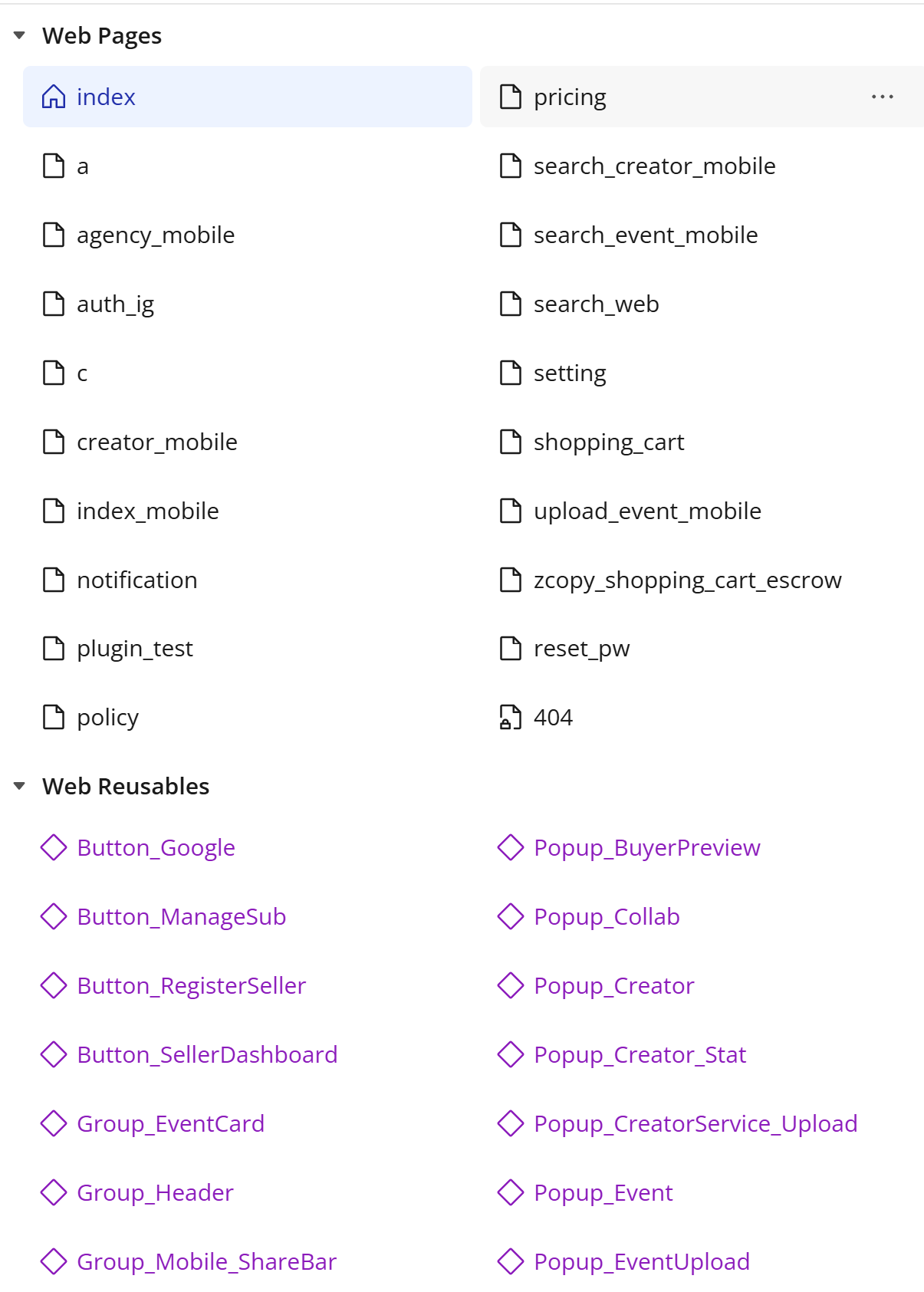
This is a screenshot of my current bubble page schema (still need some clean-ups):
Hi steven.h.liu.1,

Thanks for your question. For persistent authentication across multiple pages, we recommend first reviewing our guides here:

In general:

  • Set the Supabase Auth element at the page level, not inside repeating groups, popups, or other conditionally loaded elements. This ensures it’s initialized once when the page loads and avoids session interruptions.
  • Use only one instance of the element per page to prevent re-initializing the session and potentially logging the user out.

Let us know if you have more questions!

Best regards,
Zereqode Support Team
Browse all Zeroqode Plugins for Bubble
Banner_Last3

Hi @ZeroqodeSupport - thank you. This is super helpful!

One follow-up question re: only one instance Auth element per page. How should I navigate for repeating pop-up’s groups? Specifically, I need to insert the user_id but can’t link to the page’s Auth element for that purpose.

_________________________________________

Additionally, I do have one more question on join query for a one-to-many relationship:

I have two user tables (1/ general info (“user_profile”) and 2/ sensitive info (“[sensitive]user_contact”). I set up my join query based on the zeroqode guide HERE. However, I can’t seem to have it working to fetch the “[sensitive]user_contact” table data as a join.

I can pull data from the “user_profile” table but can’t pull from “[sensitive]user_contact.”

I also did the fetch separately from both “user_profile” and “[sensitive]user_contact,” and both work independently (without the join).

Here’s my setup (edit: I updated the naming from [sensitive]user_contact to sensitive_user_contact):

API Connector (for “user_profile” table):

Element:

Hi steven.h.liu.1,

Thanks again for your message and for providing these details!

  1. Regarding your question about using only one instance of the Auth element per page: could you please clarify what you mean by “repeating pop-up groups”? If possible, a screenshot of the element structure and your intended workflow would help us better understand the setup and offer more targeted suggestions.
  2. For the join query between the user_profile and sensitive_user_contact tables — to help troubleshoot, could you share more about the current result you’re seeing? Specifically, are you getting an error response, an empty result, or is it returning incorrect data? Knowing this will help us narrow down what might be going wrong in the join configuration.

Looking forward to your reply!

Best regards,
Zeroqode Support Team
Browse all Zeroqode Plugins for Bubble
Banner_Last3

Hi @ZeroqodeSupport - please see below for the response:

#1: If you see the image below, there is a sign-up page (repeating group popup) that I have an AUTH element in there, so I could pull the user_id of each user. However, in the background (index page), I also have an AUTH element for that page

#2: If you look at the image below, these are the “tests” I was doing to isolate the issue:

  • test1a: what I’m trying to achieve with the join table >> returning empty
  • test1b: pulling directly from the sensitive_user_contact table (using its own SB element) >> returning the right value
  • test2&3: use the same user_profile supabase element (with join table configuration) to pull the main table (“user_profile”) info vs. the join table (“sensitive_user_contact”) info >> returning the right value

Hi @ZeroqodeSupport ,

I came across the following blog post from Supabase about how they are planning to transition all projects to JWT signing keys. I was wondering if there will be any impact on Supabase authentication through your plugin, and if so, whether you have plans to release an update to address this?

https://supabase.com/blog/jwt-signing-keys

Thanks so much,

Chris

Are there any release notes for the latest patch”2.9.0 fixed connection of realtime database”

I have been struggling to solve an issue with real time failing (specifically on mobile) once the user navigates away from the page to a different application, the screen saver activates, etc. See the thread below for specifics on the issue.

Thanks,

Naveen

Hello,

@steven.h.liu.1
For popups such as your sign-up page’s repeating group popup, you don’t need to include a separate Auth element within the popup itself. The Auth element placed on the parent page (like your index page) is enough to manage the session, and you can reference user_id and other auth states from there. If you’re unable to reference the Auth element in the popup, consider saving the user_id in a custom state for easier access.
While having multiple Auth elements on a single page generally doesn’t cause errors, but it can increase the chances of conflicts, so it’s best to keep things centralized when possible.

Regarding your JOIN query: since there are no execution errors in the workflow, it’s likely a configuration issue. When troubleshooting the empty result in Test 1a, try re-running the test and check the exposed states of your Supabase Database element—specifically, the Status code and Status message. If these show “200” and “success” but Objects is empty, the join query is probably misconfigured. Double-check your “Joined tables” and “Filters” settings.

@chris.fajou
Thank you for highlighting this! I’ve forwarded your questions to our developer team. As soon as we have an update, we’ll post it here.

@naveenreddyla
Thank you for your question. There aren’t any extended changelogs for this update, but I can share some context: the issue that’s been fixed is similar to what you described—realtime listening would stop updating after the page was inactive for some time, especially when switching browser tabs.
Are you experiencing the same issue in your Bubble app?

Best regards,
** Zeroqode Support Team**
Browse all Zeroqode Plugins for Bubble
Banner_Last3

Yes. I was having the same issue in my Bubble app. Whenever there was page inactivity, switching of browser tabs or opening a different app on mobile, realtime would time out and not reconnect. I have been testing the new update and on my first go around it seems to have solved the issue. I will continue to test with it and let you know what I find. Thank you for pushing this update. It looks like it solved a major problem for me.

Hi @ZeroqodeSupport - thanks for the message. Could you clarify for me on how to check the exposed states please? I also think it is configuration/user error. It seems to me that I’m not joining the tables correctly but not 100% sure on where I went wrong.

This is what i’m seeing when going through the debug for test1a. The data under “user_profile” table is showing, but the “sensitive_user_contact” (the join table) is showing 0 data available.

And this is how i’m setting up the element: