
Yes - it has access to both live and dev.
Your live deployments occurred during a rollout gap where the deployment events were received but the Radar scans were not started. This has since been corrected. Your next deployment from test to live should trigger Radar
Great, thank you. Will let you know if I run into any additional issues. Thanks for the quick response and all you are doing with this amazing product.
BubbleScript released in beta
Happy BubbleScript release date, to all those who celebrate! BubbleScript is now available as an opt-in experimental beta.
BubbleScript is the next major release of Buildprint and is a re-write from the ground up. Now, your Bubble apps are TypeScript.
For you, this means:
- conversations are much faster, and more token efficient (in our experience, about 3x faster)
- agent is capable of longer horizon work
- UI generation is significantly improved
I’ll do a more technical showcase at some point, but if you want to know why this is important and why it makes Buildprint 5x as good, then here’s an X post you might find interesting:
Here are some image-to-text results from BubbleScript:


How to enable
You can opt in from your project’s settings (it’s a per-app beta, not workspace-wide).

When activating the beta, it will apply for new conversations. Likewise, if you disable it, that setting will only apply for new conversations. If you experience a blocking issue, then you can disable the beta and start a new conversation.
The beta is only available in Buildprint Web, not the CLI (it will come to the public CLI in future; it’s just limited now so we can have more control over how it’s used).
There is currently no public documentation for BubbleScript, but this will be added when it is released to everyone.
What to look out for
If you or Buildprint experiences a blocking error, Buildprint will ask you if it can submit a bug report. Please encourage Buildprint to submit if it asks! There will likely be edge cases we don’t handle yet; asking Buildprint to report it is the best way to get it resolved (no need to post here).
It’s strongly encouraged to avoid very long conversations. Updates to BubbleScript only take effect on new conversations, so creating clean new conversations is the best way to ensure you’re always on the latest version.
If you have more general feedback / results to share, feel free to post here!
This is huge! Are you planning on making BubbleScript an open-source project for the community to contribute to it?
nope 
This speed is awesome! Looks like components aren’t supported though?
Response: “Buildprint’s current documentation says components are installed with buildprint components add, but this sandbox’s CLI does not yet expose that command.”
yeah it’s because old components are basically in a different ‘language’ of Bubble
but will be adding back soonish before wider release
Buildprint for macOS available
Hey everyone! Buildprint macOS app has just been released.
You can download it from your user menu in the bottom left of the sidebar:

BubbleScript bugs fixed
- timezones not fully working in date operators
- API call data not supported in groups
- streaming API call response types not fully typed in expressions
BubbleScript is magical and the Mac app works perfectly! Now I’m just waiting for the iOS app 
Fable 5 spent 4% of the weekly limit on a task that used to spend probably 8-10% 
I would vote for an Android app first 
Agreed on the MacOS app, incredible.
Does it do everything quicker? BubbleScript?
Secure secret sharing support
Buildprint can now ask for secrets. These are sent securely straight to the agent and not stored by Buildprint. The agent will also not read it directly and instead send it anywhere it needs to without seeing it. This also resolves an issue with some sandboxes stalling.
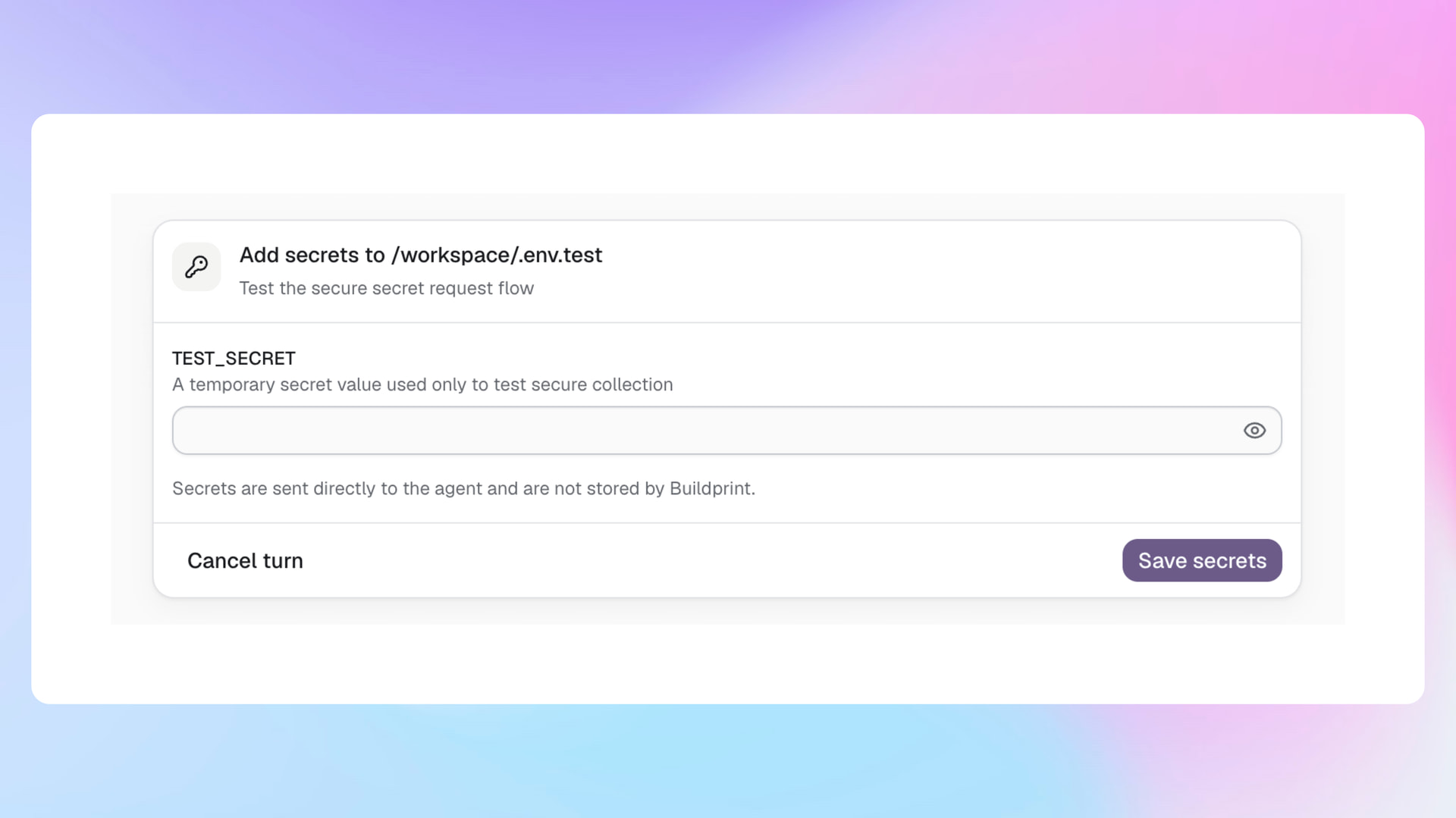
Yeah, everything so far at least
100%
Bugs definitely do still exist, but they’re fail-safe bugs (i.e Buildprint tells you it’s running into an issue and can’t complete the task and submits a bug report) rather than creating weirdness in your editor.
As usage increases those bugs will be closed and will be able to rollout to everyone
Grok 4.6, inbox sidebar option, better analytics, fixes and improvements
You can now see your usage analytics in Buildprint. It shows you where you and your team spend your time in Buildprint and on what kind of work.

A new inbox sidebar option has been added. To enable it, select it in your conversations sidebar.
It will group into state rather than project, so you can more easily monitor multiple agents at once.

- Grok 4.6 available in Buildprint and added as Buildprint managed model
- DeepSeek V4 Pro added as Buildprint managed model
- Users now encouraged to connect AI provider during signup
- Removed GPT 5.6 Luna
- fixed autofill being active in email input
- fixed cell buttons taking too much empty space on data tab
- fixed issue with attachments sometimes showing [blocked]
- reorganised MCP/CLI/API setup into one ‘Access tokens’ tab
- improved sticky column on data tab
- fixed issue with files not being passed to automated tests
- added info tooltips to Plan + Build mode selectors
BubbleScript
fixed issues with:
- button icons often being white
- alignment in fixed height parent groups
- validation on option set values being passed as parameters
- added logs to CLI
- background color for reusable elements defaulting to solid white
@georgecollier I just used Grok 4.6 with medium reasoning but Buildprint still used Grok 4.6 fast variant with high reasoning

Will check!
Should be fixed now (you may need to start a new conversation)
@georgecollier Hey George, purchased the team plan, but somehow we lost access to our logs. Any idea if we can get them back?