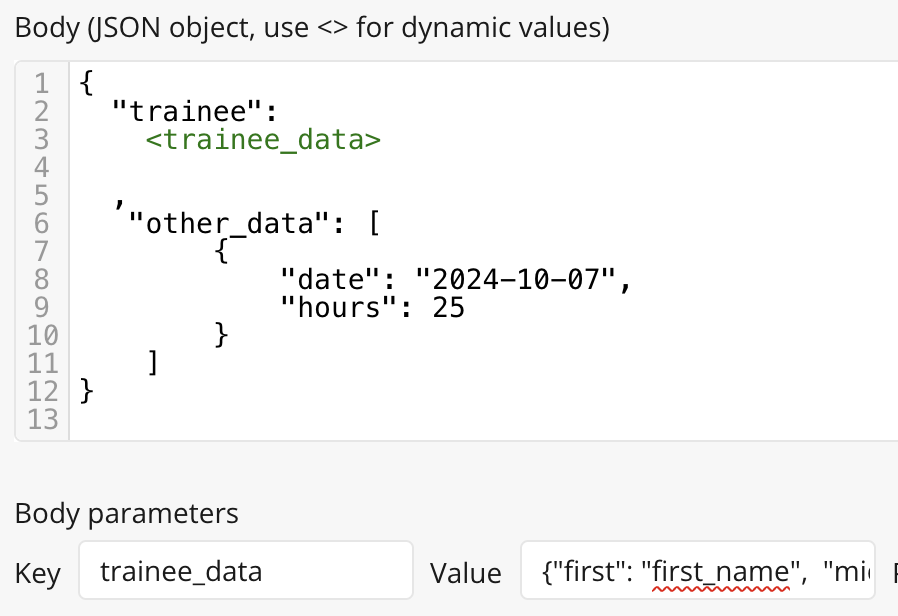
Challenge: Data sent from the backend workflow to (frontend) workflow is a numerical value, not an expected Json object.
Context: I need to send a structured Json to an API endpoint. I used Backend Workflow to create the structured Json. Then I call on the API Connector in Workflow to perform the POST request. My ultimate goal is to structure rows of data (convert data list in Bubble to a clean JSON array) and feed to the API end point.
I have look through everywhere, but not able to find out how to fix this. This is the closest post I found on backend data returning numerical value.
Thank you all in advance
Backend Workflow screenshot (**A button triggers this backend workflow)
After reviewing your post, I noticed a few areas that might help in debugging the issue:
Try storing the data in a temporary table to verify whether the data structure is correct.
Check why you’re using JSON_SAFE when adding the first, middle, and last names. Also, ensure that double quotes are properly placed before and after the dynamic values.
Please follow the steps above to resolve the issue. If the problem persists, feel free to DM me or reply here.
Formatted as JSON safe adds double quotes and uses empty value as null. Number values in JSON do not need double quotes and I think from reading post the return data is a number value
I tried using API in the backend workflow, and the return value is still a number. I am not sure if I missed something very basic or something else is going on.
I saw a video somewhere saying the return number could be the number of times it ran in the background, and to get the actual object needs to go through API connector.
First name, last name is not an actual number in the database.
You cannot return data from a backend workflow using Schedule API workflow. To ‘synchronously’ return data from the backend, make an API call to your own Workflow API using the API Connector.
Additionally, you are returning the payload as a text, not as an object. To return this data, have a parameter for first, middle, and last, and each parameter should be the relevant dynamic expression. No formatted as JSON-safe is necessary.
Exactly @georgecollier, I would just add to your item 2 that he can change the content type of the Return data from API action to Other content-type and set it as application/json. Here’s an example in the screenshot below:
I think he used formatted as JSON-safe there because it already adds the quotes and formatting, so it might actually be worth keeping it and checking how the response is received.
Might be helpful to see a demo bubble app. Seems like I have tried everything.
What is the standard way in formatting my data in a Json and send it to a POST request? I need to format a single item(row) as JSON, but a whole list. I follow exactly as described in this article and it seems to be conflicting with your suggestion.
I think you are descripting below, but the Json body returns Null, with or without “format as Json”.
Thank you all. I ended up going back to basics and skipping backend workflow.
I store what I need in a state through Arbitrary text. Using arbitrary text and format-text allows me to structure complicated nested Json. Once the Json structure is complete, the state value gets sent to API Connector as a parameter.