We’re building a financial tool using Bubble as the frontend and our own backend API to pull transaction data from QuickBooks.
Each company can have more than 100,000 transactions and we need to:
Display all of them in a repeating group
Allow inline editing for each field
We’re currently pulling data from our own FastAPI and writing data into Bubble’s internal DB using the Data API so we can support easy editing and real-time updates. Also this save some work unit by Bubble handle all data pulling and writing. Using an external DB could make the UI experience clunky — updates don’t reflect unless we refresh the page, which breaks the workflow.
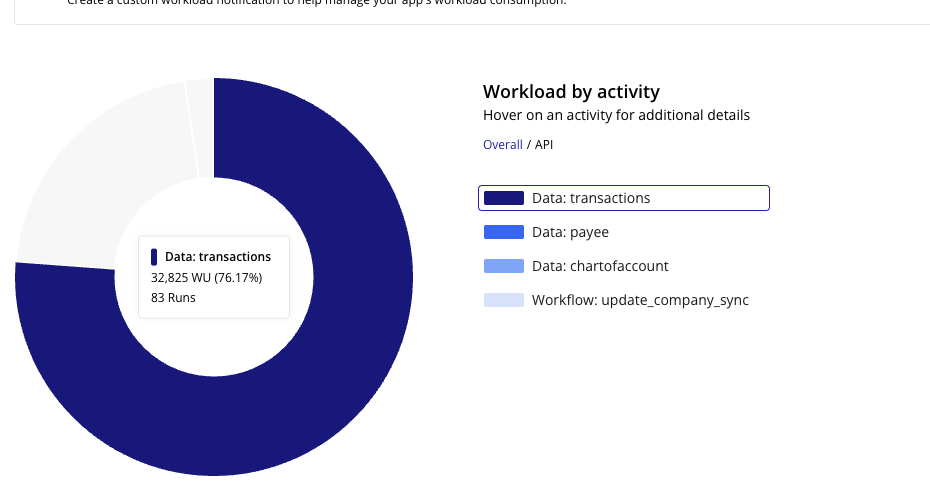
The issue: Even uploading via Bubble’s Data API, writing 100k records costs around 400,000 workload units, which isn’t scalable.
Just wondering — has anyone run into a similar situation?
Are there any best practices for handling large datasets in Bubble?
Has anyone successfully used an external DB + custom frontend logic to allow smooth edits?
Any creative strategies to reduce workload costs while keeping things responsive?
Would love to hear your thoughts or experiences!
Thanks in advance
I was interested in the question about creative strategies to reduce WU costs and put together a video.
It uses my plugin Data Jedi and I was able to fetch, modify and save 51,200 items for less than 45 WUs and it took less than 5 minutes on the client device. A little bit of a wait, but it is creative I think.
Thank you for the response! However, avoiding all data loading or loading it separately doesn’t fully address our issue. Ultimately, we still need to load the entire dataset, as we’re building an AI system that requires all historical data for training purposes.
One good way to get that data to the AI is using some of the features in the plugin. When doing the export, the plugin element has an exposed value of base64 encoded file that is just text string that can get sent via API to the AI for training on the data.
@georgecollier We’ve been using Bubble to build quick MVPs for the past two years—it was easy to get started and worked well when we had a small amount of data. That was the case until we hit scalability issues with our current project.
We’re now evaluating other tools as well, and interestingly, someone else also recommended WeWeb to us. It seems promising, especially with its ability to connect directly to external databases, which could help with scalability. My only concern is the learning curve of picking up a new tech stack.
Curious to hear your thoughts—how has your experience with WeWeb compared to Bubble? I’d really appreciate your insights from working with both.