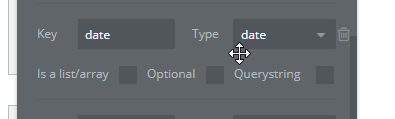
I have a mobile app that is sending an iOS “date” or “Foundation/Date” data type to a Bubble Date but each time I hit the endpoint with the Foundation/Date unix timestamp it tells me Bubble expects a date but received a String.
I thought that Bubble could accept a unix timestamp to a Bubble Date receiving endpoint?
Or is the fact I’m sending it as a Foundation/Date/Timestamp inside of the ios app?
Should it be sent as a straight string to a bubble date? I don’t think I can bind a string to a Bubble date if this is the solution…
Can you show the output it give?
Date format doesn’t exist in JSON or url parameters. So they will be string. But I believe that the format used by iOS may not match what is expected by Bubble.
Also, can you show the setting of your API Workflow? (parameters)
Can you switch to initialize and send the request and post the screenshot of the parameters?
We will see what exactly is sent. Even if you set Date, there’s a lot of way to format date.
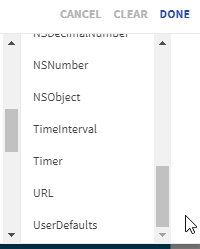
Is there an option in data type / foundation / timestamp instead of date?
I’m not familiar with the app builder in your screenshot, but a couple thoughts… Is there any way to convert the date into a string? Or to multiply the timestamp by 1000? (If Bubble accepts a timestamp, it might require it to be in milliseconds instead of seconds.)
Keep in mind that it works fine with an android app date/date but with ios it’s all wonky:
{“statusCode”:400,“body”:{“status”:“INVALID_DATA”,“message”:“Invalid data for key date: Expected a date, but got a string (original data: “1567090560.0”)”},“args”:{“bubble_code”:“1567004152383x326404708418242600”}}
I can’t without modifying the swaggar and taking many other steps to hit that /initialize url.
All i know is it works fine and accepts a date from an android app (Java/Date) data type but iOS is different and uses Foundation/Date it seems inside of Dropsource. I’m not sure that’s the right setting.
This is the problem. Its not one of the format expected by Bubble. What option do you have in last dropdown?sorry. I should first say that I missed the error message the period is thr issue
A timestamp must be an integer number, and Bubble might also require it to be in milliseconds, so if you removed the quotes and added 3 zeros in place of the “.0”, then it might work.