
I know it’s a hassle, but please help me. It’s a feature that takes multiple images with a multi-uploader plugin and changes the file extension to jpg. What could possibly be the issue?
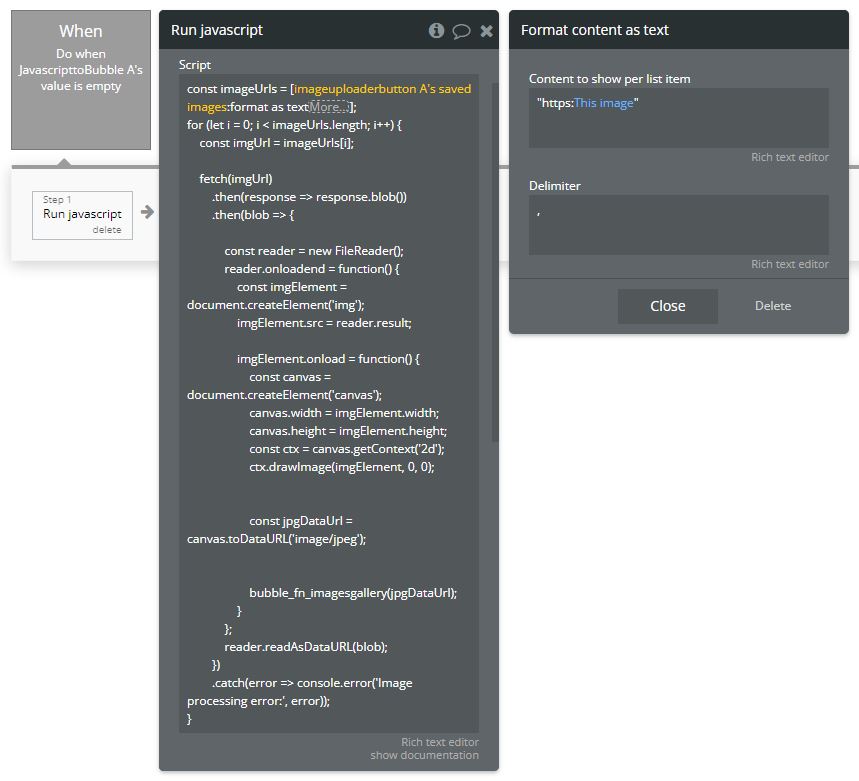

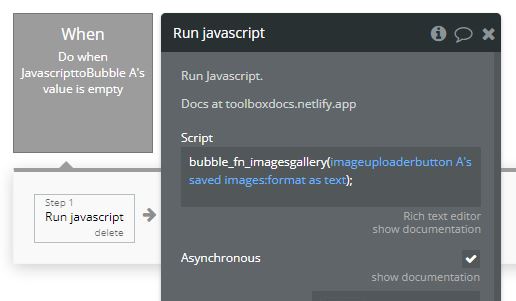
This feature isn’t working at all, to begin with.
well… to start with you need to encase the argument in your bubble_fn_imagegallery function call in quotes (as the value is a string).
Actually, it should be an array of strings.
And how are you formatting the saved images?

Is this the right way to do it?
Do I need to format the images separately?
Your JavaScript to Bubble element is configured to receive a List value, so the value you pass into it must be an array:
e.g.
[‘imageurl1’, '‘imageurl2’, ‘imageurl3’]
I understand, but I’m not sure what actions I need to take. Sorry about that.

No… format as text just turns a list into a single string, but that’s what you want here… you just need to format it as an array.
So you need to put an array as the argument of the function (right now you’ve just got a single string (which is invalid anyway is you have double quotes inside a string declared with double quotes).
It should look like this:
bubble_fn_imagesgallery(['imageurl1', 'imageurl2', 'imageurl3']);
So in your format as text operator encase the full URL in quotes.
Then put the array brackets outside of that format as text operation.


No idea, it could be any number of things…
You’ll have to debug it.
Start by checking the Run javascript action is running correctly.
Then check that the value is being passed to the JS to Bubble Element correctly.
Also, it’s not clear exactly what you’re trying to do here… that action will run as soon as the JS to Bubble element is empty (which it will be be as soon as it’s visible), and may be running before the image uploader button has any images, which might be another reason it’s not working.
Thank you so much! Changing the last ‘when’ really solved the problem! People as kind as you are rare!

1 Like

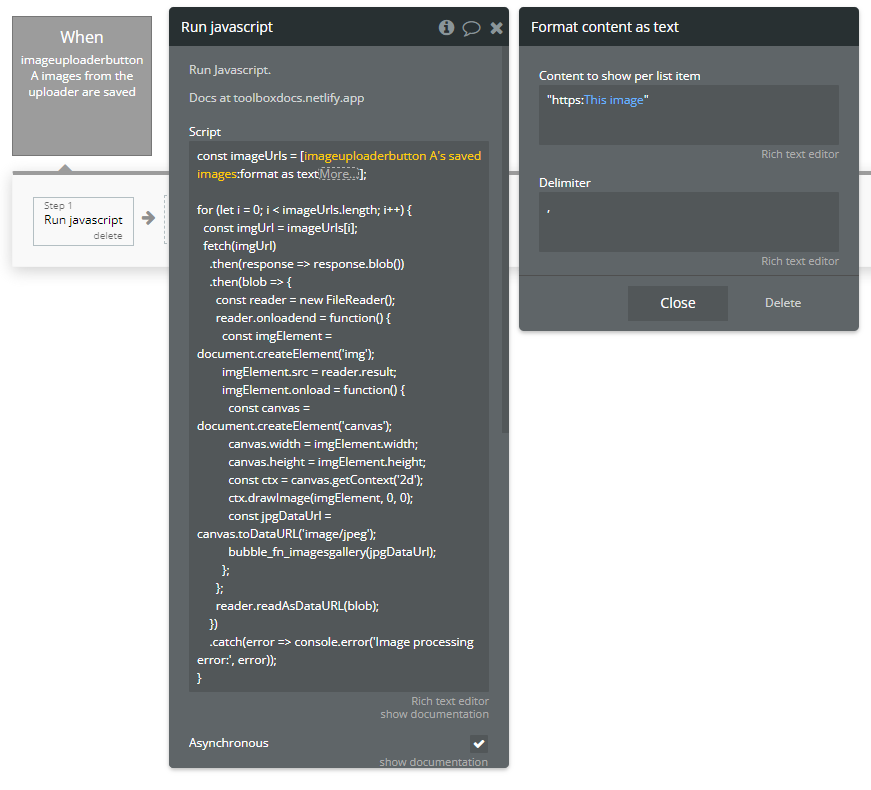
Sorry to ask one more thing, but do you know why this code is not working? Since this is code written by ChatGPT, I’m not sure where the problem might be.
It looks like you’re not sending a valid array to the JS to Bubble element.
The function to call the JS to Bubble element is inside the for loop, and is trying to send a single value each time it runs inside the loop.
Try creating another array (an empty one) before the for loop, then inside the loop use push() to add the jpgDateUrl to that array each time it runs, and only then, once the loop has finished, pass that new array into the JavaScript to Bubble function call.
This topic was automatically closed after 70 days. New replies are no longer allowed.