
Hi, I need help how do I make a sound play when a button is pressed in my application, please help me.
What sort of sound? Is it saved in the DB? You may need to download an audio plugin.
Tal
Learn Bubble
What is the sound plugin
You can use Howler
i mean i don’t think is that bc the button makes a sound already but i want to change the sound but idk how to
can you help me on how to chage the sound the it makes when i press a button
- Upload the tone to your Bubble database using File Uploader
- Install Toolkit plugin (free)
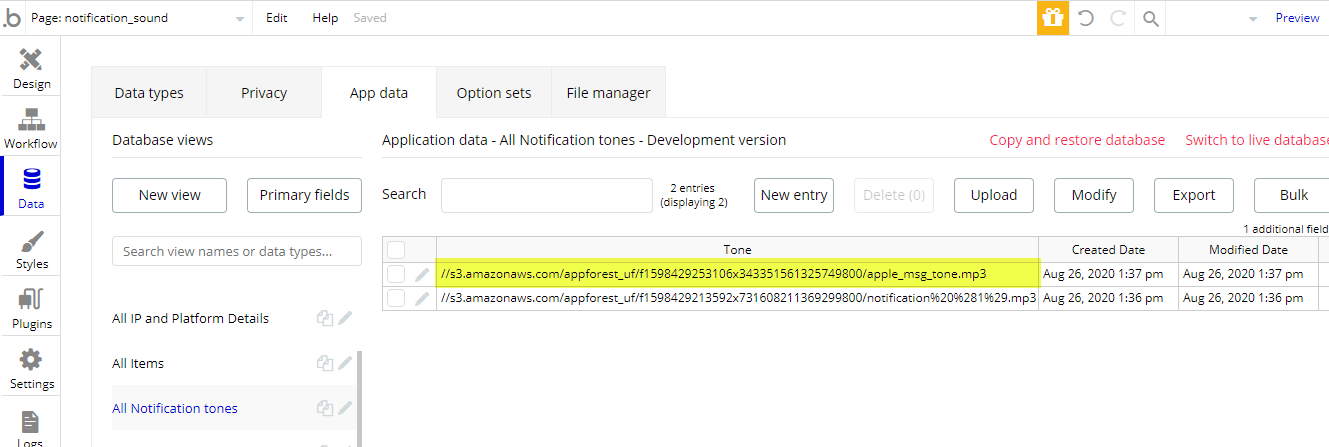
- Copy the notification tone’s S3 file link from your database.
- Go to workflow of the button. Create a new action - Run javascript
- Copy paste this code
let src = ‘YOUR NOTIFICATION TONE’S S3 FILE LINK’;
let audio = new Audio(src);
audio.play();
For example
let src = ‘//s3.amazonaws.com/appforest_uf/f1598429253106x343351561325749800/apple_msg_tone.mp3’;
let audio = new Audio(src);
audio.play();
Editor - https://bubble.io/page?type=page&name=notification_sound&id=nocodeassistant-tutorials&tab=tabs-1
Preview - https://nocodeassistant-tutorials.bubbleapps.io/version-test/notification_sound
More on this - https://nocodeassistant.com/adding-a-notification-sound/
and how do i get my sound to that format to S3 @sharma.himanshu0608
Create a new data type for temporary basis and use file uploader to save the mp3 file to your database. Once it is uploaded, copy the s3 link
ok i’ll try it
thanks it worked