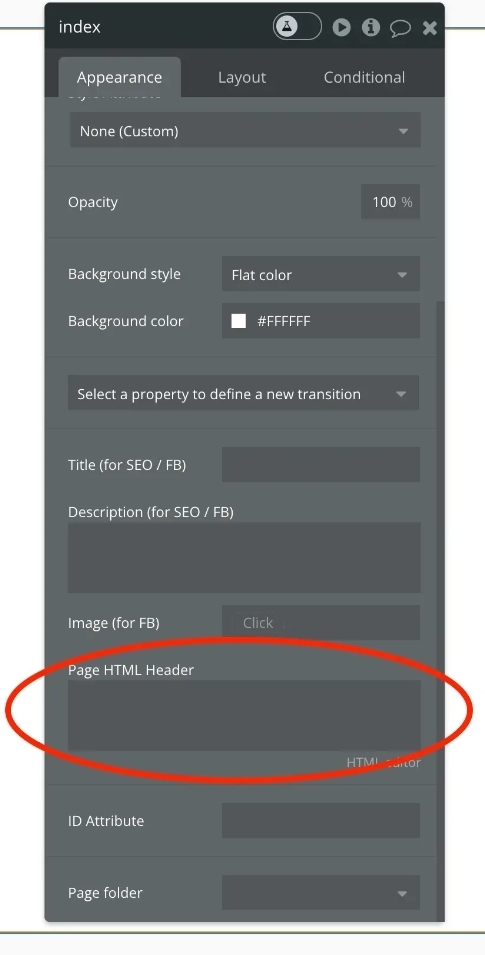
I’m trying to optimize my Bubble app for SEO and running into an issue with blog post content not appearing in the page source for search engine crawlers.
My Setup:
Static blog page (not dynamic)
Text elements with HTML tags set (h1, h2, normal)
“Expose the type of tags for text elements” enabled in Settings > SEO/metatags
Page-level SEO settings configured (title, description, etc.)
Blog page included in sitemap
The Problem: When I view the page source (View → Source), the <body> tag is essentially empty - only error handling scripts appear. The actual blog content (headings, paragraphs) is not in the initial HTML, which means search engine crawlers can’t see it.
I also tried:
Using HTML elements with the blog content pasted in
Unchecking “Wait to render this element until it is visible”
Ensuring HTML elements are directly on the page (not nested in groups)
None of these approaches resulted in the content appearing in the page source.
My Questions:
Is there a way to get text content to render in the initial HTML (server-side) rather than being injected by JavaScript?
Are HTML elements supposed to appear in the page source, or are they also client-side rendered?
What’s the recommended approach for making blog content crawlable in Bubble without using a prerendering service like Prerender.io?
What I’m NOT looking for:
Meta tags (these are working fine)
Schema markup (already implemented)
Dynamic page solutions (my blog is already static)
Sorry I don’t understand? Are you saying that after I push the site live the text will be viewable in my page source after some time? I thought it would show immediately after pushing live?
Bubble is JavaScript based, needs to fetch from server all information like what elements, what static text, what dynamic values are needed, then it runs JavaScript to render.
this means html elements are rendered client side.
(Edited as I just saw you said you had structured data already) - can you confirm you’re using the ArticleBody tag in your structured data with the actual blog text?
In general I’ve found crawlers know how to navigate/get data from Javascript based sites, and I haven’t had issues with Google properly indexing mine.
I’m not sure what the ArticleBody tag is, the only HTML tag I have available are ‘Normal, H1,H2,H3,H4,H5,H6.
None of those work.
Also, if you go to your webpage, right click and view source, you will see that the text which is on the page is not showing. Bubble hides all text which is not in the header html.
Ah got it, when you said you had SEO set up, I thought you meant Structured Data. You’ll want to implement structured data in the Head of your page, which includes tags for title, description, articleBody (the text of the blog), etc:
I did try that but then the text in the head html is displayed on the page, effectively duplicateing the page text and looking ugly.
That link doesn’t work.
I’ve cancelled my Bubble plan, I feel they should have been much more open with the limitations and maybe help with videos on how to make a site searchable - it seems the most basic of requirements.
I’ve been coding Bubble for 4 years, I am experienced but never previously needed to be found in search.
The other thing I’ll mention is these tools only make it easier for Google /crawlers to know what to crawl - but it doesn’t get you in Google’s search results automatically. You’ll still want to create an account on Gogle Search console, submit your sitemap, and wait for it to Index / decide if the content is rankable:
Everything for on page SEO provided by bubble works perfectly, including structured data. There is nothing about bubble that makes it not possible to be found, crawled or indexed, just improper set ups.
It’s a shame after 4 years of building on bubble you chose to cancel your plan.
Do you still need help setting up SEO properly? I assumed when you posted you had it all set up you did and you issue was about having html display your page content before JavaScript executed. I don’t want bubble to falsely have a bad reputation for things it does well.
If you put dynamic content (e.g. current page’s X) in the structured data, doesn’t that lead to the same “problem?” Or does it eventually get rendered/indexed by the bots?
I would suppose it could depend on how ‘heavy’ that data entry is, but in my experience, I’ve never had a structured data using dynamic values not get picked up properly by structured data testing tools, but that is not the same as verifying if google bots pick up on it, but again, in my experience testing that using some api calls to mimic a google bot, the content is picked up, as I believe Bubble is treating SEO stuff as server side, which might be why they do not expose it on free plans.
This might also be why Bubble removed the ability to reference in structured data in page header other elements on page values and are forced to use ‘current page thing’ or a ‘do a search for’.
Thank you but I’m still unclear on the practical solution here. When I view the page source of my Bubble blog pages, the body content is completely empty (only JavaScript appears) - it is my understanding that if the body content is invisible to Google/AI then the crawlers won’t be able to index it. I’ve tried:
Text elements with proper HTML tags (H1, H2, etc.)
HTML elements with content pasted in
Structured data in the page header
You mentioned structured data works. But @randomanon asked a great question that didn’t get answered: “If you put dynamic content (e.g. current page’s X) in the structured data, doesn’t that lead to the same ‘problem?’”
Doesn’t dynamic structured data also require JavaScript to execute before it populates?
Where to put it: In the <head> inside JSON-LD script tag
But NOT: Whether search engines actually index this content
Looking at the example:
{
  "@type": "BlogPosting",
  "headline": "Library Metadata Evolution: The Final Mile",
  "articleBody": "When Schema.org arrived...", // FULL TEXT HERE
  "datePublished": "2019-05-14",
  ...
}
BUT - the example ALSO has the content in the <body>:
html
<section itemprop="articleBody">
  <h2>Introduction</h2>
  <p>I have been rattling around...</p>
</section>
So the example shows both - schema markup AND body content. It doesn’t prove that schema alone works. Google has always focused on visible, crawlable HTML Schema is supplementary, not primary content.