Hi everyone,
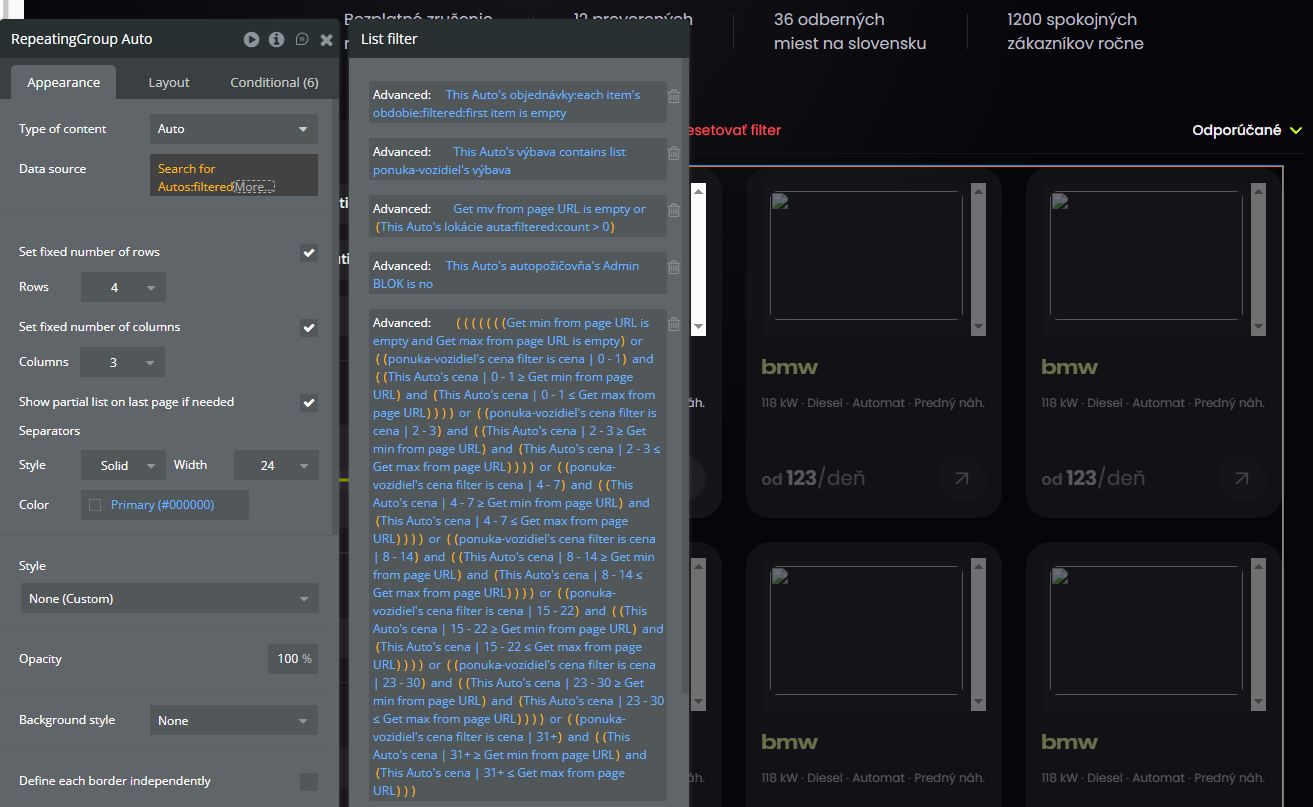
I’m working on a car rental marketplace and I’m looking for advice on the best architectural approach for a complex search filter. My current search is very slow (10+ seconds), and I need to move the logic to the server side.
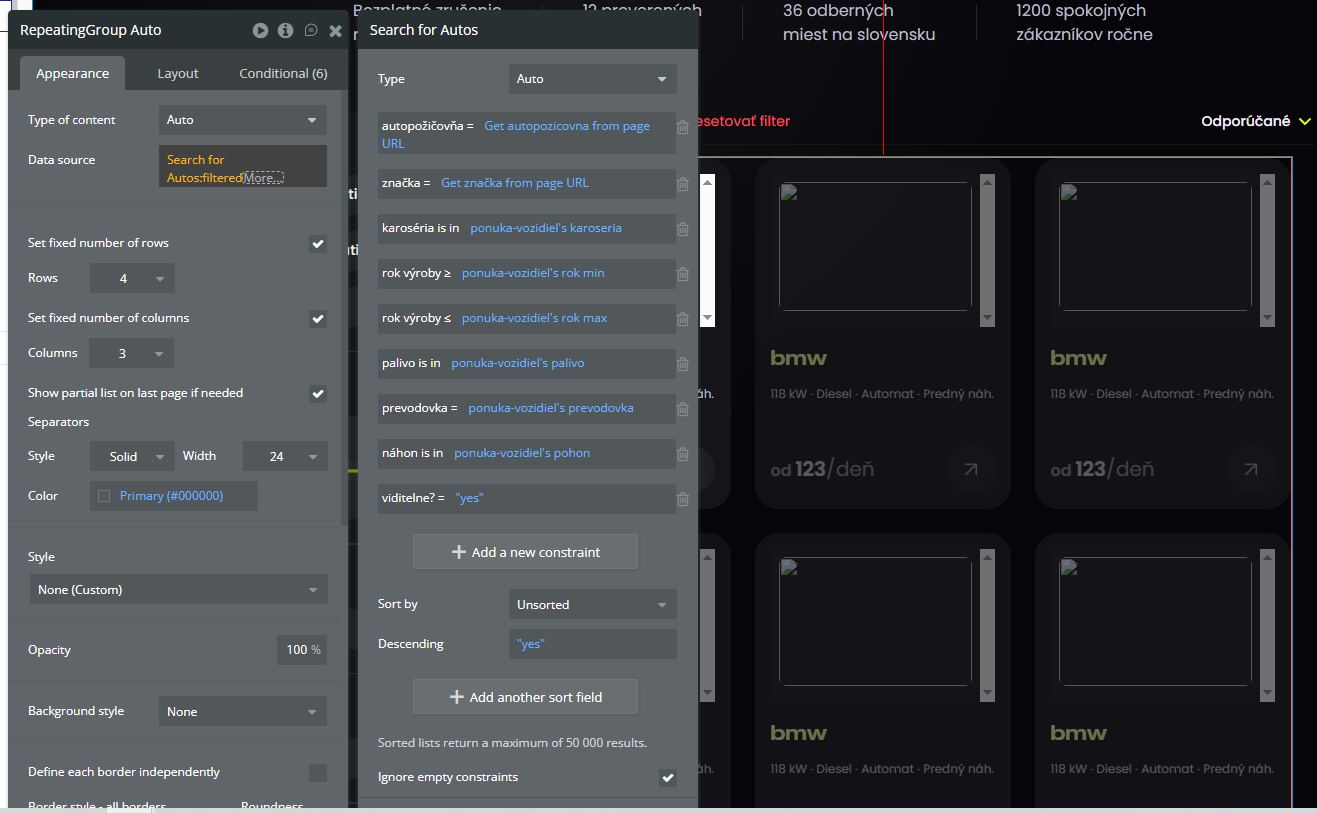
My initial implementation used a Do a search for... followed by a large :filtered operator on the client-side, which I now understand is the cause of the performance issue. My goal is to rebuild this properly for a fast and scalable user experience.
Here is the complex logic I need to implement on the server:
1. Dynamic Pricing Filter: The price is not a single field. The price-per-day for each car changes based on the rental duration.
-
Database Structure: My Auto data type has multiple number fields like price_1-2_days, price_3-5_days, price_6-10_days, etc.
-
User Filter: The user selects a start date and end date, and filters by a price range using a min/max slider.
-
The Logic: The server-side logic needs to calculate the rental duration from the user’s date range. Based on this duration, it must select the correct price field for each car (e.g., if the duration is 4 days, it should use the price_3-5_days field) and then check if that price falls within the user’s min/max filter range.
2. Real-Time Availability Filter: I need to exclude any car that is already booked for the selected date range.
-
Database Structure: I have an Order data type with a date_range field. Each Auto has a list of its Orders.
-
The Logic: The search needs to find all cars that do not have any Order whose date_range overlaps with the user’s selected start date and end date.
My Question for the Community:
Given these complex, interdependent filtering requirements, what is the recommended “best practice” or architectural path in Bubble to build this?
-
Is a single Backend Workflow the right tool for this? If so, what is the best way to structure it to handle both the dynamic price calculation and the availability check efficiently in one process?
-
Should I be looking directly at a plugin solution like Toolbox’s Server Script to handle the custom logic in Javascript?
-
Or is a specialized server-side filtering plugin from the marketplace the most straightforward way to go?
I’m very interested in hearing how experienced Bubblers have solved similar challenges and if there are other architectural patterns I should be considering.
Thank you for sharing your experience and any advice you might have!
Maybe @boston85719 I would really appreciate your knowledge.
Hey Marko,
Change the structure so the Order has a field for the related Auto. List fields are tough to work with and not good if they get long.
Because of this you need to change your search based on the dates the user chooses. This means put a condition on your element so when End Date - Start Date:format as days ≥ 0 and < 3, change the search constraint to point to the price_1-2_days field, and repeat for each field.
After your search for Autos you can do :minus list and search for Orders with the date constraint and the same Auto to take out overlapping ones. (may or not work depending on your privacy rules)
There isn’t such a thing, you just need to optimize Bubble’s native searching and you will be OK. by the end you should have most of the advanced filters and :filtered operators eliminated. Change all of them to native Bubble search constraints if possible.
Hopefully this helps 
No need to incorporate a backend workflow to fetch and return lists of data, unless you are providing secured/private data to a user whose privacy rules make that data inaccessible to the user. Otherwise, just use search constraints and proper data structuring to fetch data from database.
Your goal is to show a user a list of cars that are available on the dates selected by the user and the cost of the car for those selected dates based on the number of days requested. This is the same type of search/filter needed for a scheduling application. You can use scheduling plugins like ScheduleMe to do such things quickly. I’m not sure about other calendar/scheduling plugins and whether or not they are built in such a way to allow for such functionality.
Alternatively, you can do as suggested by @tylerboodman to perform two searches, one for autos and another to do minus list to search orders that exist so as to remove from first search of autos all autos whose orders make them unavailable.
@tylerboodman also gave good advice on how to perform the rest of the filter based on dates and your existing data structure.
I’d recommend perhaps, thinking differently about the data structure and create a system with a percentage price reduction for different durations, as in my experience working with such systems as a user, it is sometimes more intuitive to think about a percentage discount the way AirBNB or hotel booking sites do. So, I set my 1 day price, then a percentage discount for my 1 week or 1 month price. That way there is no need to perform conditional searches with a bunch of additional number fields for different duration periods (bonus is most users will not necessarily want to provide you those numbers as they may want to charge the same rate for 3-5 days as they do for 1 day), and instead all you do is show them the price multiplied by the duration in days and reduced by the appropriate percentage rate.
Thank you so much for helping me. Your approach with - minus list is incredible! It resolved my biggest issue. I owe you a beer 
1 Like
Hey, thank you for spending time and helping me fix my problems. I really appreciate it Whole community should be thankful for people like you.
1 Like