
Hi community!
How can I remove this“Built on Bubble” button from my live version?
I use an Agency plan. I know there’s an element for that, but I’ve searched through my app and haven’t found anything.
Please, does anyone know how to make it?

Hi community!
How can I remove this“Built on Bubble” button from my live version?
I use an Agency plan. I know there’s an element for that, but I’ve searched through my app and haven’t found anything.
Please, does anyone know how to make it?
Once your app is on a paid plan (non-agency) that button will no longer be shown.
Thank you for you reply David, but I’m not able to find this “Design Customization” under the “General” sub-tab, as you can on the screenshot below
Hi Adam, thanks for the reply!
How do I change my app to another plan? I didn’t know I have to do it
Is there any tutorial to guide me through that change? I thought my work was done once I deployed my app 
Hi @hugo19
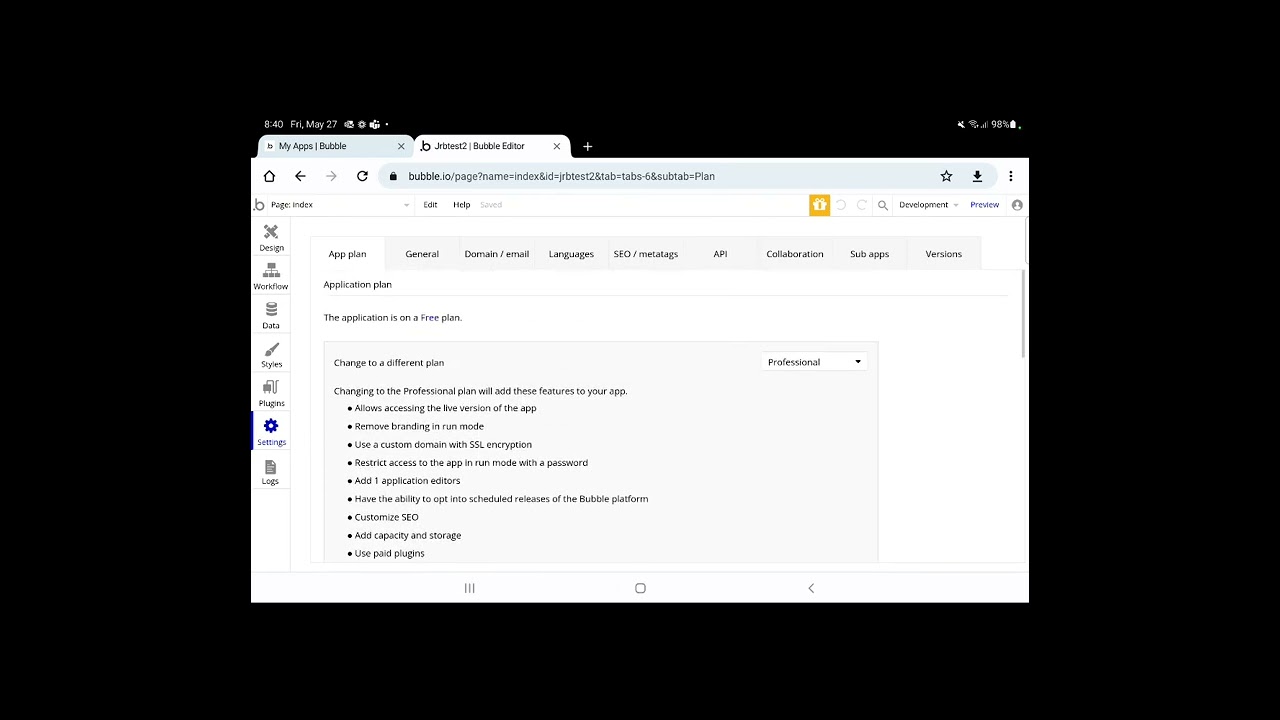
You can change your plan by navigating to Settings (on the left sidebar) > My Plan tab > Find Upgrade Plan > Then choose the non-agency plan that suits you
Here’s a tutorial to do it (note that this tutorial is old so editor UI is different there)
That’s because there is no such thing..
That reply was 100% nonsense, and completely false information (probably Ai generated), as is much of the Forum these days.
The Agency Plan is only for development.
Once your app is ready for launch it needs to be on its own plan.
You can do that on App Settings > My Plan > Change Plan
