I can user Input Fields to edit data (autobinding isn’t possible until now on mobile beta) with a save button. So far so good :-/
But how to handle a “dropdown” or list element like “Abteilung”?? I did it by using a sheet to display the list where the user can select a single value by using page’s state’s. I didn’t found a solution to handle multi selections. All of that (using sheets, states…) is very complex if you have more than that view to manage users, departments and a lot mof more stuff in a company (admin-frontend).
Is there maybe existing a better solution to handle “dropdown” values?
How do you deal with it?
No. i use single select But the whole List of items are Displayed.
In my opptinion single select means that Users Can only select One item. Multiselect in between means, that Users Can select more than only one item.
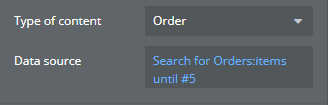
If I use the selectable List and do a search for all Users for example, the List Displays all of my 40 existent Users. This List ist Mega Long and the User has to scroll down. I just want to Show only 1 item and if the User clicks on the Right arrow there should come a select List up with all available items/users.
I don’t think they will ever insert the dropdown.. which would in any case be very long the same.. it’s not native as an element. I would filter the selectable list with an input.. so that only the results filtered by keywords appear among the choices
You put it inside a group, decide the height and hold it fixed. In this way, the list will scroll inside. I recommend a quick reading of the basic bubble documentation
If you have to spend money on this plugin, you should build this page on a web View and use the functions of the web app. It doesn’t do anything different that you can’t do practically alone..