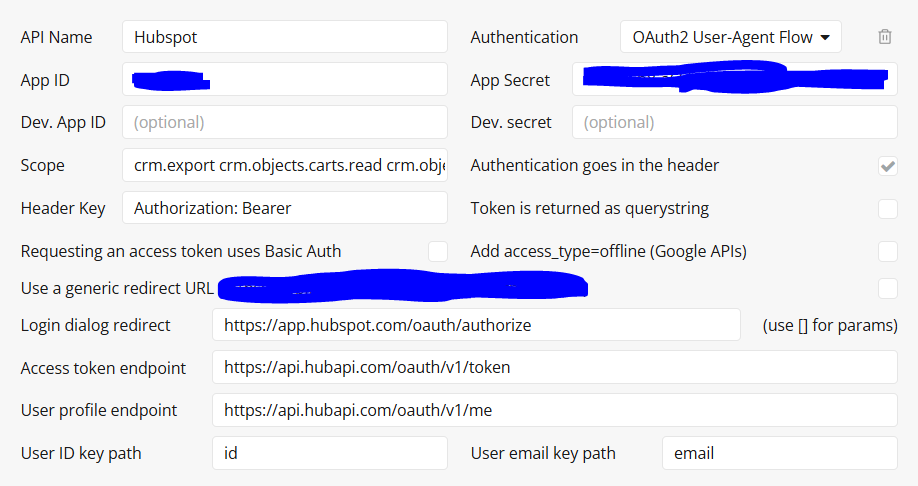
I’ve spent a lot time trying to configure the Oauth2.0 User agent flow with Hubspot. I know there is another post about it saying it’s not working but it hurts my mind to believe you can not do it with Hubspot. I have tried different configurations but everytime I get this error message:
{“statusCode”:400,“body”:{“status”:“ERROR”,“message”:“Missing state from oauth provider”}}.
If it’s really not possible it means everyone using Bubble and Hubspot integration are doing a custom token integration? In this case if you want to make calls from your front end how to not expose the token in the browser? Am I missing something?
Thanks a lot for any helpthat you can provide Bubblers.
Got it working with the hubspot “legacy Apps” - Not the most efficient/secure connection (also not really the same connection method, so just use backend workflows for the api calls) but seems to work.
1- In the hubspot dash, go to Developers>Legacy apps > create legacy app . Setup the legacy app with the correct scopes
2 - Use your private app ‘Access token’ as your Auth - Bearer Key
3 - Add in the json for the specific elements you want to get