I need help on a very specific point about file uploads in Bubble.
Goal:
I need to enforce a storage limit per user.
To do that, I must retrieve the exact file size (in bytes / KB / MB) for each file uploaded.
Context:
I’m using a MultiFileUploader (max 10 files).
I store the uploaded files temporarily in a custom state (list of files) before saving them into the database.
I need to know the real size of each file to update a storage counter and block the upload if the limit is exceeded.
Problem:
Bubble doesn’t seem to expose any :size or metadata on:
MultiFileUploader’s value (list of files)
a single file extracted from that list
a file stored in a custom state
I tried:
Checking all operators available on the file type → no :size
Using backend workflows → file type also doesn’t expose size
Using the “File information” plugin → it only works with a single file, and not with a list
No built-in function seems to return the file size from a file object
My question:
Is there ANY way (native Bubble, plugin, API, client-side trick) to retrieve the real file size for each file uploaded through a MultiFileUploader, before saving them?
If yes:
Should I loop through the list?
Do I need a dedicated plugin?
Can it be done client-side before upload?
Or is Bubble simply unable to expose the file size of files uploaded through MultiFileUploader?
I’m stuck at this point, and knowing if it’s possible or impossible will help me choose the right implementation.
I had this exact issue pretty recently, and I did not have any luck using the MultiFileUploader.
Instead, I ended up creating my own file uploader by using an HTML element and adding the following to create a multi file input: <input type="file" id="input-id" multiple>
Adding “multiple” inside the element tags is what makes the input allow multiple files. You can then enforce a max amount of files and a max file size using JS inside of script tags in the same HTML. The tricky part is getting the files to Bubble storage though. I recommend using the fileupload API which you can see in this forum post. The HTML element could look something like this:
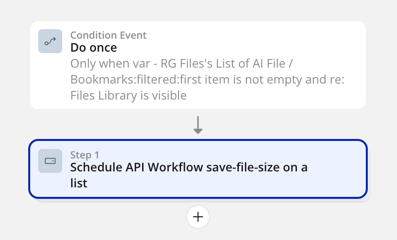
If I understood your question correctly, I’m using the File & MultiFile Uploader · BEP plugin, the File Information plugin, and an API workflow scheduled on the list.

 Is there ANY way (native Bubble, plugin, API, client-side trick) to retrieve the real file size for each file uploaded through a MultiFileUploader, before saving them?