
I’ve been following along the bubble x stripe tutorial on youtube here: Bubble x Stripe Part 2: Subscribing users (SaaS Payments Course) I’m on part two, and trying to setup the backend workflow at about 49 minites. I’m setting up the plan field and when I try to put in the constraint for metedata, this isn’t showing in the list at all:
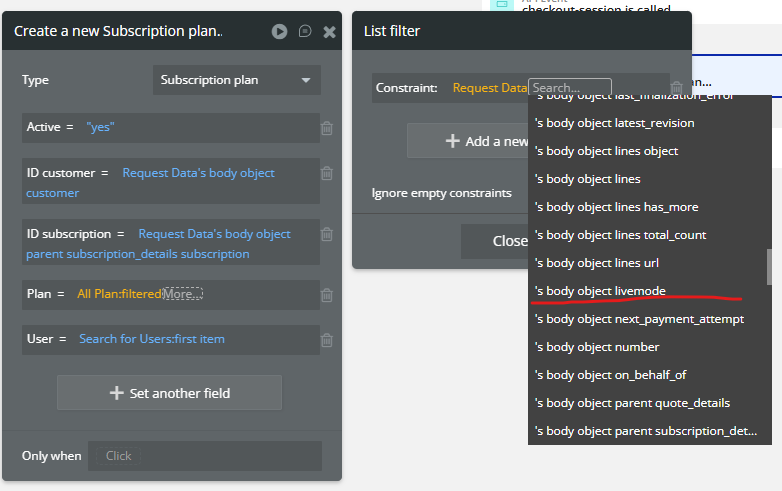
It should look like this:

In the API connector details I’ve set this up as it should be from the tutorial

Subscription plan data type

the Plan option set

Pretty sure I’ve set this up correctly. Any idea why this field isn’t showing?
also, if I manually enter API response, it’s meant to show a URL at the bottom like this below, from the tutorial

But mine show’s like this

So not sure if that is also a factor.
Thanks