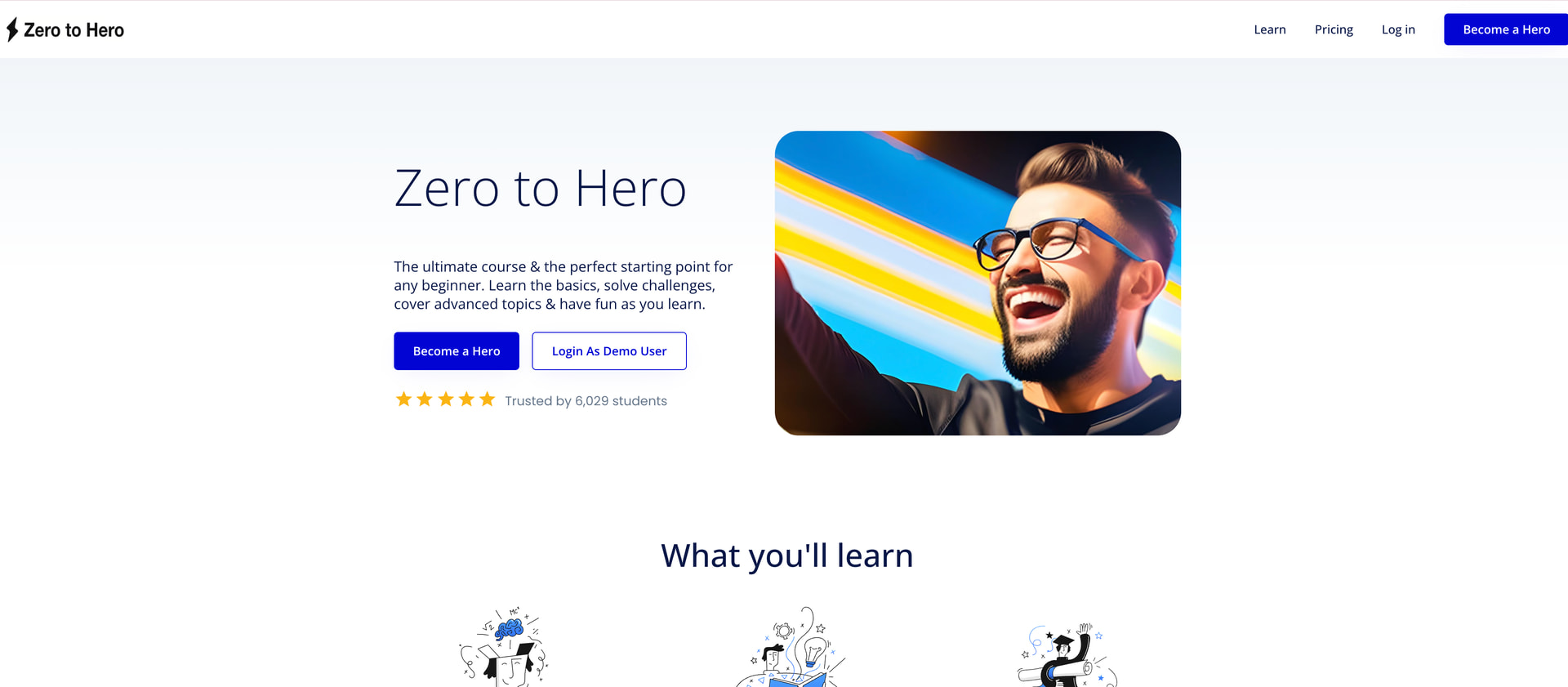
This is so weird. I have created a portfolio page and pushed it live with this url # bradybunch.com.au but the landing page that is appearing is not what I have built (see image attached). What is going on??? It is currently live.
@bradydennett This usually happens when a site is live, but the domain isn’t actually pointing to the app you built yet, very common when publishing from Bubble for the first time. Don’t worry, it’s almost always a configuration issue, not your build.
I did buy that “Zero to Hero” template months ago but it is not what I used to create this portfolio page as per the image you see, it is completely different! I don’t know where it is coming from!
Ah — now this adds an important clue. If you’re seeing a completely different template than what you built, especially something you bought months ago, that usually points to a deployment mix-up or domain mapping issue rather than your work disappearing. Let’s unpack this calmly.
The domain is definitely connecting to the right, that template does not even exist in my workspace anymore. This is the test page. Also previously that DNS was not active, I just generated the A-record IP address / CNAME record from Bubble today and added.
Alright, take a breath for a second. From an operational standpoint, what you’re describing strongly suggests a DNS propagation + domain parking scenario, not a lost project or template issue. That distinction matters.
Since you just added the A-record/CNAME from Bubble into GoDaddy, here’s what is most likely happening:
Ok! Thank you so much for your help. I looked on mobile wifi and incognito but still the same old template. What do you see? Zero to Hero (bad one) or The Brady Bunch (good one)? Looks like I will need to wait until morning and see if it updates!!
Interesting when I look in Meta this is what is showing for my website! Not at all what I have in the settings! I will wait until morning as it looks like it is all still updating!
I have checked this morning and it is still wrong. What I have discovered is that the website I want live is a “Branch” of the website that is live. The Parent that is live is an old template that I bought months ago and the “bradybunch” website is a branch of that??? the url is bradybunch.com.au
I do not know how I did that. Does anyone know how I can fix it? Make the branch the parent and delete that template! Basically I don’t want the template appearing. It is so weird!