Hello,
As part of my user signup flow the user has to select 1 photo from 6 option.

I would like them to click a button and be presented with a popup that has the 6 options in it, like this:
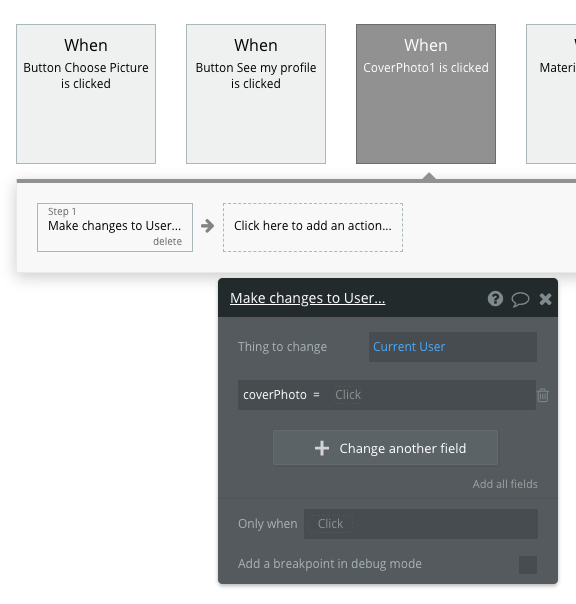
The workflow I envisaged was something like this:
When user clicks on photo, set user’s cover photo to chosen photo.
But I can’t figure out how to get this to work. Any ideas? 
Hello. You need to create a field in the User data tab where his/her profile picture is stored. Then you need to create a workflow "When current cell’s Pic is clicked, make change to “Current User’s Photo”. (This works if you are storing the options in the database)
Check this example:
Thanks @grace.hallak 
Unfortunately the process I’m going for is slightly different. The popup has 6 photos to choose from.
When the user clicks on the cover photo I would like to change their cover photo to that one they’ve just selected.
But I can’t do that. There is no option to change the cover photo field when I click on any of the 6 photos
Yeah I noticed that when I was trying to do it your way. So you are using 6 image elements and each of them has a different picture. I couldn’t figure it out or maybe it is impossible. I think using a repeating group and saving the 6 pictures in the database is a good solution for now. Or you can use option sets. I have added another popup that uses option sets. Take a look:
@grace.hallak thank you so much - that will work perfectly for me  Superstar!
You can put invisible shapes over each picture and then have a workflow behind each shape. When the user clicks the pic they are really clicking the shape, and the clicked shape will tell you which picture was chosen.
Also an excellent workaround Thank you @deadpoetnsp