
hey everyone, please upgrade to the latest version of the plugin - we fixed all the issues we could find with v21 engine!
It would be great if we can set the height/width dynamicall using conditions to make icons smaller for mobile. Any plans to add this feature?
and one more request. It would be great to specify the stroke-width such as I can do here:
Heroicons
The featherIcon plugin has for example A LOT of customization options

hey @konrad1 for height / width i don’t think itll work until bubble allows plugin heights/widths to be updated dynamically (might happen considering they did it recently for elements)
we could maybe do sometihng like support paddings, that you can increase dynamically to make the icon smaller
in buttons you are already able to set the size dynamically though
as for the stroke-width, that’s a good idea - i’ll add it to the list of improvements and report back once it’s in!
@konrad1 check out the latest version of the plugin for the Stroke property which you can now set!
in the latest version of the plugin 3.4.2 we fixed a bug with the spinner not resetting
we also improved the plugin UX a little bit by adding sections!
Spinner is not Resetting after change of condition as well.
I’m hitting an issue with the plugin where it sometimes stops rendering the icons. i.e. When I first land on the page I might get this:

If I navigate away and come back to the original page, I get this:

In the header of the page, I have icons that render correctly all the time but those are not in a repeating group.

@Kayami any ideas?
Do you have recommended best practice for making those spinners sing until all of the BE WFs complete
are you able to reproduce this consistently? if so could you send over a test page? ive seen this happen but can’t reproduce it. if we can, we can definitely find out why it doesnt work in this case and fix it.
interesting, do you have a screenshot of what the 2 different states are?
are you going button without icon → butto with icon or do both cases have an icon?
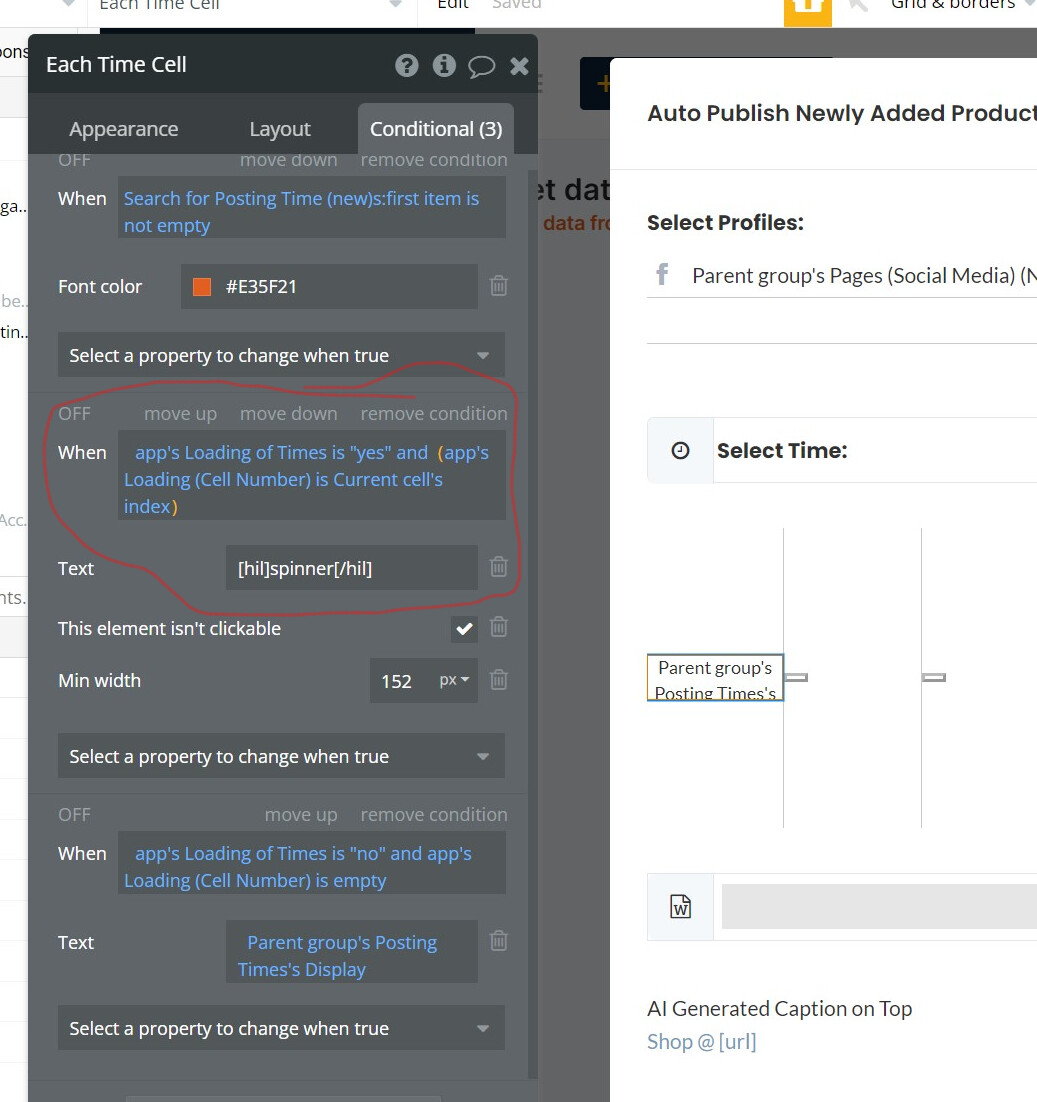
So I have two States:
- “Loading of Times” is a Yes/No condition. When button is clicked, it moves to Yes and after workflow is completed, it goes to NO.
- “Loading Cell Number” is the second state and it has the index of the cell.
So My workflow goes like when button is clicked, both the States are updated (the spinner successfully appears), then the workflow does what it needs to do but the spinner does not go away even after the states are changed.


Here is the video link:
I saw the stroke property! Awesome - thanks! been using it everyhwere.
Would it be possible to make it editable via the conditions editor. I would like to make the icon “bold”, i.e. increase stroke width on hover for example.
Also I can’t set a default value in the style section. Maybe because it is a dynamic value? I don’t really need it to be dynamic tbh.

Hey guys,
Have noticed group focus elements don’t close when clicking on these icons which isn’t ideal for me. Is this by design? Can get around it by putting the icon in a group of course.
Yeah. That was a bug in the plugin. Update to the latest version.
It only took me an hour of head-banging to try to workout why that damn spinner icon WAS STILL THERE.
For reference… if you showed some conditional text with an icon in it (for example a spinner on a button while processing) the next time you showed that element the spinner would still be there despite your element not showing it yet.
hey all! just pushed a new update that adds a dedicated Spinner Icon element if you want to display a spinner outside of buttons and customize its color. Upgrade to version 3.5.4 to use it!

check it out in the demo ofcourse below the stroke width section → https://heroicons.bubbleapps.io/version-test
I’m having this issue with the latest version (3.5.4) @Kayami
Or am I doing something wrong? Video demoing the issue: http://s.ryand.co/jyOX7gC7
hey @ryan18 we’re aware of this, maintaining this plugin is a constant battle with bubble making under the hood changes to the rendering engine 
as a workaround, you can simply use a different text in the state to retrigger the spinner hiding / showing so something like
default text → Login
condition text → [hil]spinner[/hil]Loading...
instead of
default text → Login
condition text → [hil]spinner[/hil]Login
the second will never reset back (we’re working on a fix for this!)
hey everyone! new of improvements:
- support for color transitions. you can customize the duration and easing (similar to native transitions)
- bug fixes, better defaults
- optimized the code to prevent a bunch of unnecessary renders if you have lots of icons on the page

check it out in the demo → https://heroicons.bubbleapps.io/version-test
get the plugin → Minimum Studio Contributor Profile | Bubble
hey all - another update 3.6.0
there is now a new element called Hero Icon that lets you use all three icon styles in a single element
you can also conditionally switch between icon styles now (for ex on hover) which gives you a nice little effect like this:

this also just improves the overall ergonomics of using the plugin, making it incredibly easy to switch icon styles later on without having to replace elements