We’re excited to introduce the Audio Player Plugin for Bubble Mobile, a high-quality, interactive audio experience designed to seamlessly integrate into your mobile app built with Bubble’s mobile editor!
Key Features:
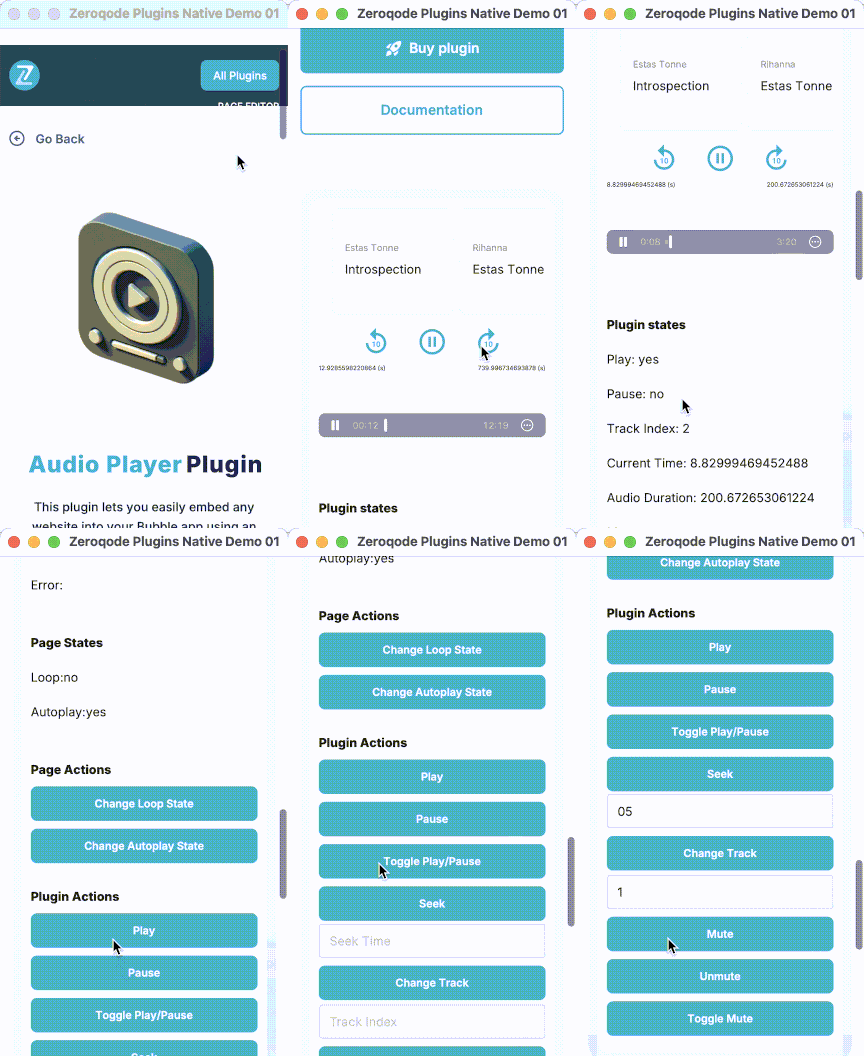
Enhanced User Experience: Autoplay, looping, customizable song title, artist, and artwork are all included, providing users with an engaging audio experience.
Intuitive Controls: Play, pause, seek, mute, and track navigation controls make it easy for users to interact with the audio player.
Playback Progress: Exposed states like current time, duration, and track index allow users to track playback progress effortlessly.
Essential Events & Actions: Supports key actions like play, pause, change track, mute/unmute, and more.
This plugin is the perfect tool for any mobile app that needs smooth audio playback with customizations. Whether you’re building a music app, podcast player, or any other audio-based application, this plugin has you covered!
Does this not work on android? Also I had to downgrade the version to 1.2.0 to make all the actions available. The newer versions only provide events(even in your docs).
We are excited to share that we have effectively resolved the issue with the Audio Player plugin action and have updated it to version 1.6.0 (Restored deleted plugin actions).
Could you kindly update the plugin within your app to this latest version and confirm whether everything is now operating smoothly?
Feel free to explore the plugin’s functionality on our demo page.
Your patience and cooperation throughout this process have been greatly appreciated.
Hi! I am using the plugin and find it very useful. One update I would like to see that would help a lot would be to add the exposed state of current audio URL. Is that possible? Thanks!
Thanks a lot for your kind words and for sharing the idea
Adding the exposed state of the current audio URL sounds like a very reasonable improvement. We’ve noted your request and will discuss it with the dev team. I’ll keep you posted once we have any updates on this.
As per the dev team’s note, if you set the audio URL in the field of the plugin element, you already have access to it in the Bubble editor.
You can see this in the plugin setup, where the audio source is defined directly in the element (screenshot example).
That said, we’ll add your request about exposing the current audio URL to our list of ideas for future improvements and will keep you posted in case of any updates.
Can we have a way to change the background color of the plugin, my app is in darkmode the white background of the plugin makes it look ungly, Thank you in advance
This feature is not currently available in the plugin, but we have already forwarded your idea to the development team and they will check if the plugin library allows adding the Dark Mode feature in the next plugin update.
Thank you for your understanding and have a nice day!

 Key Features:


