
I managed to fix it. It had to with how speedy each loop went trhough mixed with loading the data from an api
@Thimo on page load I add histogram (volumes) to my candlestick charts. Now when I change stock name the histogram (volumes) do not change. It looks like there is no option to update the histograms added to charts.
I used “update value and time series” in workflows but it show a blank chart. Please help me.

You should be able to update every data series you have added to the chart:

As you have not shared details about your app I can’t see whats going on. If this issue persists please send me a PM with more details. If you could send me a link to your editor with editing capabilities that would help a lot 
Hi @Thimo
I am building a crypto portfolio, so i need a chart that show how the user asset worth goes. I have the web app integrated with coingecko market price, that is, the user’s asset worth changes as each cryptocurrency changes, so i want the changes displayed on the chart. This is possible right?
Sorry, I do not really understand, what are you trying to display? The charts are made to display data from an API or your bubble DB as you can see on the demo page: financialcharts.bubbleapps.io/version-test . Is that your use case here?
Yes, it’s from coming from an API, but this data would be sum of the price of different cryptocurrency price
It’s just one value but it changes with time
I am saying, i don’t have a list of values, i have the only asset worth which changes
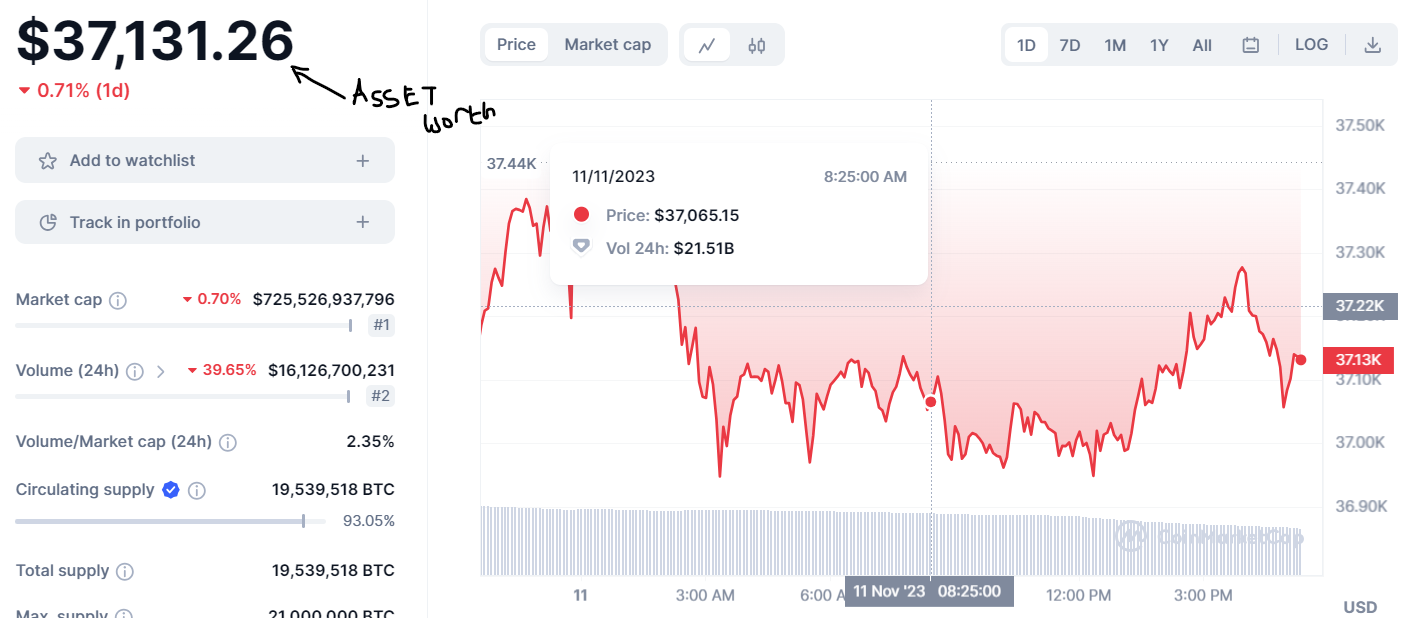
The arrow shows the asset worth. This is basically what i want.
I can get the asset worth from the API.
Is this possible? @Thimo
@sukunareth If you want to sum a value from your API and display it you do not need this chart plugin for that. You should just use a Bubble text field where you sum the data. Does that make sense?
Yes, i understand that, i have done that already.
I need the changes in the asset worth with respect to time, displayed in the chart, just like the image i sent.
The asset worth price is not static.
I am saying is that i don’t have list of data to be displayed, i only have the asset worth which changes with time @Thimo
To create the chart, you do need to supply all the data yourself (the chart only display the data, it does not provide it). Meaning, you should provide the value data list and the time series data list. If you do not have access to the all the data lists you will not be able to create the chart unfortunately
Can you update the markers set up to load faster and maybe have an option to load multiple at the same time without having to use third party loop functions? Also would it be possible more fonts for the watermark option? For example manrope or inter.
The markers will load instantly actually. I think the biggest bottleneck in terms of speed is the loading of the data for the markers. Bubble will first make sure all the data for the workflow action is loaded before a workflow action is executed. If you could optimize the way you are loading the data your could improve the speed quite a lot I think!
I will put this on my list as I agree that more fonts would be very useful! 
I get that they load instantly but we only have an option to load one at a time. Could you make it to load a list of markers ? This would avoid having to run a loop on a list to load every one
I will send you a PM to we can discuss this feature!
@Thimo I’m not seeing the download action to add to the workflow
Hi @telaholcomb
Make sure your are searching for ‘screenshot’:

You can take a look at the editor of the demo page for an example: Financialcharts | Bubble Editor


Hi @telaholcomb that is the “screenshot is ready” workflow event, not the workflow action to start generating the screenshot.
To use that workflow action you can for example place a button element on your page and click “add workflow”. Inside the workflow you will find the screenshot action to generate a screenshot. When the screenshot is generated the “screenshot is ready” event will be triggered.
Does that help? 
No, that doesn’t help. I have all that setup. Where are you getting ‘Download file’ that’s inside the ‘Screenshot is Ready’ workflow?
Nevermind. I found it. You’re using an additional plugin - File Downloader.