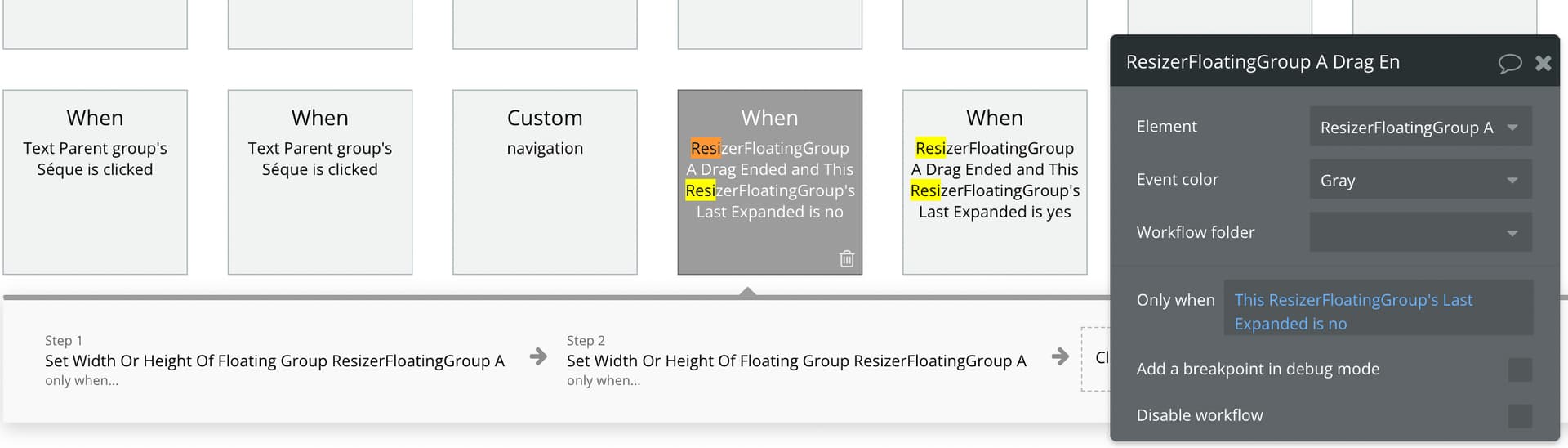
It seems that this workflow does not work in the mobile version

Hey @bubbledeveloper, I have reviewed the issue, please take a look at the demo again and let me know if this solves it for you as well, so I can release the fix.
Is it possible to use this to resize a floating group? Without this “snap”-functionality where it goes to a specific size?
Hi @sondredoli, sure, I’ve put together an example:
 Preview Link
 Bubble Editor Link
Is this how you’d need it to work?
YES!
Thank you so much.
Im having some issues when my floating group is an reusable element. But i will get back here with more details later.
Thank you!
I tested your preview page on mobile and the Floating group doesn’t move with the swipe gesture. It only moves and resizes once I let go.
Hello @jukoen
I encounter a problem that I don’t know how to fix.
I can adjust the size of my floating group and it snaps to where it should.
However, when I click on an element inside my floating group it triggers one of these WF and not the one inside my floating group.
Any idea why and how to fix it ?