Feature Suggestion
We appreciate your suggestion and will include additional information about the Item’s RG (parent) in upcoming updates of the plugin.
Feature SuggestionWe appreciate your suggestion and will include additional information about the Item’s RG (parent) in upcoming updates of the plugin.
Understood! I’ve been playing around with trial/error, and have another RG showing me what the Updated List sees, so I can see the point it becomes out of order again, but haven’t quite found a workflow to keep it together after deleting something from the RG.
Is it possible for you to create a workflow action tied to a any trigger, ‘Remove current repeating group cell from DragIt Updated List’ or something like that? The user would still need to remove the item from the RG and potentially the DB, but these can all work in unison/parallel on the same action.
Were you able to do what you wanted to do?
We will add the feature you requested soon.
I’m having the same issue. A kanban board is essentially impossible if you can’t modify the items attribute for what column it should be in. Maybe I’m just thinking of the logic wrong but have this built into the plugin would be great. I would easily pay $30+ for this if it works properly.
Please please add this! I’m here after trying the aircode drag-and-drop plugin which is way worse but also has this same limitation.
@atomparish
Hello there!
Thank you for reaching out and sharing your feedback with us. We completely understand the frustration you’re experiencing with the current limitations of the Drag It plugin. 
We’re happy to inform you that we’ve recently updated the plugin and have added new features that we believe will address the issues you’ve raised.
and new Event trigger for RG → RG should allow for greater flexibility in designing and implementing your kanban board. 

We appreciate your support and are glad to hear that you find this feature valuable.
We always strive to improve our plugin, and your feedback is crucial in helping us do that. We hope you find the updated version of Drag It helpful and look forward to hearing your thoughts on it. 
If you have any further questions or feedback, please don’t hesitate to reach out to us.
We’re here to help!
I also thank @erick2 for suggesting this feature earlier.
Thanks for the quick update! It will definitely help in the development of kanban boards and it’s more clear. One quick tip, right know we are able to return the RG’s ID, but inside Bubble it’s difficult to use, it would be more useful (at least to me) to return the RG element. Right know I need to read the RG’s parent something, where the current stage info is located.
For anyone else trying this, I was able to make it work with a little trick, what I did was set the RG’s ID to the stage’s name. Now my stages are Options Sets, so I filtered them based on the returned ID.
Now I have a new problem but i’m not sure if it’s from the update or something I changed. I can’t drop an item on an empty RG. I checked the inspector and the element seems to be there, but i’m not able to drop an item.
Here’s a video of the behaviour. We are very close to what we need.

EDIT: Also here is a screenshot of the inspector, demonstrating that the element is in fact there.
Thanks for the tip on this Eric I was able to get it working with the hack. I did run into the same issue with the empty column.
Ty @NoCodeDataArtisan for your work on this 5-star review incoming
Hey @erick2 @atomparish
I regret to inform you that returning the RG is not feasible, so we utilized the RG ID specifically to serve the purpose you mentioned. 
However, if you believe it would be beneficial, we can offer you the option to store a separate data within Drag It, which may be useful in situations like this. 

Regarding the empty column issue, we would appreciate it if one of you could kindly grant us access to your editor by sharing it with us through a private message. This will enable us to better assess the situation and implement any necessary adjustments.

We are truly grateful for your collaboration and valuable input in enhancing our plugin. Our aim is to deliver the desired functionality and performance you expect from our product.
 Beta Update
We’re excited to introduce the latest upgrade for our plugin, “Drag It”.
This upgrade aims to harmonize repeating group operations with Drag It functionalities, offering an effective solution for scenarios such as Kanban creation or other applications of the Grouping feature. We’ve incorporated a new feature, “Auto Sync,” to mitigate issues related to disorganization of RG cells post-saving. By default, “Auto Sync” is enabled; however, we switch it off under certain circumstances. When disabled, the repeating group won’t automatically reflect changes.
Moreover, we want to extend our gratitude to @msgiblin for their valuable insights.
With “Auto Sync” disabled, you can now leverage the “Remove Item” function to delete items. These deleted items can be accessed via the element’s state, and they will also be eliminated from the “Updated List”.
For instances where users are creating new elements in the same location, a page refresh is required to update the view. An alternative approach is to exhibit the new item in a distinct RG (with “Auto Sync” enabled) and allow the user to manually drag and drop it into the chosen list.
We’re working tirelessly to showcase a sample Drag It setup under these stipulations as promptly as we can. This will be made available on our demo page.
We sincerely appreciate your collaboration and faith in our service.
Also, I would like to thank @atomparish for the cooperation he did with us.
Hey @erick2
Have you tried the new update? In the previous post, we explained the new settings.
If you face a challenge, I’m here to help 
Thanks @NoCodeDataArtisan ! I did the update and in terms of workflows and database updates, it seems to be working fine. But it’s still buggy, sometimes it duplicates the items and other times the items lock themselves. Take a look here:

i’m more than open to have a call to check it out live if you want, maybe some of the configuration i have done is not correct.
Definitely an example on the editor will help to solve the problems i think.
Thanks for showing the problem by attaching the gif. 
Yes, of course, we will send you a message. 
We will try to add the sample to the demo page soon.
Hey Mahtab. Got a Drag It and it works great except the conditional option to Lock it down is not working for some reason. Checked in debug mode and condition is showing green and valid. Still, the sections are still draggable. Any idea here?

Try also adding the condition “Sorting enabled: no”

Didn’t work 
Hey @rod.danan ,
Appreciate you choosing our plugins - it means a lot to us!
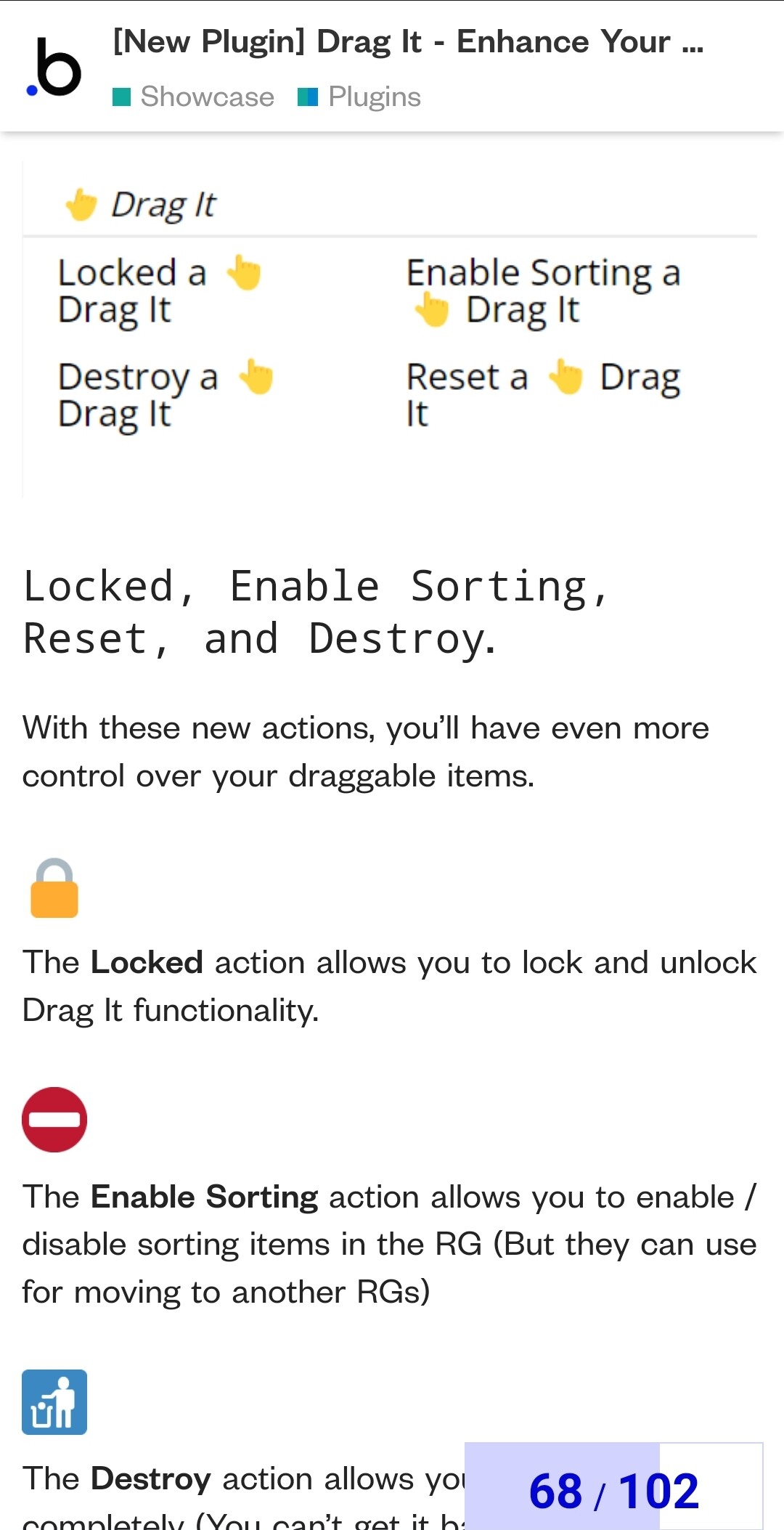
Just like @msgiblin pointed out, you’ve got the option to tweak things after initial build, using Drag It ‘actions’.
We’ve popped them into our recent updates. If you’re not seeing them, give your plugin a quick update and you should be good to go.
Big shout-out to @msgiblin - users like you make our day!
Remember, we’re always here if you run into any snags or if you just have a question. Just give us a shout!
Take care!
That works! Minor annoyance is that it still shows the hand icon to drag but dragging is indeed disable that way. Thanks!
Awesome
When it is locked, no hands should be shown. We’ll look into it and sort it out.
Thanks a bunch for giving us the heads up about this!