
@anand
Hello,
the plugin element is not showing (invisible) although it is setted to be visible on page Load and is throwing that error :
“The plugin Engagespot Notifications / element Engagespot Notification Inbox threw the following error: TypeError: Cannot read properties of undefined (reading ‘getCategories’)
at wO (https://cdn.engagespot.co/engagespot-client.min.js:17:273123)
at https://cdn.engagespot.co/engagespot-client.min.js:17:273656 (please report this to the plugin author)”
Hey @hadeelsameh24 , our support team will get it touch with you soon.
 Version 2.6.2 Released
Happy to know that you’re using our plugin to add a In-App Notification Feed to your Bubble app along with Web Push, Mobile Push, Email, Slack and many other channels.
Update -  v2.7.0 Released
Updated the plugin to support the new Bubble API Version (V4).
Update - v2.8.0 Released
Added support for “Notification Received” events.
Now you can trigger custom toasts, play sounds, or even start a bubble workflow, when a new notification is received!
Read more - Using Notification Events and States | Engagespot
Update -  v3.0.0 Released

Introducing Actionable In-App Messages
Now, you can build actionable messaging workflows in your Bubble app in minutes with built-in templates. Send in-app notifications with Accept/Reject buttons, input fields etc.
Many new features including
- Messaging workflows. (Eg: send SMS if In-App message is not seen in 10 seconds)
- New messaging channels like Discord, Webhook etc
- Improved delivery tracking and analytics for all channels
Upgrade to version v.3.0.0! New version is tested to be backward compatible. But make sure to take a backup of your existing application before upgrading the plugin.
Read updated documentation here.
This plugin is super promising for what I’m trying to achieve in my app (get notifications and updates when new programs are added or existing ones are updated).
What I’m struggling with though is the appearance customization. Is there a way that I can change the bell icon to a MUI icon? Can I change the hover state? Right now it’s a teal color that doesn’t match my branding. Can I adjust the subscribe message or empty state in the inbox?
I might be completely missing something super simple. Thanks.
You can use the theme JSON property available on the latest version of the plugin. Theming options are available here - React | Engagespot

Many users had trouble setting up web push notification channel using our plugin. So we’ve updated the guide that helps you setup web push - Enabling Web Push Notifications using Bubble.io plugin | Engagespot
Hello,
Did you eventually find a solution? I have the exact same issue 2 years later!
Thanks
Hey @geoffrey.baldet , Hope we solved your issue.

Mostly, overlap issues like this happens due to incorrect
z-index being set on the parent element where you add the bell icon.
This indeed solved the issue, thank you so much!

New tutorial: How to create actionable in-app notifications in Bubble
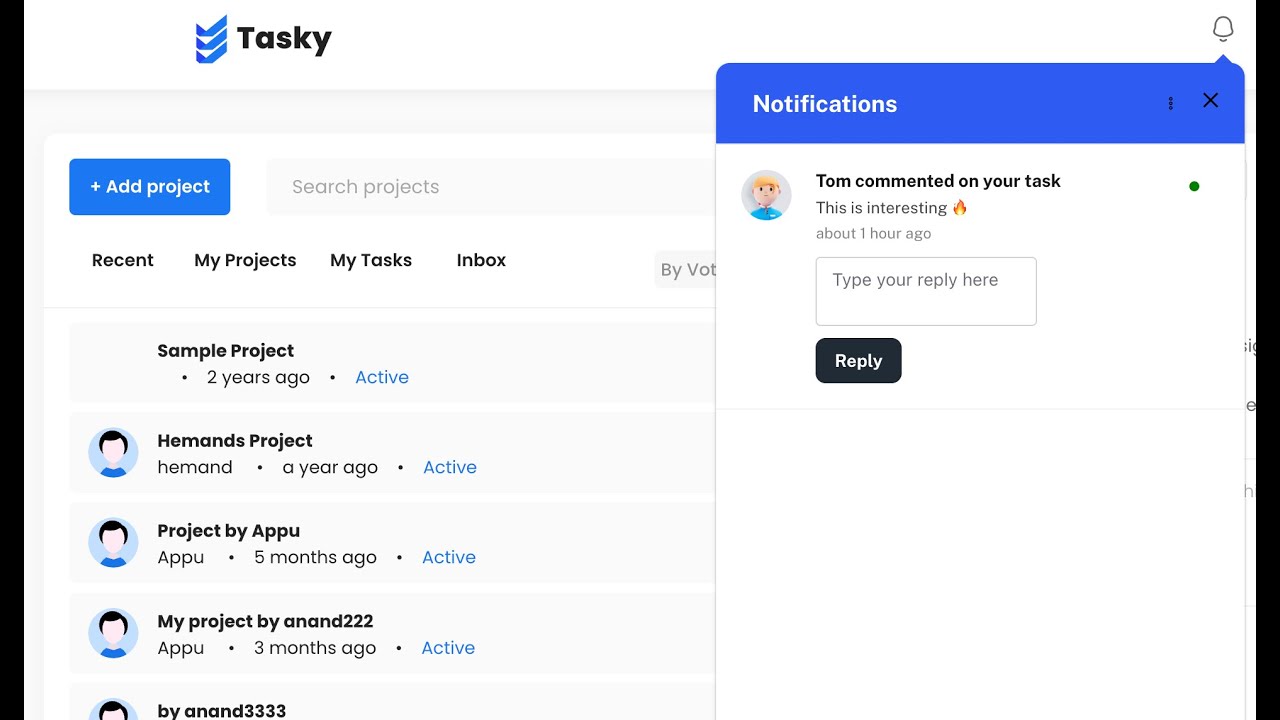

Update - v3.4.0
Introducing no-code communication/notification workflow builder in Engagespot  .
.
 Add in-app, email, push, and WhatsApp notifications to your app in minutes. And let your users take action by clicking a button or even typing something in their natural language.
 One of the best use cases we’ve seen our users build is sending an appointment reminder with the option to reschedule.
 First, send the appointment reminder notification via in-app (if the user has their app installed), or else
  send a WhatsApp notification.
 Regardless of the channel, the user can take action. How? If it’s an in-app message, the user can re-schedule by simply clicking a button
  .
.
 If it’s WhatsApp, the user can type their response, such as “Thanks for the reminder, but can I reschedule to tomorrow at the same time?”
The workflow can parse this response using LLM API  , branch accordingly, update the new schedule in your database, and respond with a confirmation!

Demo Video - https://www.youtube.com/watch?v=WcE782H57aA
Update - v3.7.0
- Now you can choose where to keep your data (US/EU).
- Improvements to web push notification delivery.
- Also includes some minor bug fixes.
This looks great, but how do see it? I can’t seem to find it anywhere in my app.
My apologies. I was referring to the preferences panel.