
Hey Bubble builders & agencies! 
A few weeks ago, I shared a set of open-source CLI tools designed to automate repetitive developer workflows (schema backups, translation, dead code audits, and visual regression).
Based on the feedback and the desire for a unified, modern desktop developer environment, I’ve built and open-sourced Bubble.io Dev Studio v3.0.0 — an all-in-one Desktop Developer Suite & GUI designed specifically for Bubble.io engineers, agencies, and full-stack builders.
 What is Bubble.io Dev Studio?
It is a cross-platform desktop application (Windows, macOS, Linux) that acts as an IDE sidecar for your Bubble applications. It connects directly to your Bubble Data & Workflow APIs and parses your .bubble AST blueprint files to provide deep diagnostic and developer tooling.
📸 Click to view all 9 High-Definition Feature Screenshots
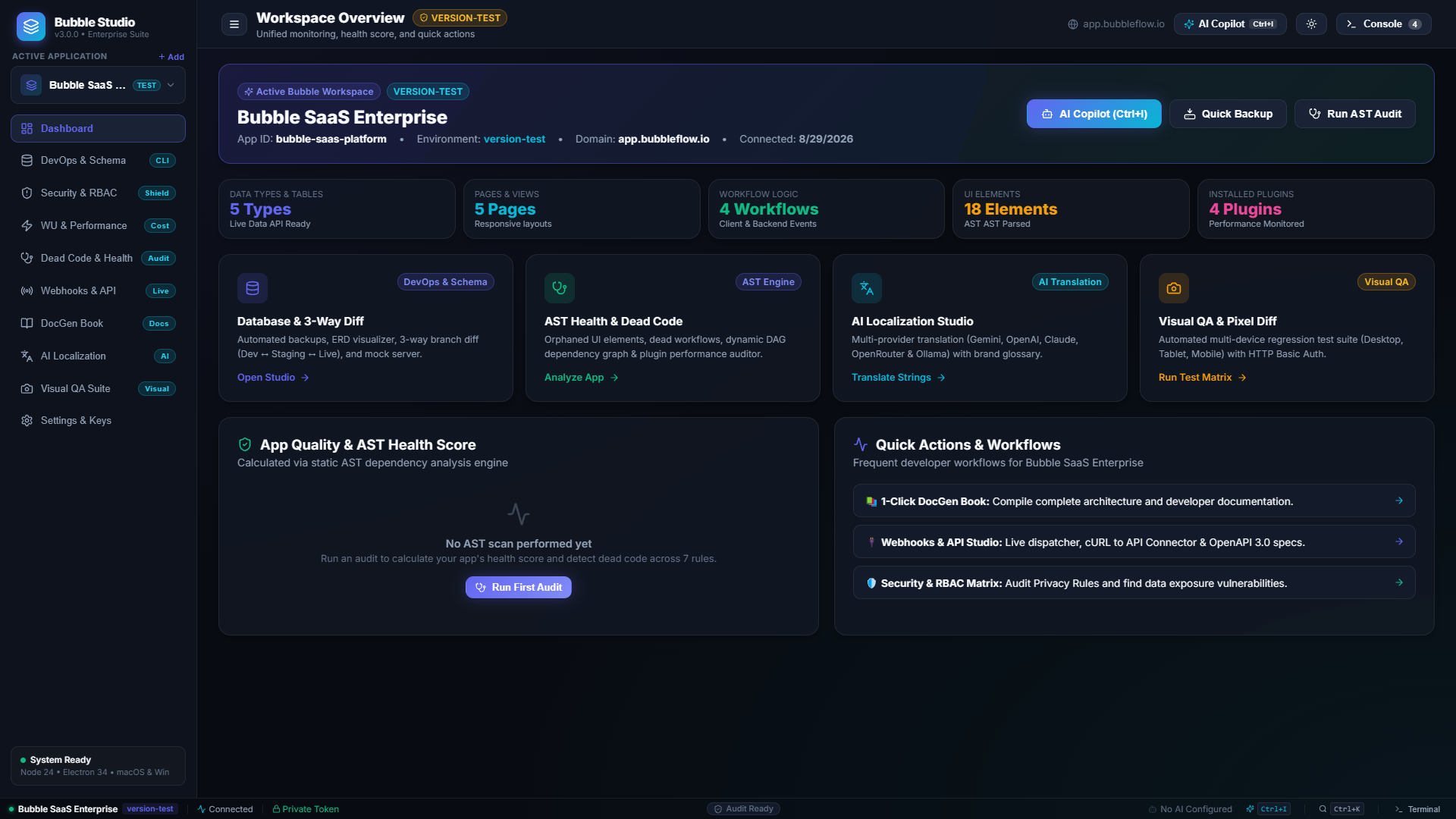
 Dashboard & Workspace Telemetry Overview
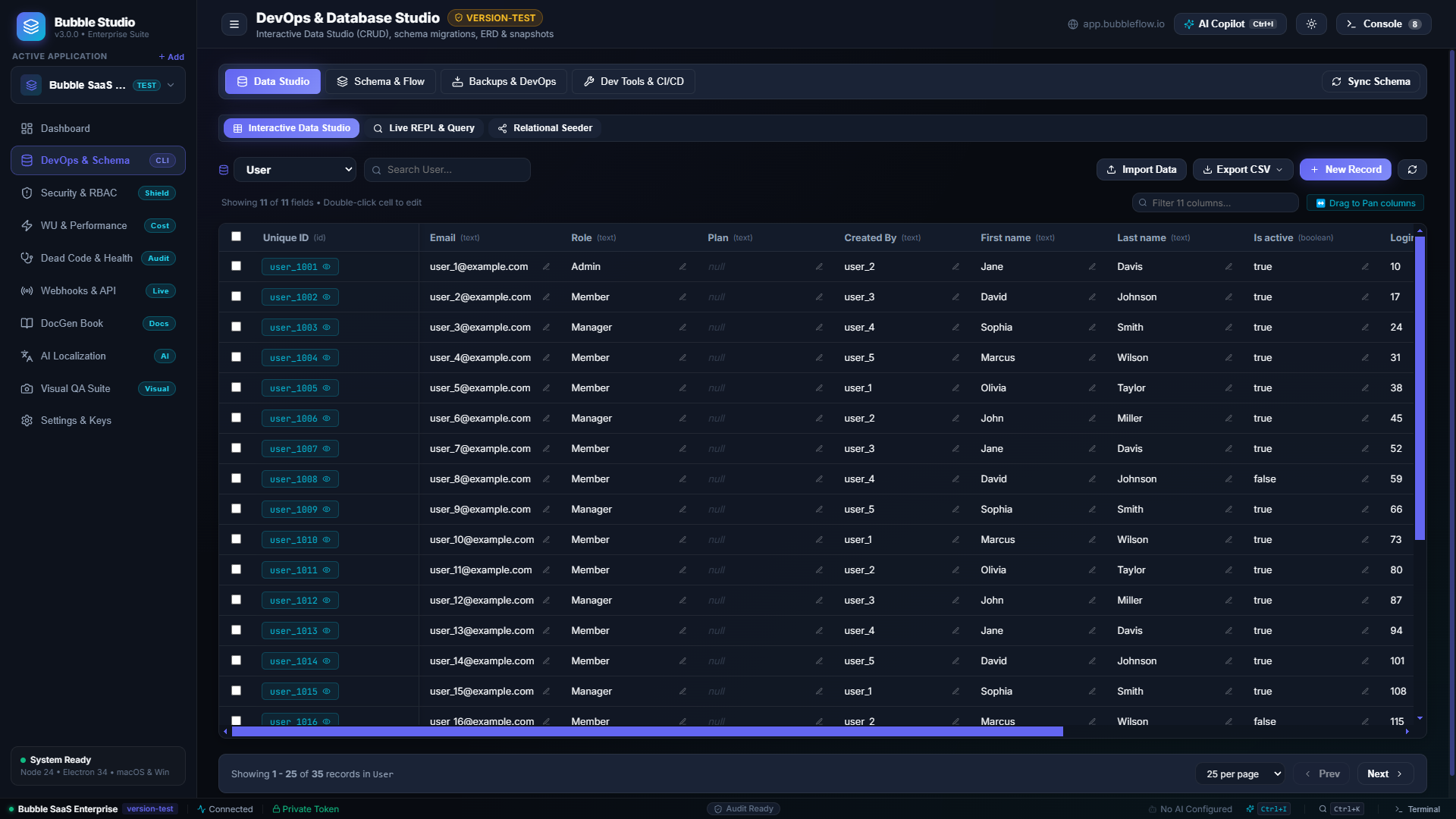
 DevOps & 3-Way Schema Diff Studio
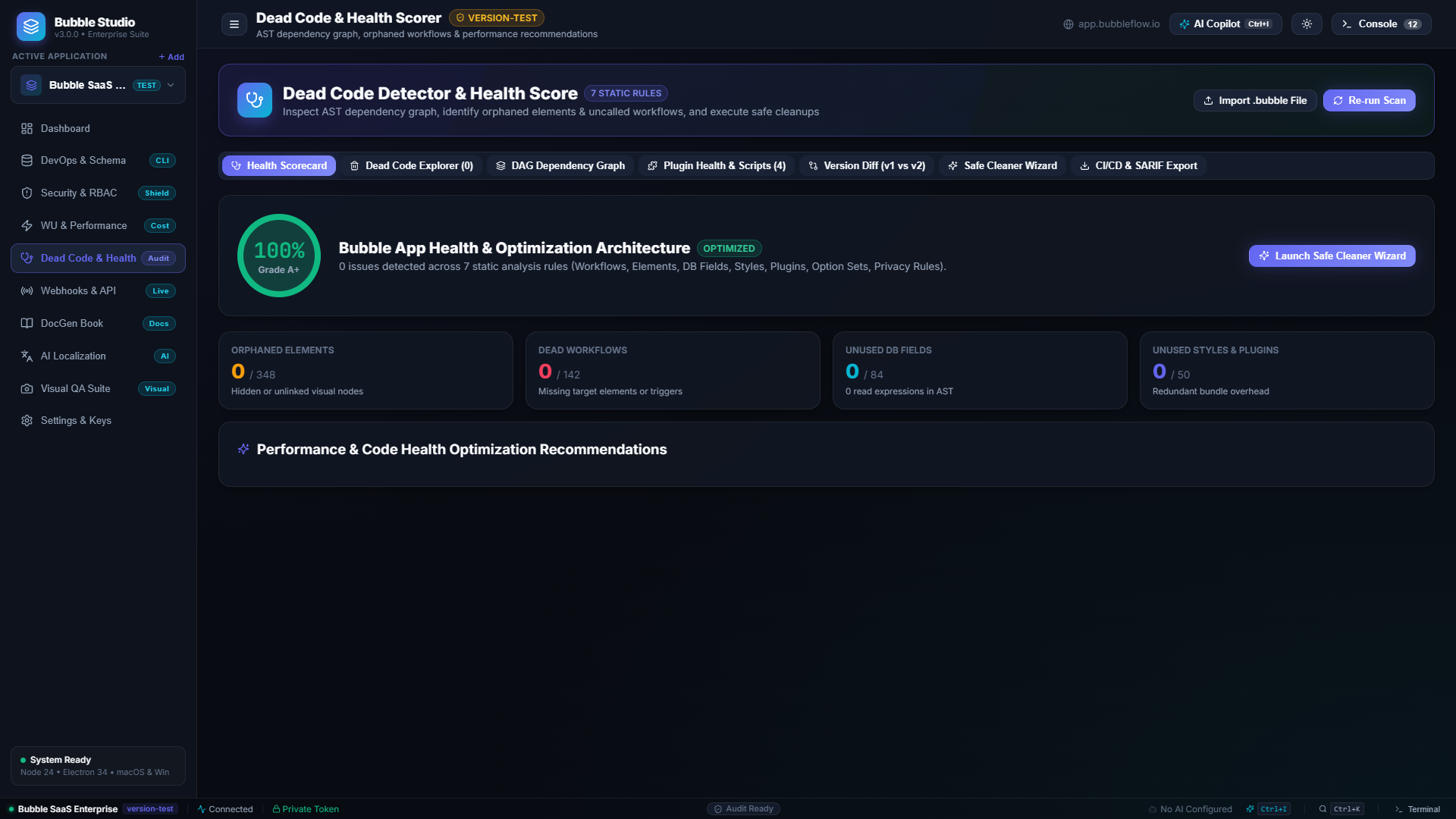
 AST Dead Code & Interactive DAG Graph
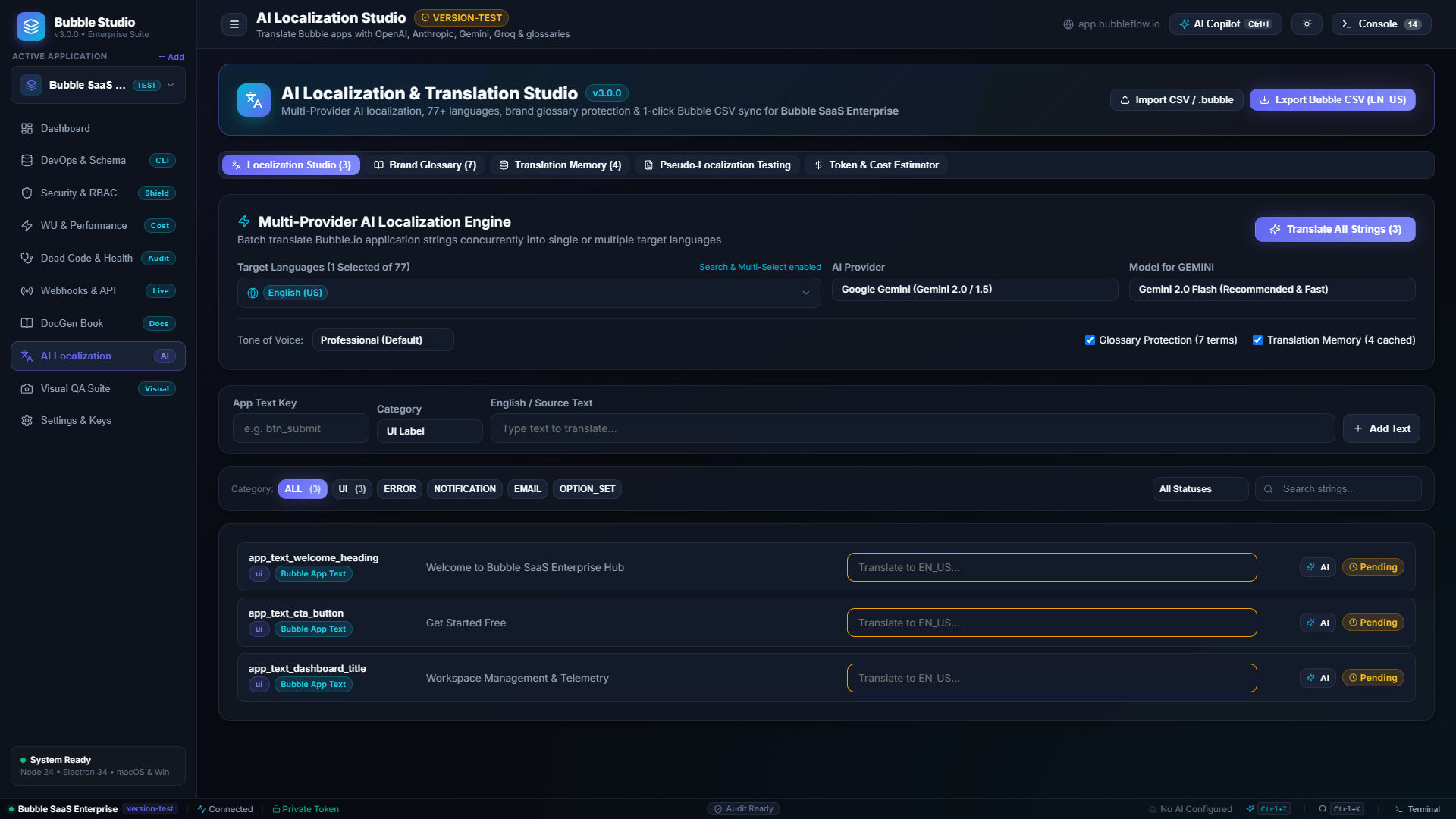
 AI Localization & Translation Studio
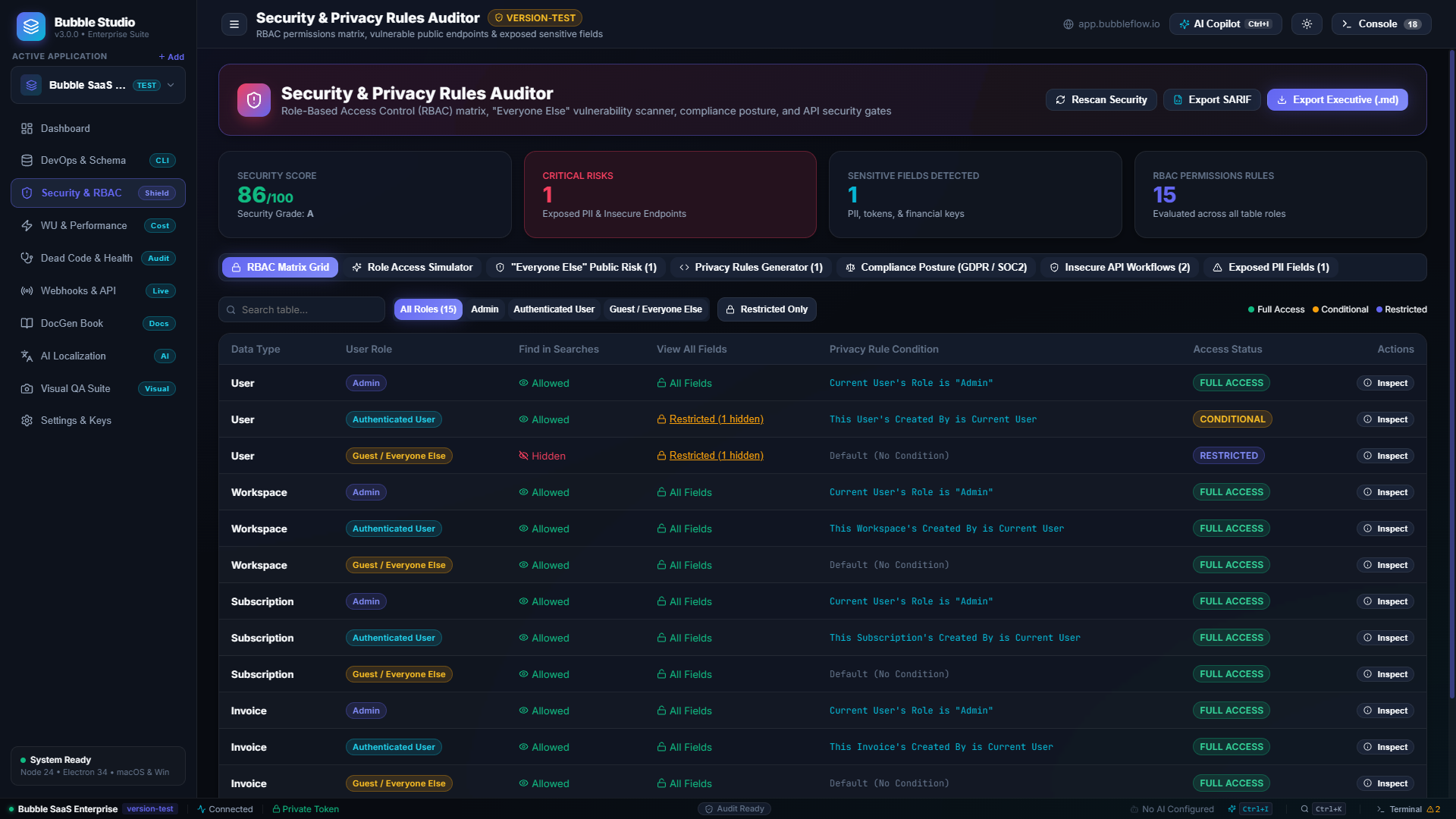
 Security & RBAC Access Matrix Sandbox
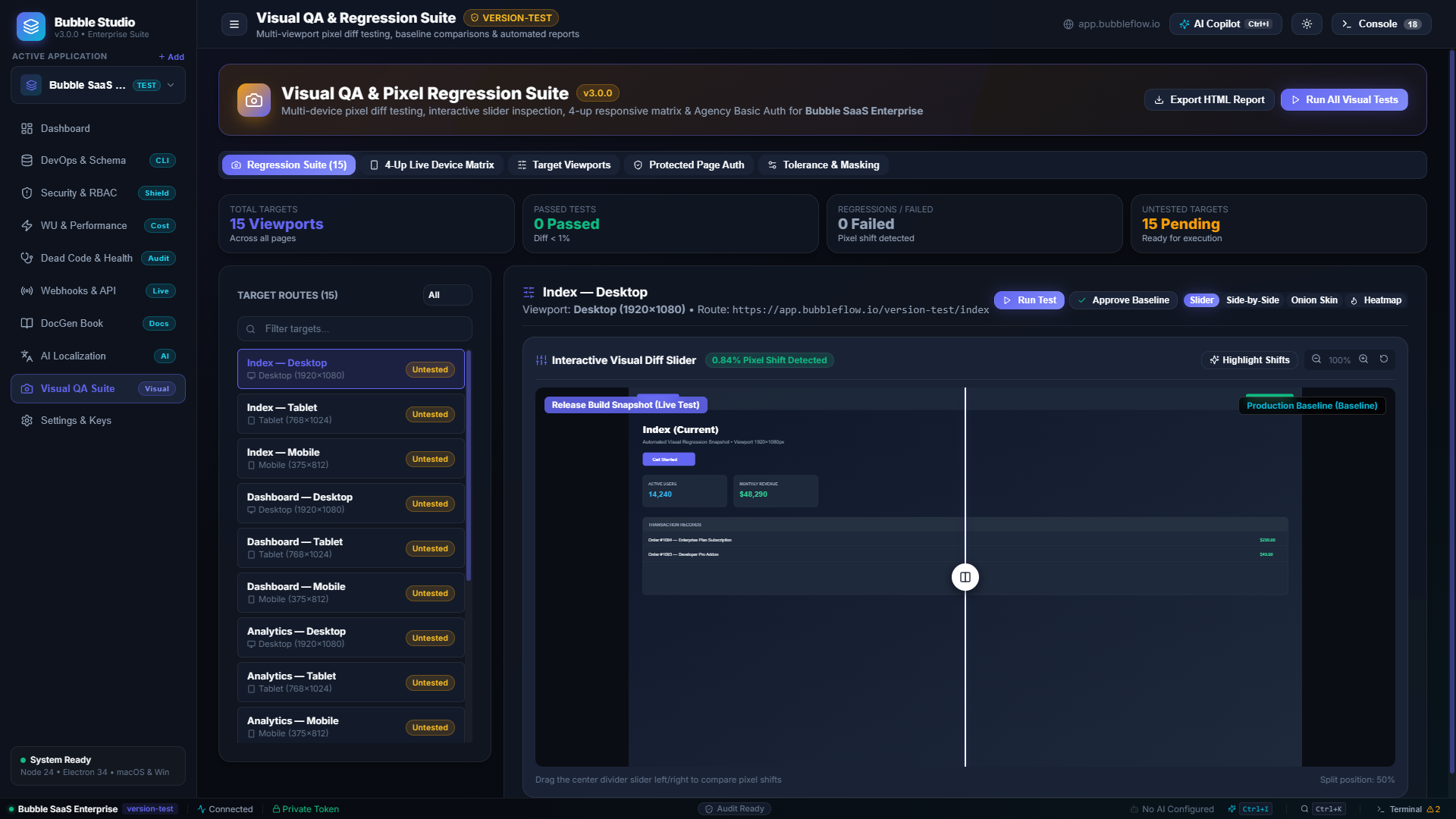
 Visual QA & Multi-Device Regression Suite
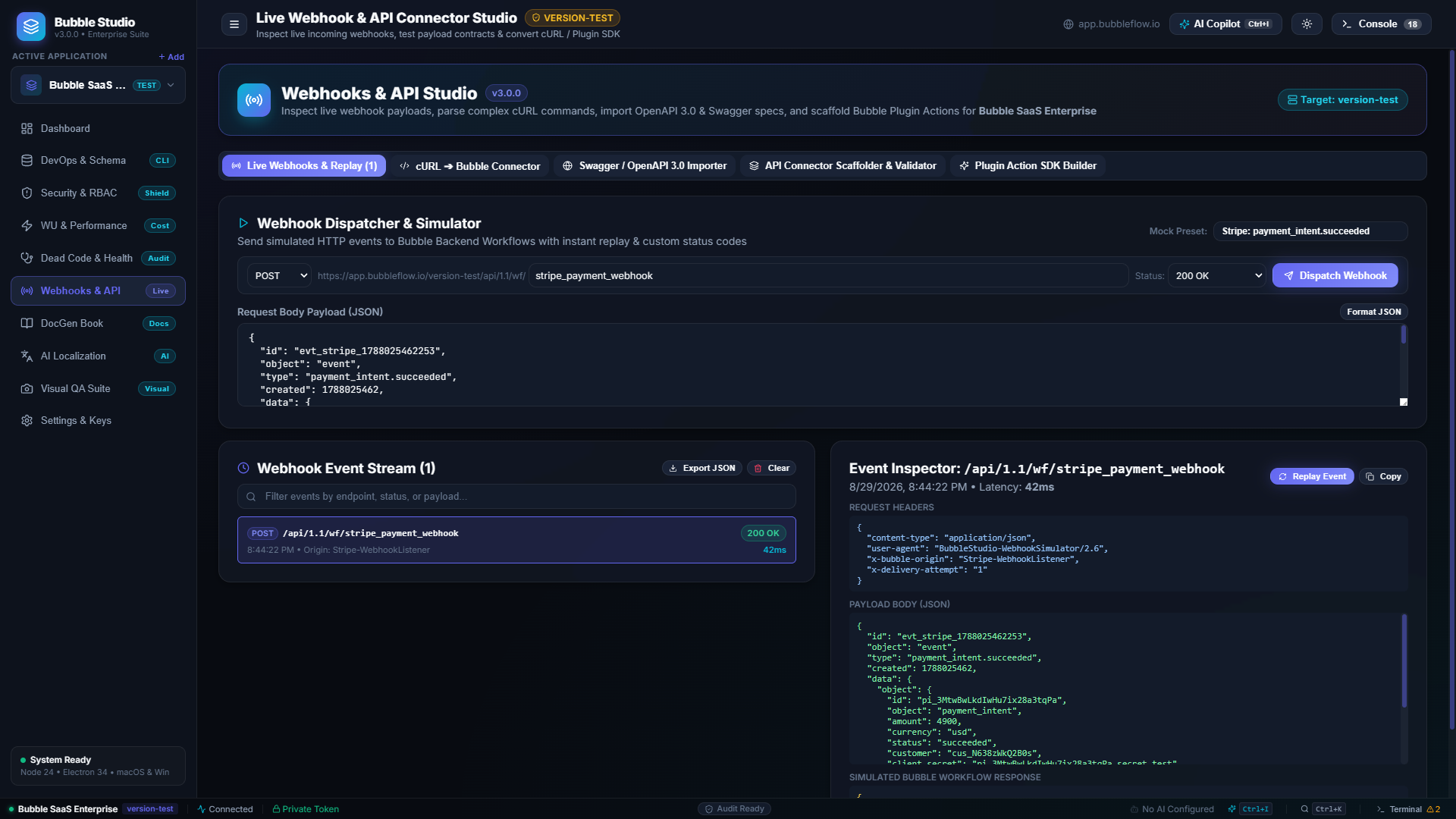
 Webhooks & API Connector Studio
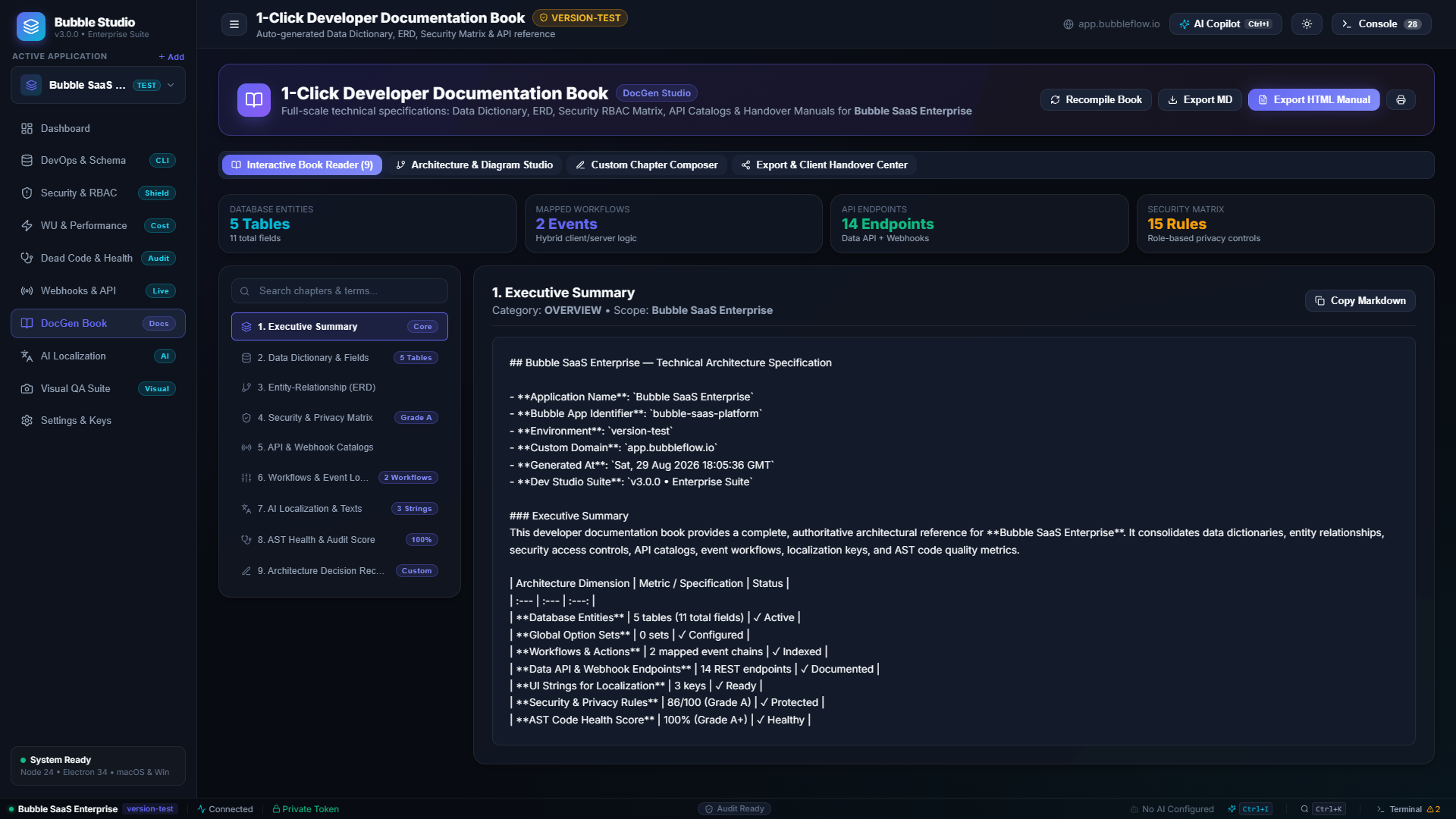
 1-Click Developer Documentation Book
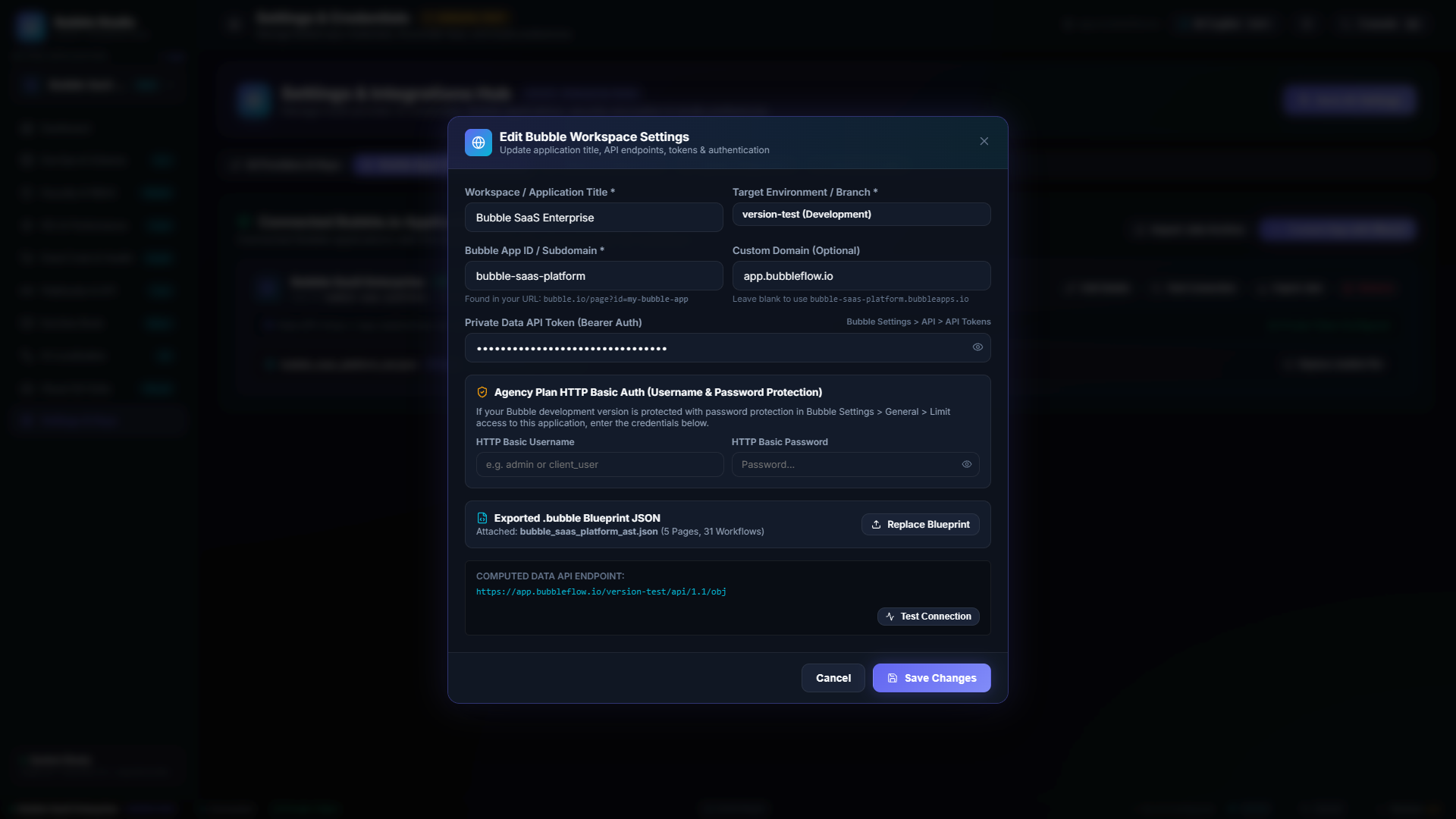
 Workspace Settings & Endpoint Editor
 Core Capabilities & Modules:
1. DevOps & 3-Way Database Studio
- 3-Way Schema Diff: Compare fields, option sets, and types across
version-test,staging, andlive. - Declarative DDL Migrations: Generate SQL and JSON migration step plans.
- Relational Data Seeder: Populate realistic test environments with 1-click relational seeding.
- CI/CD Pipeline Generator: Export ready-to-use GitHub Actions & GitLab CI workflows.
2. AST Dead Code Detector & Interactive DAG
- Interactive Dependency Graph: Visualize relationships between pages, visual elements, custom workflows, and database tables.
- Orphan & Dead Code Discovery: Automatically detect unreferenced UI groups, dead custom events, and abandoned styles.
- App Quality Scorecard: Get an instant AST health grade (A+ to F) with actionable fix suggestions.
3. AI Localization & Translation Studio
- Multi-Provider LLM Integration: Translate entire app texts via Google Gemini, Anthropic Claude, OpenAI, DeepSeek, Groq, or local Ollama.
- Glossary & Brand Protection: Lock down brand terms and technical keywords to prevent mistranslation.
- 1-Click Export/Import: Export translated JSON/CSV ready for direct upload into Bubble’s Languages tab.
4. Visual QA & Multi-Viewport Regression Testing
- 4-Device Matrix: Inspect pages simultaneously across Desktop (1920px), Laptop (1280px), Tablet (768px), and Mobile (375px).
- Pixel-Perfect Regression Diff: Highlight pixel shifts and visual bugs between deployments.
- Agency Plan HTTP Basic Auth: Seamlessly test password-protected development environments.
5. Security & Privacy Rules Auditor (RBAC)
- Role Simulator (Persona Switcher): Test how your app behaves for Admins, Managers, and Logged-out users.
- CRUD Access Matrix: Visual audit of
create,read,update, anddeletepermissions across all data types. - SARIF 2.1.0 Export: Integrate security scan reports into enterprise CI/CD pipelines.
6.  Workload Unit (WU) Cost Profiler
- Estimate monthly WU consumption for database searches, recursive backend workflows, and heavy aggregations.
- Identify unconstrained searches and optimization opportunities.
7. Webhooks & API Connector Studio
- Live Webhook Simulator: Inspect and debug incoming HTTP payloads.
- cURL to Bubble Converter: Paste raw cURL commands and convert them instantly into Bubble API Connector parameters.
- Plugin SDK Builder: Scaffold production-ready TypeScript/JavaScript plugins.
8. 1-Click Documentation Book (DocGen)
- Generate a comprehensive technical documentation book (Data Dictionary, ERD, Security Matrix, and Architecture) in HTML, Markdown, or PDF format.
 Privacy & Architecture Highlights:
- 100% Local Execution: All computations and AST analysis run locally on your machine.
- Zero Telemetry: No tracking, analytics, or third-party data collection.
- Global Shortcuts:
Ctrl+Kfor Command Palette,Ctrl+Ifor AI Query Copilot,Ctrl+Bfor Quick Backups.
 Download Pre-Built Binaries (v3.0.0 Stable):
| OS | Download Link | Type |
|---|---|---|
 Windows Windows |
Bubble.io.Dev.Studio.Setup.3.0.0.exe • Portable .exe | NSIS Installer / Portable |
 macOS macOS |
Bubble.io.Dev.Studio-3.0.0.dmg • .zip | Apple Silicon & Intel |
 Linux Linux |
Bubble.io.Dev.Studio-3.0.0.AppImage • .deb | AppImage / Debian package |
 GitHub Repository: https://github.com/alexandrmotologa/bubble-io-dev-studio
 GitHub Releases & Changelog: https://github.com/alexandrmotologa/bubble-io-dev-studio/releases/tag/v3.0.0
 Feedback & Discussion
I’d love to hear your thoughts, feedback, and what features you’d like to see added in future updates. If you find it helpful for your Bubble apps or client projects, feel free to give the repo a  on GitHub!
Built by Alexandr Motologa | MTLG Labs

 Subgraph Focus: You can select any individual table from the dropdown to isolate it and its 1st-degree parent/child relations.
 Zero-Manual AI Translations: 1-click batch translation for all App Texts across 7 AI providers, eliminating manual copy-pasting.
 Visual ERD Diagrams: Auto-generates interactive relational diagrams (which Bubble completely lacks).
 Deploy Safety (Schema Diff): Side-by-side database diff between Test and Live before publishing to prevent broken production apps.
 WU Cost & Dead Code Audit: Detects expensive N+1 query loops and cleans up orphaned custom states/workflows slowing down the editor.


 AI Narrative Book vs
  Raw Data Dictionary.