Predictors of app maintainability

I’m not sure about reusable element ratio as an indicator of app maintainability predictor. I know you are a big fan of using a lot of reusable element on a page even if this is for single use but it’s not my case. Also, high usage (but mostly deep nested usage) of reuable element can lead to issue and slowdown on page. Personnally, If I’m on a specific page, I prefer to edit everything from that page if possible instead of going back and forth between reusable element (or having a lot of tabs open).

I would add # of API could be a good predictors. Not just # of calls. If an app use a lot of API, chance of something go wrong is high. Have 1 API with 10 calls is better than having 10 API with 1 calls. And if API are chained… In fact, plugins and API are in the same position: dependency on external tools.

What about # of uncategorized Workflow?

1 Like

This is exactly a situation I was thinking of haha

Scan how many fields a single Datatype has.
I once had to deal with a DT with about 180 fields. Almost impossible to maintain and also a clear indicator for bad structure and lazyness :grinning_face:

1 Like

Hey, this is a great initiative. Love the idea of turning app quality into a quantifiable score.

You’ve already listed some strong metrics. A few more you might consider:

  • Custom state count per page: Higher counts can indicate complexity or poor data flow. Some is fine, but excessive use usually hints at patchy logic.
  • Workflows per page (average): Similar to actions per workflow, this gives a sense of whether logic is scattered or consolidated into reusables and backend workflows.
  • Backend workflows to frontend workflows ratio: Higher is usually better for maintainability and performance, since more logic is centralized.
  • Data types with >20 fields: Might point to bloated data models. Simpler, more normalized data types tend to be easier to maintain and scale.
  • % of actions using “Only When” conditions: A high percentage could mean too much conditional logic per workflow rather than better structured flows.
  • Redundant custom states (same value used in multiple places): Indicates potential for centralizing logic into reusables or backend workflows.

As for a final score, maybe weighting each metric based on impact and then normalizing to a 0–100 scale could work. You’ll probably need different “ideal profiles” based on app type (SPA, dashboard-heavy, public-facing, etc.).

4 Likes

Workflow & Logic Optimization:

  • Favor a higher number of custom events over monolithic workflows for modularity and reusability.
  • Prioritize backend workflows to improve frontend performance and ensure completion.
  • Use custom events to break down complex conditionals.
  • Preload/precalculate data with hidden groups on a page to speed up workflows.
  • Store and reference grouped search/conditional results instead of repeating expressions.
  • Minimize redundant workflows by leveraging custom events and parameters.
  • Implement logging and sanity checks for recursive workflows.

Data Structure & Management:

  • Aim for a lower number of fields on data tables for better performance.
  • Use lightweight tables for Repeating Groups, linking to heavyweight tables for single records.
  • Create a dedicated Account/Tenant table for global settings.
  • Use Option Sets judiciously, avoiding overuse for dynamic or large datasets.
  • Use backend data trigger workflows minimally due to potential issues with bulk updates or edge cases.

Reusability & Modularity:

  • Align data tables with reusable elements for seamless data flow.
  • Utilize on-page reusable elements for common formulas or workflow snippets if lightweight.
  • Prefer the API Connector over prebuilt plugins for more control and less bloat.
  • Develop standardized reusable elements for major UI blocks (pagers, tabs, cards, popups, headers).

Error Handling & Logging:

  • Implement a dedicated log/error table for workflow and API errors.
  • Maintain a log table for heavyweight/high-priority API calls and responses.

UI/UX & Styling:

  • Ensure consistent styling and UI throughout, including a spacing system, uniform input heights, and popup widths.
  • Effectively use tabs, separate pages, and drawers to reduce and defer data loading on the page.

Maintenance & Organization:

  • Adopt a clear naming structure and organization for all elements.
  • Use custom states minimally and place them on appropriate groups (ie not all on the page or reuseable parent).
  • Regularly clean up and flag unused fields, option sets, and reusable elements (e.g., by renaming deleted fields with DEL_ prefix).
2 Likes

You’ll need to analyze the plugin to understand it’s use. For example, if a plugin is used to get functionality not available, then it’s count would not be used to determine it as less maintainable, because without the plugin the functionality would not be possible.

Also, sometimes plugins help with maintainability, or even just some plugin elements do that. For example, in my plugin, I just added a new element specifically to help make the app more maintainable. This is to solve a problem in Bubble that directly impacts an apps maintainability. When we use Bubble ‘responsive properties’ not only is it about using conditionals instead of workflow actions, it is also about using ‘inputs value changed’ trigger events. A problem in Bubble is that if you have an input say called ‘total’ and it is the sum of two other inputs called ‘sub total’ and ‘taxable amount’ (ie: the dynamic expression initial content is input + input), the input value changed workflow trigger will not trigger for ‘input total’ when the change was done via either ‘subtotal’ or ‘taxable amount’ (meaning user manually changed subtotal which resulted in a change on the ‘total’).

In order to ensure maintainability, it is important to keep consistent, and so when using the ‘input is changed’ event triggers, you wouldn’t want to introduce some new method just for that one single input that will not trigger the event because of the flaw in Bubble. To accommodate for this, I added an element called ‘element value watcher’ which does trigger an event whenever the value of the input is changed, either through a manual change in value or to a change in value due to the change to the related input.

What is your expected reduction to their costs? I could only imagine if it is $4k/month that could be realistically brought down to under $350/month.

I like

We’re not, they’re on dedicated so no WU, and we have bigger things to do first like adding privacy rules :man_facepalming:

That’s kind of a non-issue, because in the data API you should use field IDs, not displays - else if you change the display, you break all integrations, whereas the ID is immutable.

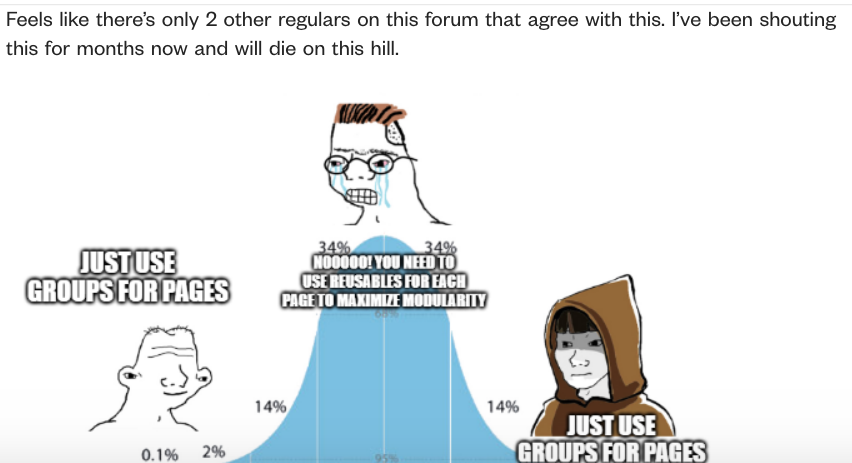
Feels like there’s only 2 other regulars on this forum that agree with this. I’ve been shouting this for months now and will die on this hill.

I don’t remember the specifics but about two years ago I was working on an AWS function to handle data processing for a client, and I remember that this was creating confusion for me. Another thing that was annoying is that sometimes bubble would return “Yes” or “No” as strings instead of true false boolean :') it was fun

1 Like

It’s 100% a reasonable take. You shouldn’t have to use reusable elements like we forced to do right now. However, on large scale apps, if you didn’t overuse reusable elements your application editor would just stop working at some point. I’m working with a client on dedicated right now and my 16GB of ram is not enough to handle many parts of his app, and he’s using reusables everywhere…

The reusable mess we’re in right now is a workaround to a performance problem. Of course reusables should still be used even if they fixed those issues today, but it wouldn’t be as vital to an app like it is today

I’m not convinced. Assuming everything is hidden by default and only visible conditionally, it shouldn’t matter. There is a lot of dogma around this topic but no one has actually proven it by looking at the rendering times or explained how it affects the underlying javascript.

This is really annoying, AND when the user is in another language, it returns in that language! And when passing a number via API connector, if the user’s language uses comma for decimals, it breaks the API call by using a comma for the number.

1 Like

This is insanity.

@georgecollier simplest predictors are:

  1. Consistent naming conventions for data types, data fields, workflows, pages, reusable elements and styles
  2. Not having too many unused pages, elements, workflows, data types, data fields etc

Those are the main ones that I check immediately when opening a new app. They are not really “hard, quantitative” metrics though.

2 Likes

Hey @georgecollier :waving_hand:

I would also consider taking into account the number of API integrations that the App has. Often, updates to these endpoints can break the App. It is important to remain vigilant regarding this documentation.

So, I was having issues with the editor crashing a lot in late 2020 and early 2021. I was attempting to build an app dashboard page. As I was building I noticed my larger pages always crashed and made editor sluggish, then noticed when in smaller pages or reusable elements it didn’t crash. So I began using reusable elements in such a way as to build as much of an entire feature set as possible into a reusable, and then place them onto the page.

After doing that my editor never crashed again when working on the dashboard page as it was now mostly reusable elements. In one of our monthly meetings for Bubble Bootcamp instructors, a lot of instructors were discussing the issue of editor crashing and I explained what I found and was doing. This eventually found its way into a sort of ‘best practices’ approach.

So, it is not about there being benefits of rendering time (that is for the app client side user facing), it was more or less just about ensuring your editor doesn’t crash when building and the modularity aspect of it is only relevant when actually re-using the reusable or needing to work on a specific feature set that is it’s own reusable element. Because of that, it is best when building a reusable to make it of type group and not popup or floating group, because you can place a reusable into a popup or floating group so long as it is of type group, but you can not put a reusable that is of type popup into a popup on the page or a floating group. Building reusable elements like that is for modularity as you can use it as a group, as a popup or a floating group.

And if a reusable is used for a button, it is likely counter to modularity as it just makes it too difficult to track down all elements for that specific feature. If a button needs to be a reusable for use of properties to make all sorts of changes to all sorts of different things, it is likely just a mistake of attempting to ‘over engineer’ in bubble.

For user facing client side rendering this is true. Doesn’t matter if elements are in a RE or on page directly.

That middle is wrong, the reusable approach was not originating from a need for modularity, it was to stop the editor from crashing. The appropriate approach is that for a page, that is lightweight, like a profile page of a home listing, car listing or personal listing, you do not need any reusables because you likely will not have the editor crashing, and not needing the same types of elements to be reused, except perhaps the Reviews section, which should be a reusable on it’s own if it is to be reused in other parts of the app. And for heavy pages, like a dashboard or Single Page Application, you use groups to hold the reusables, so that when you build the editor doesn’t crash, and modularity for the sense of being able to focus on the specific feature set needing to be focused on.

3 Likes

My question would be, was this the case even if everything wasn’t visible? Like assume there was only one major group visible at a time. It would still crash? Even on the design tab?

I could imagine it crashing with the old workflow editor after having hundreds of workflows. The old workflow editor would “hitch” for a second or so when you first loaded it. But I’ve noticed the new workflow editor is more robust to having large numbers of workflows.

Yes, reusables definitely help with editor performance — significantly.

But just as important is the DRY principle: Don’t Repeat Yourself.
If you’re creating the same contact card in ten places, it should absolutely be a reusable.

If you find yourself adding lots of conditions to a single reusable to account for different displays in different contexts, that’s usually a sign it should be broken down into smaller, more focused components.

Bubble is interesting in that it hasn’t made reusables a central part of the editor experience.

Compare that to WeWeb, where basically everything should be a reusable — including buttons, icons, inputs, etc. Their reuseables are much more flexible, with specific workflows for events within the reuseable (initialized etc), flexible inputs, exposed and hidden properties, formulas that accept variables and flexible outputs. That makes it incredibly easy to build fast, consistent UIs across an app.

For example, you can create an input field with a label as a single reusable and use it throughout your app - the input value is passed through the reuseable natively without any workarounds. That alone speeds up development and ensures consistency — every input looks and behaves the same.

WeWeb also offers much more flexibility with styles compared to how Bubble handles them.

Not a dig at Bubble — just saying, offer platforms offer a much smoother frontend-building experience. I’d love to see Bubble adopt some of WeWeb’s best ideas and bring them into its editor. If they did that then the bubble editor would be so much faster and easier to use.

The current reuseables logic is far too limited and requires workarounds for basic functions that should be built in.

2 Likes

Honestly, since early 2021, I have not paid any attention to this, and just use the same approach.

Yes, that is definitely a reason to have a reusable for sure. Even if you are using something in just two places, it could be seen as beneficial to use a reusable element for it.

I think what Bubble did is gave use Styles (essentially a CSS style sheet), but sounds like WeWeb went further and gave an ability to dynamically change the label which is cool.

I think what people have asked for is reusable expressions, which would definitely be a nice addition.