Quick Tip: Inverse match complex expressions

Just a quick tip on how to set an inverse match for complex expressions. There are actually 2 ways.

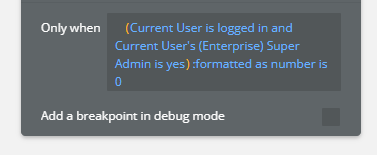
  1. Nest everything in arbitrary text and match yes or no

  2. Use the :formated as number then compare with 1 or 0. The 0 matches a falsy.

I like method 2 since it’s easier to manage in a single expression. The example isn’t complex since I tend to not build long expressions but it works.

:formatted as number has a lot of nifty use cases. Especially when dealing with complex conditions.

1 Like

I don’t understand any use case for that. You already return a yes/no.. why to add a another step to format as number? Even the first option I don’t understand the use case…

I have use cases for both examples, but my use cases are more specific.

1 - List Comparison: boolean return compared to strings “yes” or “no”.

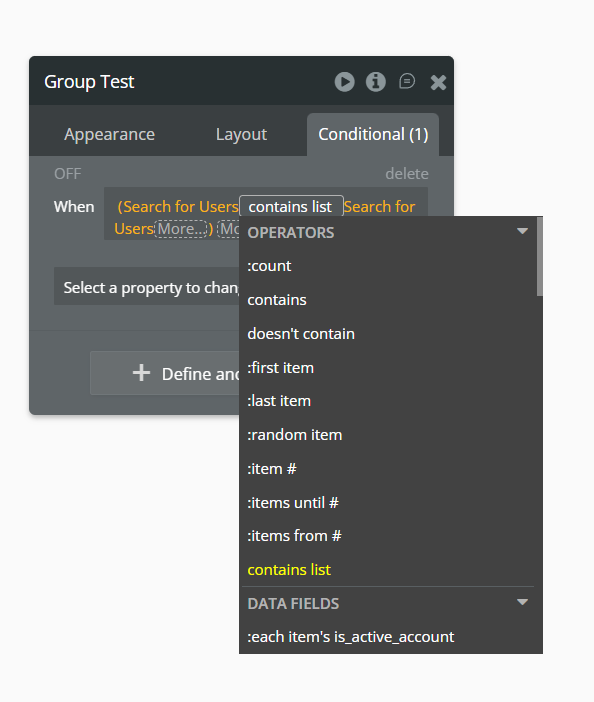
List A contains list List B

Imagine you have a conditional statement in a workflow or element that is based on comparing lists: List A and List B.

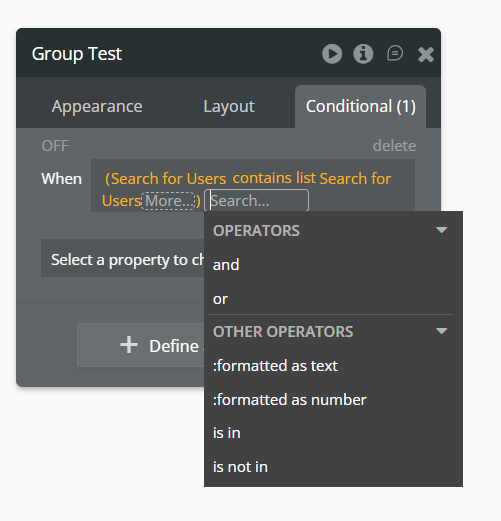
You need to check if List A contains List B. If you need to use the return only when List A contains List B, then that’s fine, the expression returns a boolean, and you can evaluate whether it’s yes. But the problem is when you need to get the result for no and use it in some logic. Because no here would be the same as using the expression List A doesn't contain List B, but we don’t have that operator available at the moment.

And as you can see, we cannot get the boolean results for both states in this expression. This is why we need to compare the boolean results with strings “yes” or “no”.


Of course, we could use expressions like the intersect with or minus list operators and apply a count to generate a Boolean. That would be another possibility. But again, as I’ve emphasized before, a “doesn’t contain list” operator would be very useful.

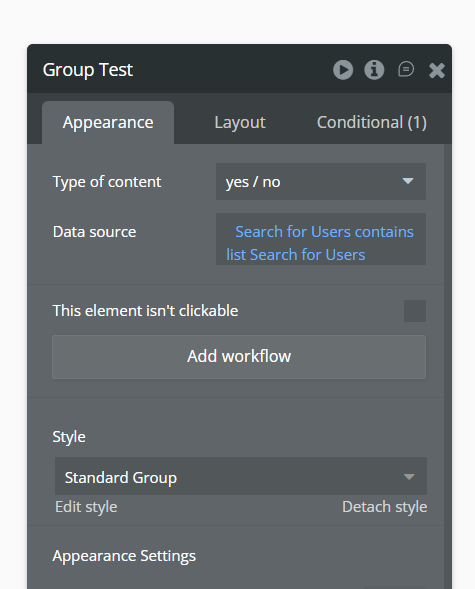
Anyway, as I said, this problem happens when you use an expression like this in conditionals. But things change when we use that same expression as a variable, such as the data source of a group defined as boolean.

Because when we do this, then yes, we can get boolean results directly.


2 - Transforming boolean results into calculations.

This is basically used when you need to check several Boolean expressions that will be used to generate a calculation.

Imagine you need to check 5 boolean expressions and based on its return calculate the percentage of something.

So we have:
yes = 1
no = 0

The let’s say the expressions results are:

  • Expression 1 = yes
  • Expression 2 = yes
  • Expression 3 = no
  • Expression 4 = no
  • Expression 1 = yes

The result would be the evaluation of each of these expressions, :formatted as number and then converted to a percentage.

So…
( Expression 1 :formatted as number + Expression 2 :formatted as number + … / 5 ) * 100


As with the first use case, this is due to the lack of some operators (like these) that would be very useful if implemented in Bubble.

They may not be requested as often, as most users won’t encounter this logic in less complex apps.

4 Likes

Watch out for if your app is multilingual and users change their app language. :formatted as text becomes nein or whatever is the appropriate boolean name in that language

3 Likes

Good point!

I do agree with some missing operators like this. Also, we should always have the option to say “is yes” or “is no” to a boolean (that is sometimes available and sometimes not according to context). This would also match expected operators according to doc Operators and comparisons | Bubble Docs

I understand your case, however I think it’s easier to work with intersect VS arbitrary text… But it’s my opinion :wink:

The arbitrary text solution is an old solution from the forums. I used it ever so sparingly since it requires comparing a string to a string. For reasons pointed out:

@Newed has some great examples though I prefer using :formatted as number. Sometimes I will use inverses just for better workflow management.

My most common use case is for constraint expressions that need to intersect lists with one being a user input for a filter. These intersects will never be a “blank” value so “ignore empty constraints” will be…ignored. I could create multiple conditions for different search constraints, but I find that tedious. It also helps when you need to compare multiple intersects.

2 Likes

If you have a complex expression and need the opposite of it, you either have to invert them properly using De Morgan’s laws - Wikipedia or you can do this. Very useful!

Negating/opposite of a complex expression - Tips - Bubble Forum

How would changing the app language affect text of a format as text inside a workflow? The two should be completely disconnected.

At some point or another (and I don’t know if it still does) but a boolean would format in the language.

Similarly, if you display a number with decimals (e.g 1.4956, and switch your user’s language to a European language like Dutch, it would become 1,4956). That would break it when used in API calls for example.

Oof, that’s so odd. Was it referencing a state or group var as the source?

As @georgecollier mentioned, I’ve had trouble with this language-based number thing before. And I’ve also had trouble with Booleans.

I’ll try to replicate this again when I have some time and share it here.

For this one, inside workflow actions. You have to :format as number with a decimal to guarantee it decimal-ises.

Is the language thing only for front end?