Is it possible to show a wait icon while a selectable list loads and hide it when it is loaded?
I do not see a selectable list property or action that tells me at run time that it is done loading.
My app is loading about 15-20 things only.
It can take a few seconds to load a selectable list and it looks like the app is hung up while it loads.
Hi bro. I dont speak english very well, but if you make this “selectable list” using a repeating group (or table), you can use the rg’s is loading propertie to detect when a new list is loading .
After this, you can use a plugin/css/etc… (use your own criativity) to make a loader indicator, and show this indicator and hide your “selectabe list” using the conditional statement that detect when is loading is yes.
I created a simple way to display a loading message for a SelectableList in Bubble.
When the SelectableList is loading, it isn’t visible on the screen, so its height is 0.
By default, I show a group with a message “Currently loading” and a spinner.
Once the SelectableList is loaded, its height becomes greater than 0, so I hide the “Currently loading” group. At that point, the SelectableList appears.
One warning though: my SelectableList always loads data, so I’m sure its height will eventually be greater than 0. Otherwise, if it stays empty, the “Currently loading” group would remain visible, which would be a bad UX.
Note: I used a threshold of height > 20 just to keep a margin and ensure the visibility toggle works correctly, even if there’s padding inside the SelectableList.
You can even solve this problem. Display a box that’s larger than 20px that says “no resusults” and set the condition on the group of list and no results box.
This could be in fact a good idea, I will try it. Thanks
For this, I use the condition “vertical list’s is loading is ‘no’” to hide the group “Currently loading”. This means that the group is visible by default.
If you have a large set of data, the vertical list’s is loading will be ‘yes’, because not all the data loads at once in a vertical list.
So, if the user scrolls down quickly and reaches the bottom of the vertical list while the list is still loading the rest of the data, the group “Currently loading” will remain visible until the loading is completed.
If you want to go further, you can also add a group or text element “No more results to show” and set it to visible under the condition “vertical list’s is loading is ‘no’”. –> Haven’t tried this so far.
Thanks for this @reunisens.reunion
Je suis curieux…
When testing, have you tested using Bubble Go?
My selectable lists where I implemented your solution are never empty.
I implemented the solution and the "Loading… " text does not dissapear on height >= 20.
It’s working with bubbleGo and on live on iOS and Android. Can you send some screenshot maybe ? Because I have implemented this on different part of my app and it works everywhere
This is great if it’s working I don’t know the exact reason, but based on my experience, I’ve noticed that sometimes when you trigger a workflow to show an element, the element’s conditional expression stops working.
Yes. I have noticed. Have you noticed a repeatable or is it only “sometimes”? I am trying the same technique in another view.
Same process, but the loading icon does not always show. Two differences here:
Working one None working one
In a View In a sheet (inside a view)
Shortlist Selectable list
I need to do more testing… with the selectable list one.
Are you using this technique with a Selectable List?


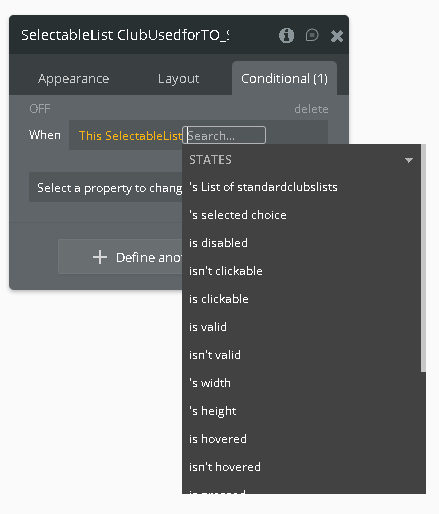


 I don’t know the exact reason, but based on my experience, I’ve noticed that sometimes when you trigger a workflow to show an element, the element’s conditional expression stops working.