
Hi @mikeloc ,
You are awesome!
I’ve taken a slightly different approach not finished (tough getting time during the week)

Here is the database structure (Im only using Game Cells at the moment):

Then in Design tab have 9 groups, inside of those groups is a text element.
There are 3 rows and 3 columns
The groups are set to:
Type of content: Game Cell
Data source: Search for Game Cell:first item
with constraints to match what’s in the database (for each cell/group):

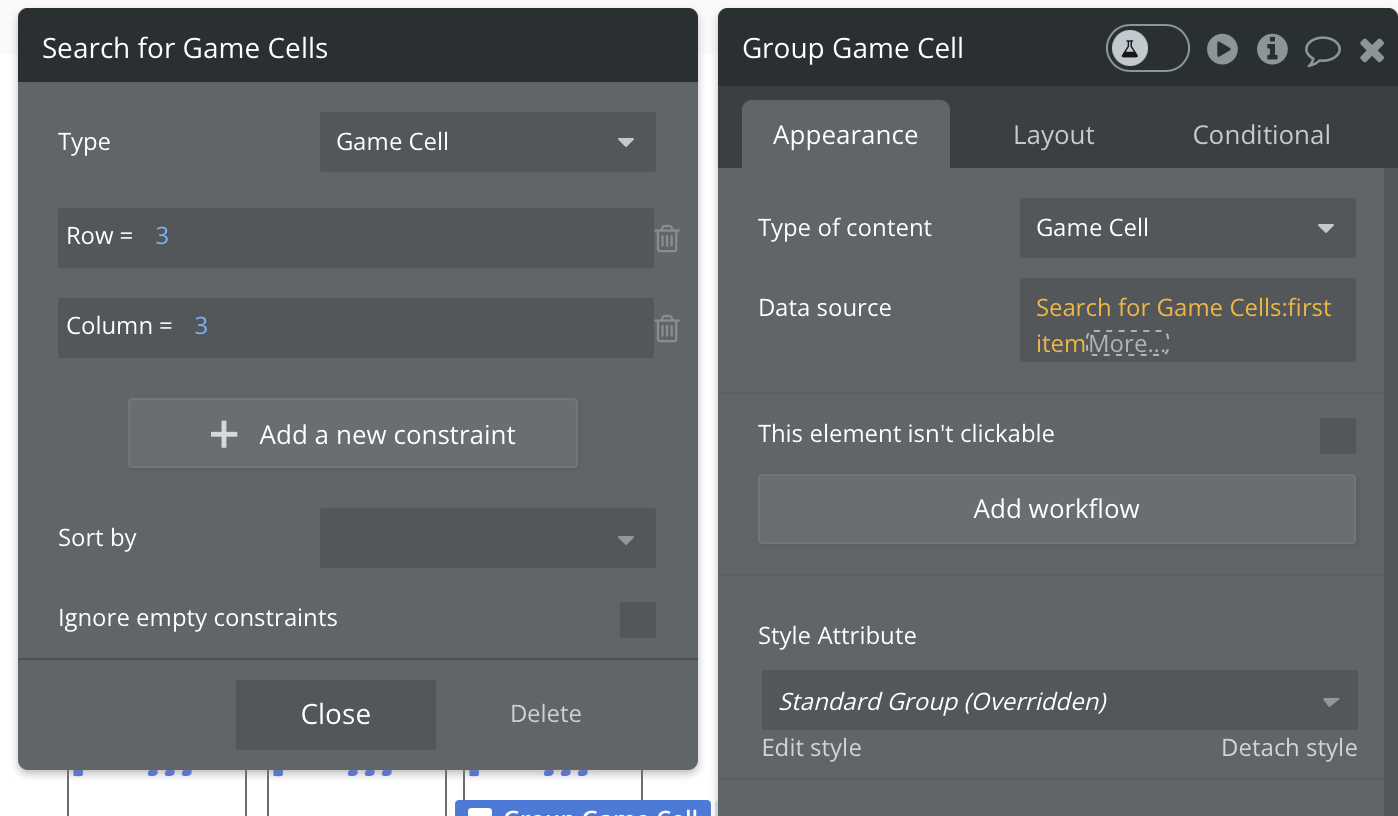
This way later I can see if someone wins, loses or ties.
The text element inside of the group has an expression
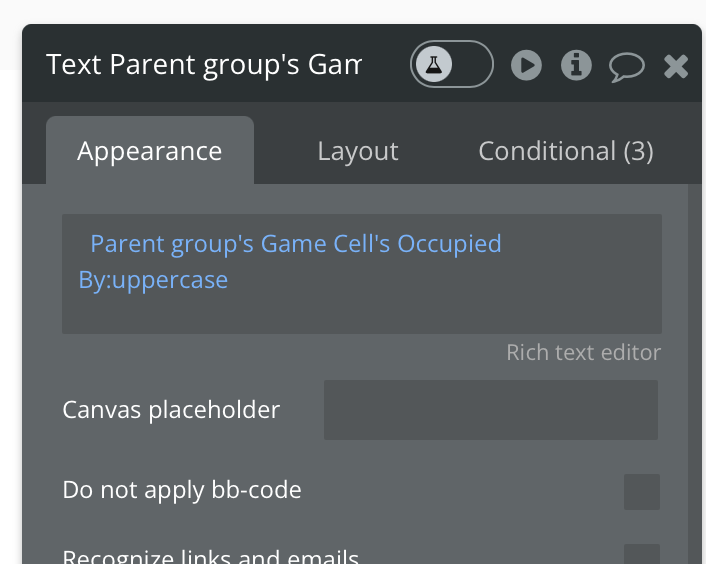
to get what’s in the database
Then Ive also got 3 conditionals on each text element:

x is for player x, o is for player o and e is for empty (for testing later I’ll remove e).
To start a new game and change all of the squares to empty, I run a workflow on the button (New Game) Make Changes to a thing (Game Cell)
Thing to Change Group Game Cell 1’s Game Cell
Occupied by arbitrary text “e”
Then duplicate this 9 times and change the Group Game Cell 1’s to each cell you have 1 through 9

Now when you create a new game the board is reset to all empty squares.
More to follow I haven’t thought it all the way through Im just throwing spaghetti at the wall to see what sticks (be back soon with part 2).