
When I create a task I want it to display the day as well as the date/time in the task list. Ie: Mon - 30 Jun 25, 5:15 pm.
Currently if I enter the date/time in the task creator, I hit create task and it generates that task in the list below. However in the list display it’s missing the Day (ie: Mon).
Everytime I add a custom date/time format it throws the time out in the display box. Ie if I enter the tasks time as 9:00pm it lists the task time as 9:06pm or 9:15pm. Am I entering the custom date/time format wrong? I’m using “ddd - dd mmm yy, hh:mm tt” ,I’ve played around a little with the formatting but nothing fixes the issue.

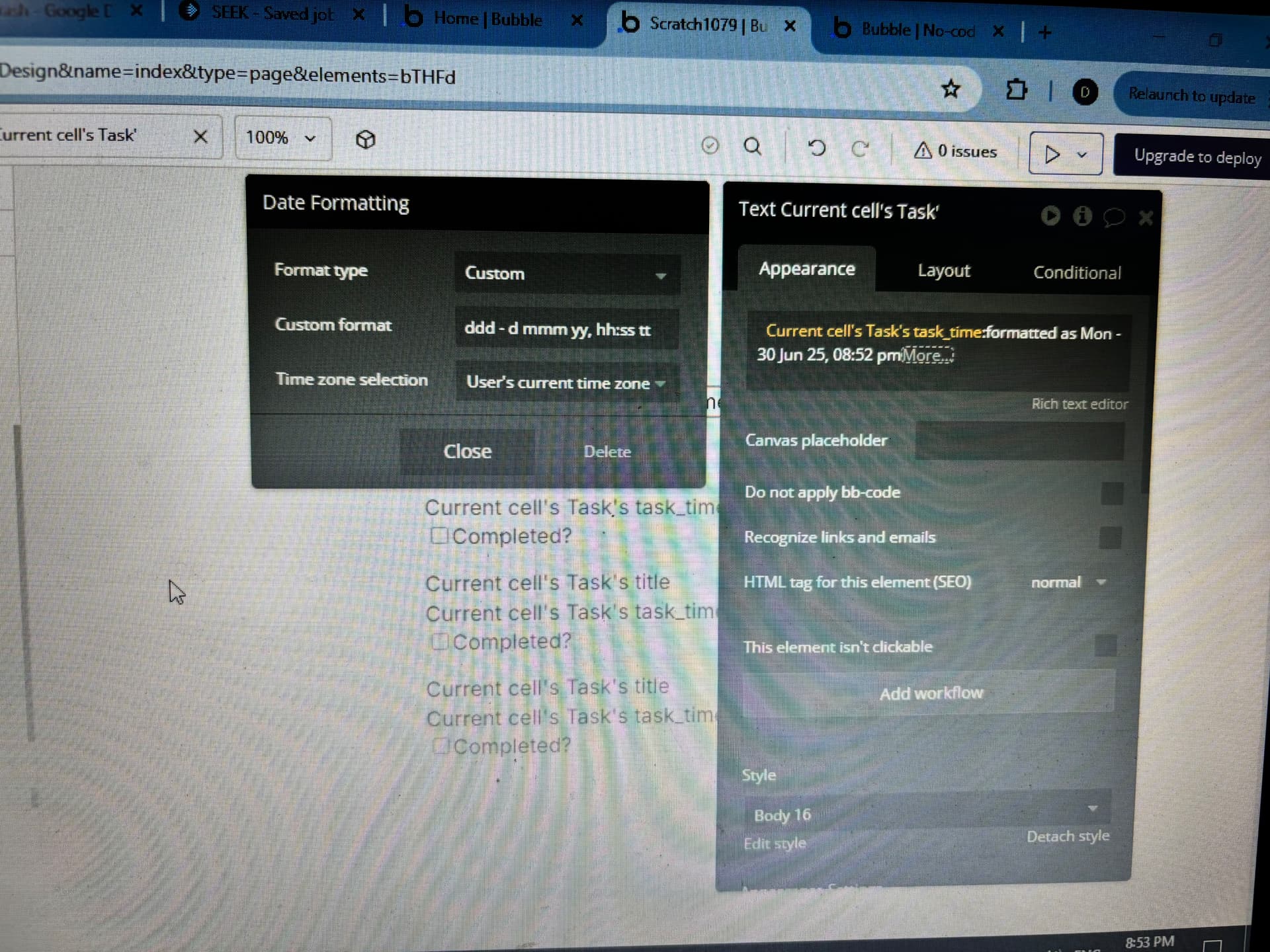

On your screenshot you are displaying seconds (I’m not sure if that’s intentional) not minutes.
If you want minutes, your custom format should be:
ddd - d mmm yy, hh:mm tt
Hi, no that was a typo which I noticed and fixed after taking the pic, I want it to show the day ie: Mon,Tue etc, in the final list of tasks. I’m using the custom format ddd - d mmm yy, hh:mm tt.
The problem is every time I use the custom format for date/time it throws out the displayed tasks time, you’ll see in the pics I set the task for 10:15am but if you look at the list it shows that tasks time as 10:07am.
If I remove the custom format on the date/time, then the time for the tasks in the list is correct, but it’s missing the “day” in front of the date/time


Ah. You are displaying the month with lowercase mm. To display minutes use uppercase MM
I knew it would be something simple, thanks heaps,l