
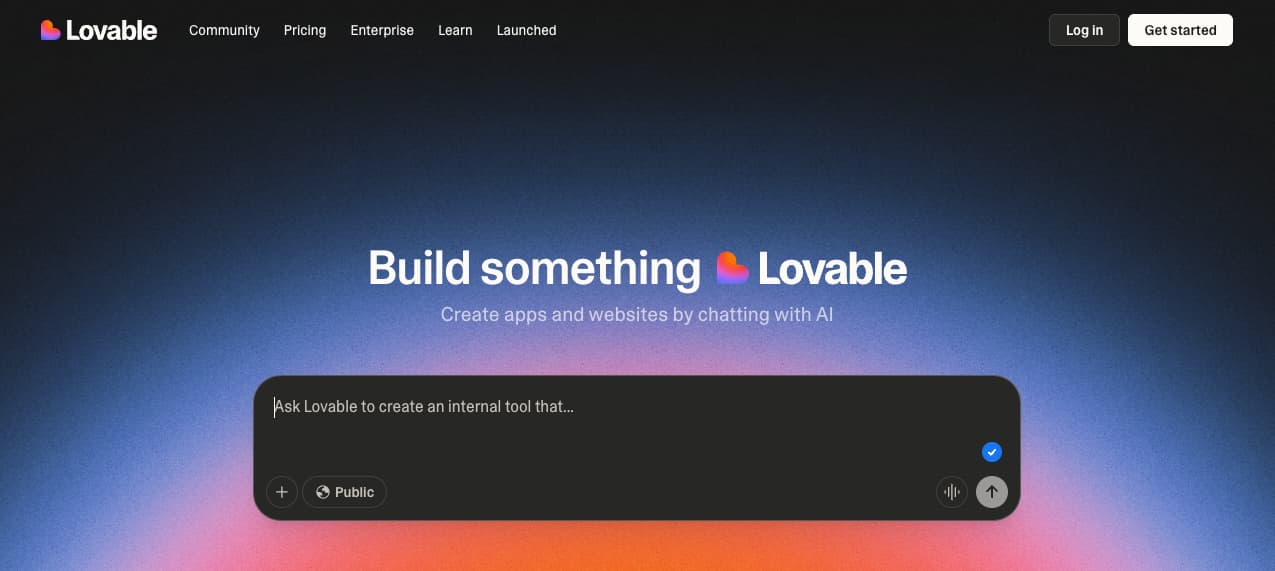
Hello bubble, im curretly trying to recreate the Lovable input filed that has a animated placeholder text, has anyone achieved this with css/javascript?

Hi @Orbit
I haven’t used lovable, but it looks like you would like the placeholder to appear progressively? There is a plugin available:
zapHolders Input Placeholders
If you want to do this yourself with CSS/Javascript, you could read the plugin code to get a better idea of the approach.
I made the zapHolder text change every 5 seconds using a Do every 5 seconds and store the text in a group. It will gradually ‘type’ the text in the placeholder once, then move onto the next example:

Ensure Loop is unchecked if you follow my approach


I stored the different texts in an Option Set

The next placeholder number is:
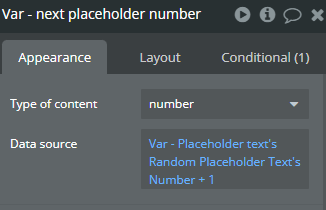
On the last entry in the option set, I set the next entry back to number 1:

I’d do it differently:
Set a list somewhere with placeholders you’d like
Create a state with “Date” and another with “Text”
Use the “every x seconds” trigger to make it change “Text” when the difference between current date and “Date” is according to how much you’d like and reset the group with the input
Put a conditional that only executes If the value is empty (You don’t wat to reset user’s data)
Thanks for the feedback. There are lots of ways of generating the text to show. Mine is just one option.
This plugin only impacts the placeholder text in the input box (not the value). Any value typed in the box will override the placeholder. It will not reset a user’s data every 5 seconds, so a conditional to only execute if the value is empty isn’t required.

However, it may be beneficial to stop the loop from updating the group to slightly improve App performance (not updating a group variable when it is not being used anyway).

U might be interested on:
Hey guys thanks for the comments @SAIDER1 @tim27 @pogerefelipe, it just hit me that maybe i can just use a normal text element with this and then group it with a align with parent group and only show when input X is not focused?
1 Like
Hi Tim! I didn’t mean to speak over your suggestion, just another option too! I’ll also save your suggestion, found it really interesting.
1 Like
No problem. We’re all here to help get the best solution for the question asker. Two heads are better than one. 
1 Like
I have not used TypeIt, but if this works for you, that is great 
So i decided to go with my solution by asking chatGPT to write a JavaScript and CSS and attach it to an ID “typing” that i gave the text element
Result:

Code to put in the HTML codeblock:
<style>
  /* Blinking caret – unik för 'typing' så den inte krockar */
  .typing-caret {
    display: inline-block;
    width: 1px;
    height: 1em;
    vertical-align: -0.15em;
    background: currentColor;
    margin-left: 2px;
    animation: typing-caret-blink 1s steps(1) infinite;
  }
  @keyframes typing-caret-blink {
    0%, 49% { opacity: 1; }
    50%, 100% { opacity: 0; }
  }
</style>

<script>
(() => {
  const staticPrefix = "Let me help you find ";
  const phrases = [
    "bananas",
    "apples and pears",
    "a lot more than just fruit",
    "...just one blueberry"
  ];

  const typeSpeed = 60;        // ms per typed char
  const deleteSpeed = 40;      // ms per deleted char
  const holdAfterType = 900;   // pause after finishing a phrase
  const holdAfterDelete = 400; // pause after clearing a phrase

  function init(el) {
    // Bygg upp prefix + dynamiskt + caret – unika klassnamn
    el.innerHTML =
      `<span class="typing-prefix">${staticPrefix}</span>` +
      `<span class="typing-dynamic"></span>` +
      `<span class="typing-caret" aria-hidden="true"></span>`;

    const dynamicSpan = el.querySelector(".typing-dynamic");

    let phraseIndex = 0;
    let charIndex = 0;
    let isDeleting = false;

    function tick() {
      const current = phrases[phraseIndex];

      if (!isDeleting) {
        charIndex++;
        dynamicSpan.textContent = current.slice(0, charIndex);

        if (charIndex === current.length) {
          isDeleting = true;
          return setTimeout(tick, holdAfterType);
        }
        return setTimeout(tick, typeSpeed);
      } else {
        charIndex--;
        dynamicSpan.textContent = current.slice(0, charIndex);

        if (charIndex === 0) {
          isDeleting = false;
          phraseIndex = (phraseIndex + 1) % phrases.length;
          return setTimeout(tick, holdAfterDelete);
        }
        return setTimeout(tick, deleteSpeed);
      }
    }

    setTimeout(tick, 300);
  }

  // Vänta tills elementet med id "typing" finns (Bubble kan ladda sent)
  function waitForElement(id, onFound, timeout = 15000) {
    const start = Date.now();
    (function check() {
      const el = document.getElementById(id);
      if (el) return onFound(el);
      if (Date.now() - start > timeout) return; // ge upp tyst
      requestAnimationFrame(check);
    })();
  }

  waitForElement("typing", init);
})();
</script>
How to:
- Create a group and for alignment, choose “align to parent”
- Put a input filed or a multiline what ever you want and set background colour to transparent
- Put the text element behind the input element
- Set condition on the text element →
When input NAME value is not empty and input NAME is focused→ visible → uncheck = no - Voila, done, change the text to what ever you want in the HTML code block, should even work with dynamic values.
 If this helped you please feel free to leave a like
3 Likes
This topic was automatically closed after 70 days. New replies are no longer allowed.