I’ve run into an interesting problem.
Since we’ve got a huge amount of images in the database (34k) we moved them to AWS S3. Now I’m using a plugin “Broken URL and Image Checker” in a scheduled workflow to check in 1k batches, whether all of them got there successfully. The first 4,1k we had no problem but now the plugin stopped working and gives this error in the server logs:
START RequestId: 04e370b2-f352-4fa6-a6d6-fabc73505080 Version: $LATEST END RequestId: 04e370b2-f352-4fa6-a6d6-fabc73505080 REPORT RequestId: 04e370b2-f352-4fa6-a6d6-fabc73505080 Duration: 16970.75 ms Billed Duration: 16971 ms Memory Size: 128 MB Max Memory Used: 128 MB RequestId: 04e370b2-f352-4fa6-a6d6-fabc73505080 Error: Runtime exited with error: signal: killed Runtime.ExitError
I’m reading that the RAM is filled. How can this happen? What does it mean to us? What can we do?
Please help…
Did you try to contact @lindsay_knowcode, the creator of the plugin, about this issue?
Yes he is investigating also.
Just thought maybe there is something from Bubble side that I need to / can do.
Do you cleanup? We had errors in our (saasalias) plugin because we created files we didnt delete.
I’m doing some testing to see if within a plugin we can trap kill signals…
eg this kind of thing … but no luck yet … I suspect the plugin wrapper code is catching this already.
process.once('SIGINT', function (code) {
    console.log('XXXXXXXXXXX SIGINT received...');
});
Regards resource cleanup ie setting object references to null to allow garbage collection … sure … but at the end of the day I believe that SSA are run as an AWS lambda https://aws.amazon.com/lambda/pricing/ being charged by GB/sec + requests and this will always be constrained (128M in a Bubble plugin) … any long running process or something requiring >128M memory is a bad use case for a Bubble plugin.
Having said all that … my suspicion here is that it is data related, ie if you can process 3k fine but then get stuck on number 3001 - perhaps there is something wonky with item 3001.  As it is a lamda all and any memory and connections will be gone after exit - assuming it is a lamda as I understand it, so I can’t see how any memory usage/resources are retained after it is killed/exits.
Bubble fun!
Hey.
Thank you for all the responses.
I’ve done some more testing now. I created a workflow that isn’t a backend workflow and checks only one file. And now it still fails sometimes.
It appears that if the file that I’m checking is big, it gives the error. If it’s small, it passes. I can now successfully run checkurl with 500kb file, but 3mb file fails.
Is there something that could be done with that?
@quantumind In one of my projects we use the absolutely killer List Popper and Friends plugin. We’ve observed that there’s a 6MB size limit to the size of the list we can pull into this plugin. The error code we get suggests that the limitation is a limitation for all Bubble plugins. Perhaps you’re trying to pull in batches that are larger than 6MB?
@collinsbuckner1 I tried it with a single file and it already fails with 2,7mb file.
Dang @quantumind. That was my only hunch.
Broken URL Checker pulls in the URL content. It’s not just checking the 200 HTTP response code. This is so it can extract page meta data. It’s feasible to have broken pages that return 200 HTTP responses. I see it when people are scraping content - and content providers redirect broken URL’s to pages that aren’t 404 responses. eg News sites do it a lot.
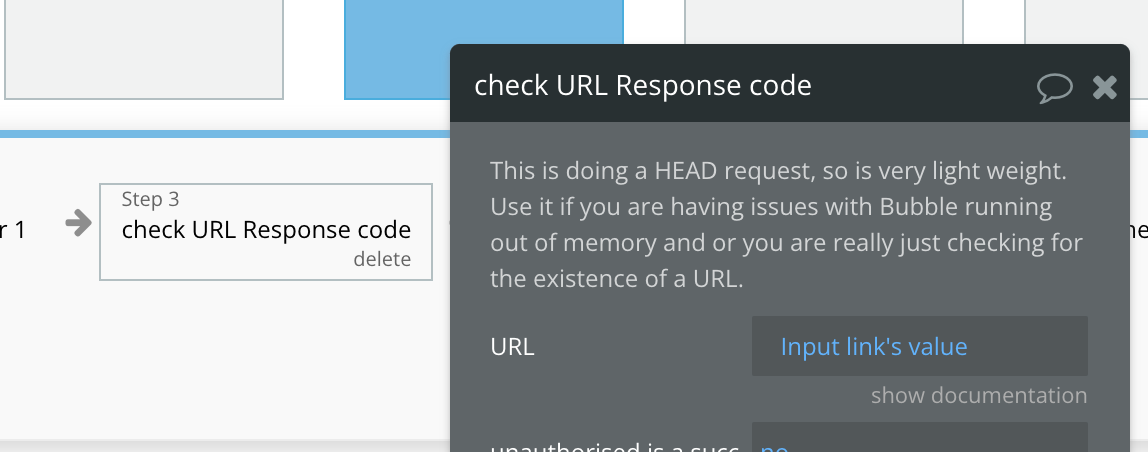
Are you looking to extract meta data? Or are you just checking for HTTP responses? If just HTTP responses - this doesn’t require pulling in the content and I expect wouldn’t blow up memory.
My goal is just to check the HTTP responses. Is there a way I can do that with your plugin, or if not, maybe you know a way how to do this with Bubble?
I’ve added a method into the plugin. Funny thing is originally that is how it started but I then went down the road of extracting meta data to more reliably test URL’s were valid 
Thank you!! This did the trick. URLs are validating again. Super support from you!! Can’t thank you enough…