I am trying to fix this problem that is getting bigger with the volume of data.
I have a table with a lot of rows, and when a new row is added while I am writing in a multiline input, that row gets shifted down and the text is saved in the row above. That is a huge problem because it’s not reliable, and sometimes it overwrites a different row. This leads to a loss of important information.
An example:
row opp_1735 is entering in the table and if im writing in the row opp_1734 the text is copied and overwirtten in the opp_1735 that just entered in the table.
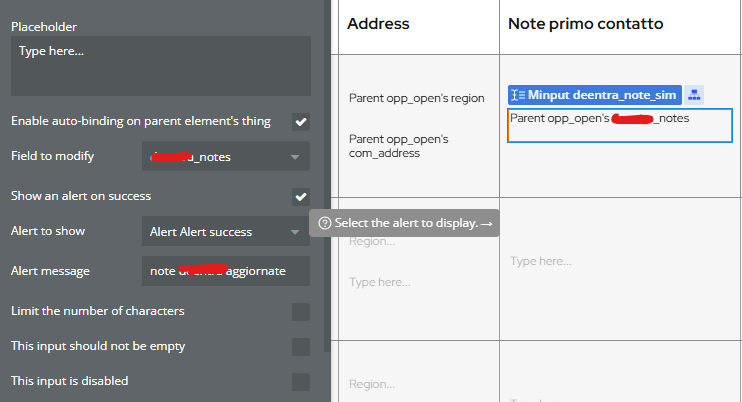
autobinding is done on a parent element’s thing…make sure your autobinding is set correctly and that you do not have any conditions on the multline input element like you do in the screen shot as that on it’s own is likely the issue.
I’m not so sure that is the case. Your issue is that you have the conditional. You use in the conditional ‘when the value is not the current rows value’ and then initial content is current rows value…This conditional is likely the cause of the problem.
Privacy Rules is not it because the autobinding is working, it is just autobinding onto the data entry a value that is not expected due to the condition on the multiline input.
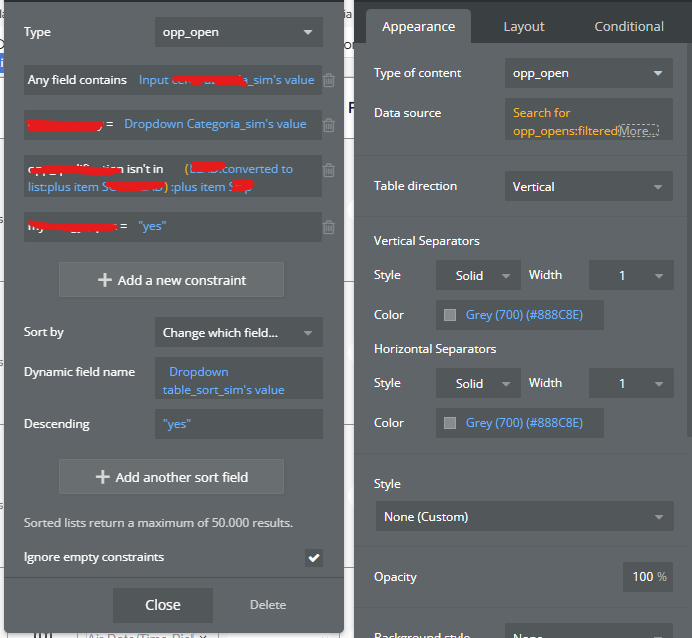
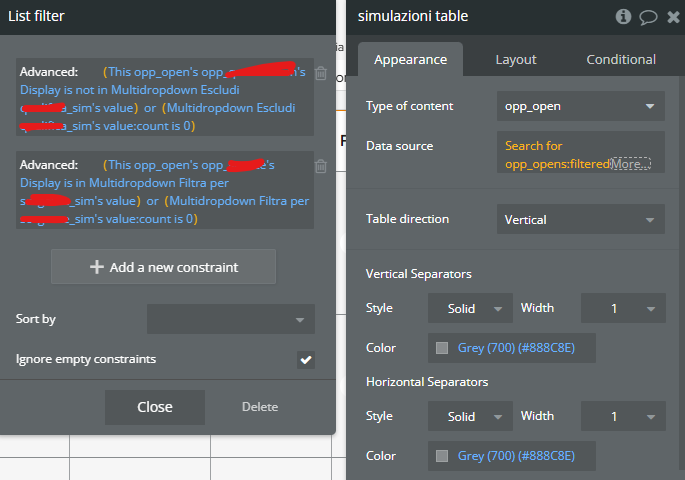
I’m curious how you’re setting the source data on the repeating group, and what the initial content on that MultilineInput is without the conditional - could you share screenshots of that?
First of all thanks for the answer, I am really trying to understand to fix this..
Btw I tried with both but the problem remains the same. The only difference is that once the modification is made, it refreshes the group due to the condition, so it’s slightly better. However, the duplication issue is still there.
Anyway, I did the same trial without the condition to explain the problem to you more clearly:
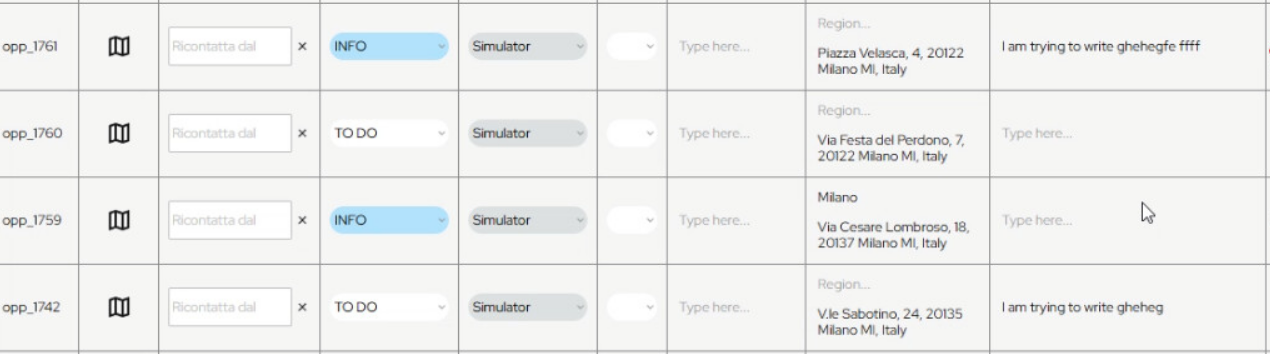
While I am writing, 2 different rows are gonna be added to the table (added rows: opp_1761 and opp_1759). As you can see in the image below the text is duplicated.
Trying to refresh the page and see if its just visualization problem… Nop! the modification are duplicated in 2 different rows in opp_1761 and the original opp_1742:
This problem is coming in both of this settings (autobinding or multiline input is changed) and the problem is with or without the conditional that I cited before:
This is a known issue and I don’t see it being fixed soon. To work around, you might want to Display list in a repeating group rather than have a dynamic source so you can decide when you refresh the data.
Okay, I see now, you are using a Table element and not a Repeating Group which is why it says current row’s opp_open instead of current cell’s opp_open.
Is this issue specific to the Table element? If so, has it been around since Table element was first introduced?
Repeating groups do not have this same known issue?
Almost duplicated. What you have in 1742 is not the same as 1761 because 1761 has the complete last entered text, while 1742 is missing multiple characters.
But, I do see your point, that when a new row is added to the Table element through likely a database creation of a thing, the Table element and the Multiline Input Element are not keeping things tracked properly, likely an issue with the Table element handling of source values, and so when 1742 is being modified via the multiline input element, and 1761 is created, it is like they switch the Row and the multiline input is keeping up but the Table element itself is getting it’s source data crossed up.
I’ve never come across this as I have never used the Table element. @georgecollier does the Repeating Group have this same known issue?
Okay, so this is the issue. It is the fact the RG or Table is getting re-ordered when new items are created. As pointed out one way to resolve is to make your data display static and not update in real time.
Other approaches include ensuring the RG or table is sorted in an order so that newly created items are added to the end of the list…Another is to isolate the item to be modified and set the RG or Table datasource to that item and modify and after modification unset the selected value to modify. I exemplify both and demonstrate the issue and hypothesize on the root cause of the bug in the video below.
@developer29 this is most likely the case. Bubble typically will not fix buggy features if there is some kind of workaround to it. In this case there are likely 3 ways to solve for it, or at least mitigate the issue, so my recommendation would be to choose one and go with it as you will likely not get a fix in place to keep things as they currently are in your app.
Thanks a lot for this amazing explanation. I’ve always used the table element because it feels much quicker to set up all the columns and data (at least to me, haha) compared to the RG.
I fixed the issue by placing all the edit buttons next to the editable data, like this:
I asked because I was curious if I was missing something related to the autobinding concept, but it seems that Bubble didn’t fix that issue because it’s not considered fundamental.