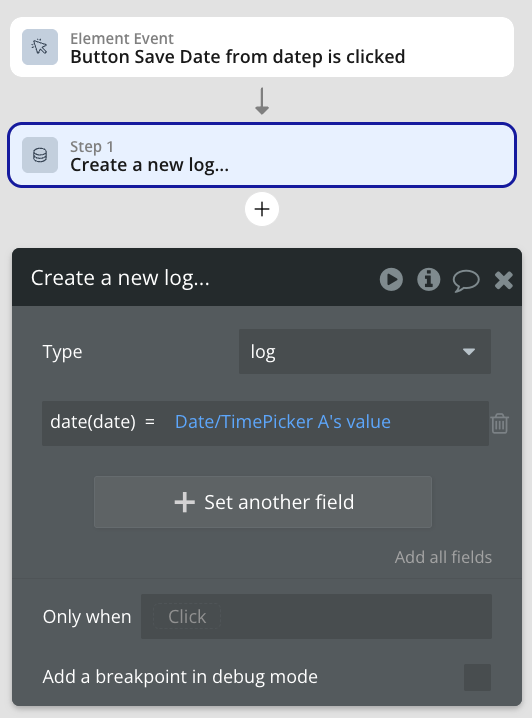
Hi everyone,
I’m trying to build a simple appointment scheduling system in Bubble.
Currently, I’m on the Starter plan, and I’m facing two major issues:
- I installed calendar/date picker plugins, but they don’t show up under the Elements section. Not sure if it’s due to Starter plan limitations or something else.
- I want to use Current date/time to let users pick a date, but I’m struggling with the click/selection logic. Maybe I’m just not wiring it correctly.
 My goal is simple:
Let the user pick a date and create an appointment.
I don’t need to build a custom calendar grid manually — a working picker is totally fine.
But the default tools aren’t working well for me right now.
 My questions:
- What’s the fastest and most reliable way to build a working calendar in Bubble?
- Are there calendar/date pickers that work without plugin access?
- How can I use the built-in date/time picker effectively with workflows?
Any help would be truly appreciated 
Thanks so much!
– Yusuf