Hi everyone,
My name is Kate, and I’m a product manager on the Editor team.
We shipped two updates this month that make building expressions in Bubble clearer and more intuitive.
Expression parentheses graduates from beta
Expression parentheses have officially moved from beta features to advanced features.
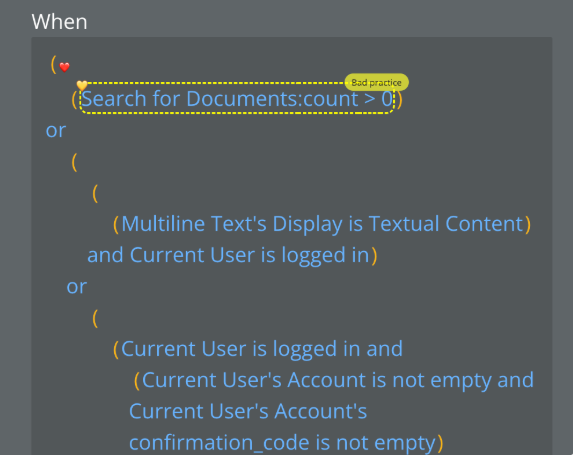
For those who haven’t tried it yet, expression parentheses automatically show you the order of operations in your dynamic expressions by adding parentheses around them. Instead of wondering how Bubble will evaluate “Current Page’s Width + 2 * 3”, you’ll see it displayed as “(Current Page’s Width + 2) * 3”, which makes it clear what happens when your app runs. It also makes it easier to edit complex expressions by showing you exactly where you can add new parts.
This feature is especially useful for advanced users working with complex, nested expressions and new users learning how Bubble’s expression logic works.
It’s turned off by default, but you can enable it when you’re ready. Find it in Settings > General > Advanced Options. (Used to be in Settings > Versions > Beta Features.)

Expression literals show typed values in dropdowns
We also shipped expression literals — a helpful improvement to the expression builder.
When you’re building a dynamic expression and type a literal value (like text or a number), you’ll now see that value as an option in the dropdown. Previously, there was no visual indication that your typed value was valid until you clicked away and saw if it was saved.
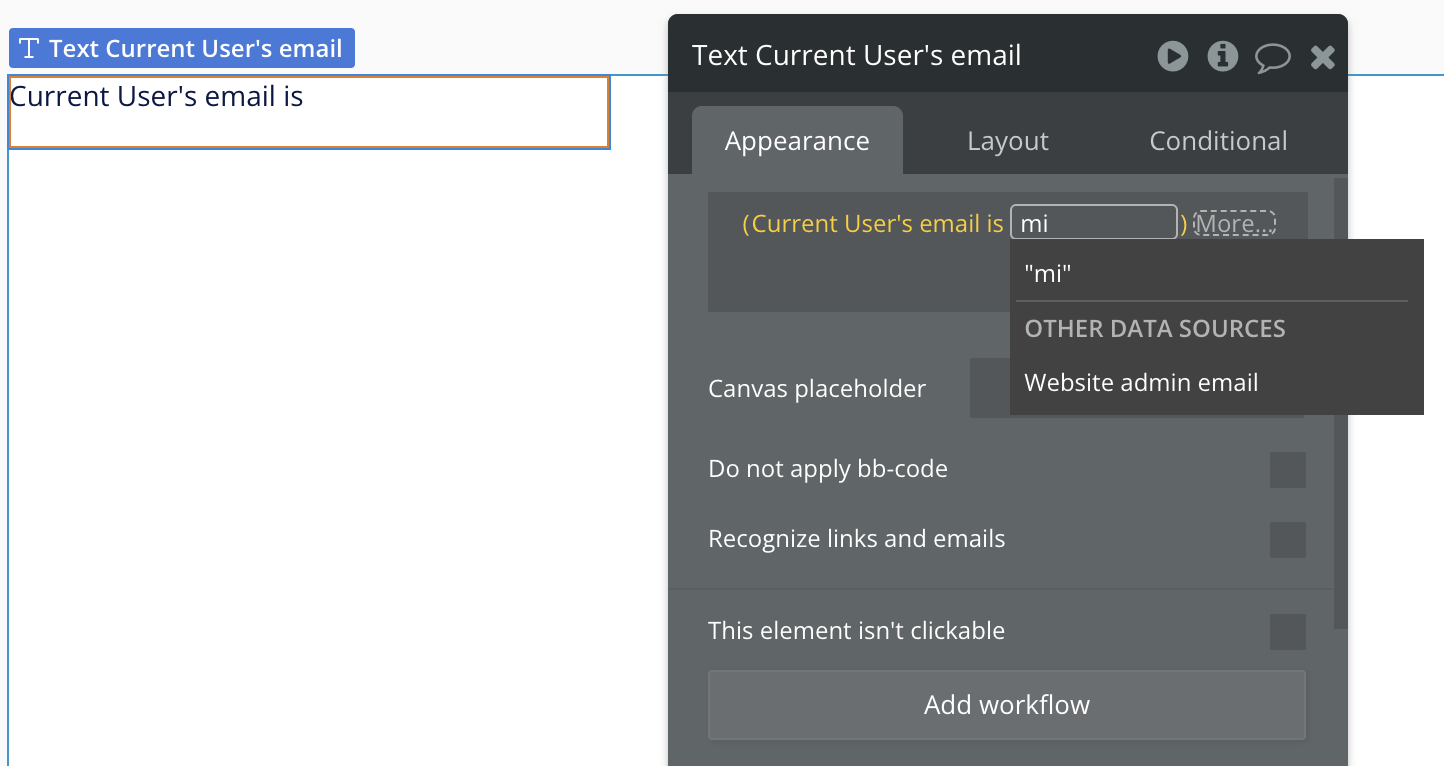
Now you’ll immediately know when a literal value is acceptable in your expression, making it faster to build and understand what options are available.
Looking ahead
Both of these updates are intended to help make Bubble’s visual development language clearer and more intuitive. Expression parentheses join other features moving from beta to general availability (with more to come!), while expression literals make the building process more transparent from the start.
Give them a try and let us know what you think!
— Kate and the Editor team