
Hi @konrad1, 
Thank you for elaborating. In this setup: 123qwer4twsr | Bubble Editor, we have created for you, we’ve established conditionals to modify the appearance of the Air Date/Time Picker, like giving it a red border when no date is selected, and an animation on the save button when the picker is empty to signify that the input is required.
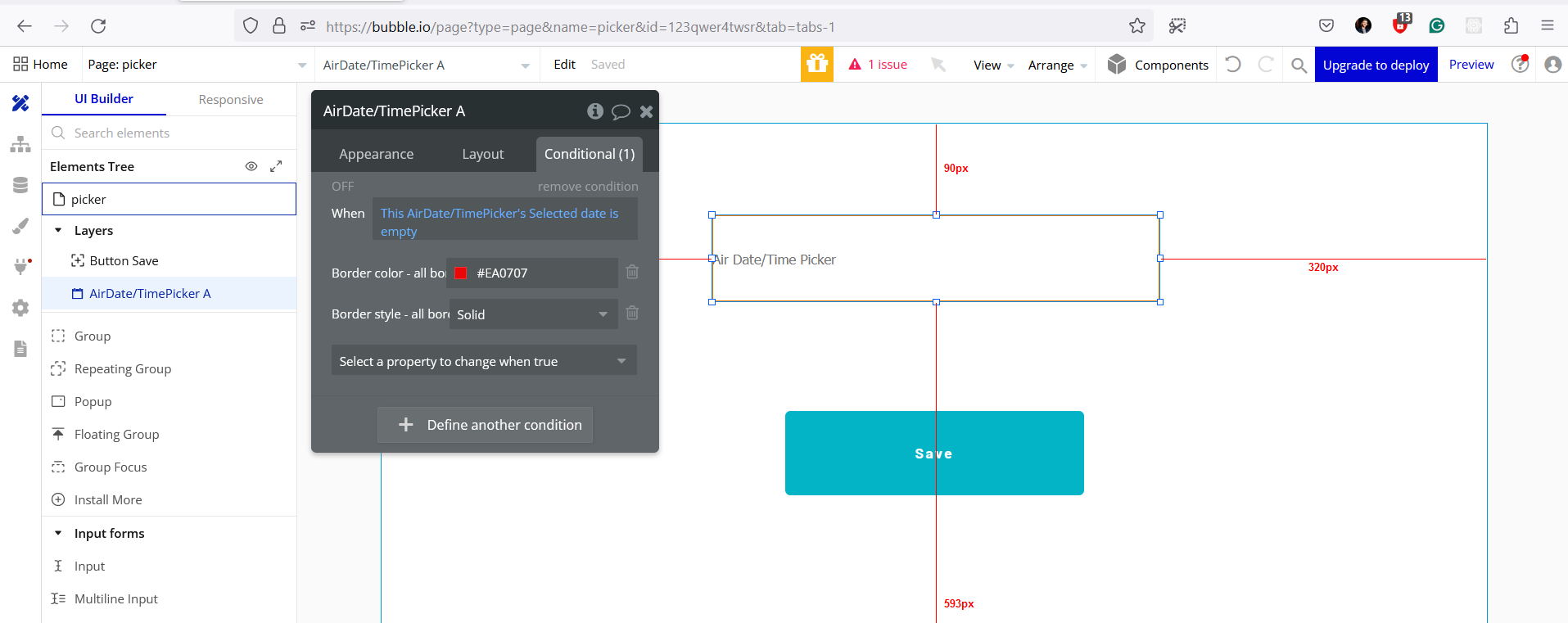
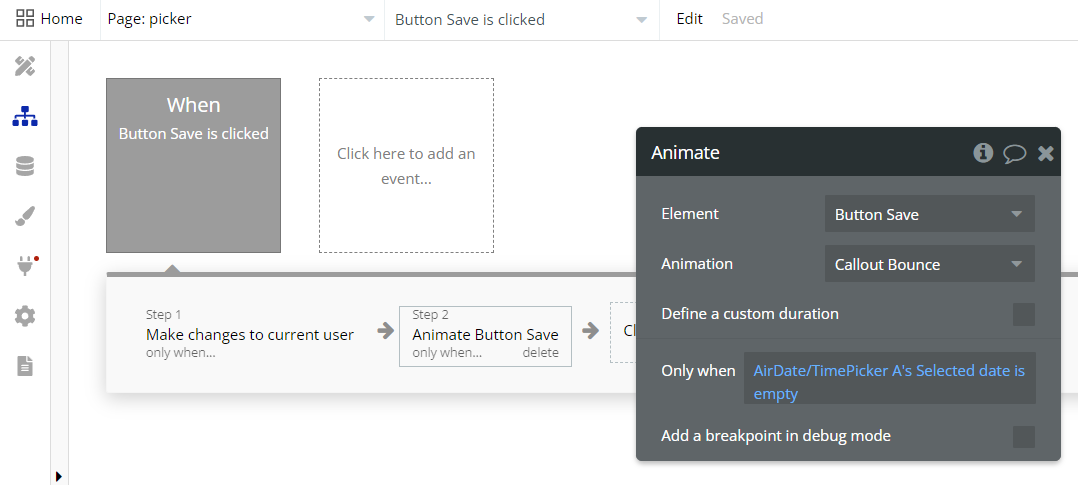
For your form, you can ensure that the Air Date/Time Picker is treated as a required input. While the plugin may not have a native ‘required’ property, you can simulate this requirement with workflows and conditionals.
To enforce the input requirement and inform users, you could consider the following enhancements:
- Use conditional formatting to visually indicate that the input is required. You can also disable other workflow actions until a date has been selected.
- When the save button is clicked and the date is empty, show a popup or flash message instructing the user to pick a date.
- Adjust the workflows to include a condition that checks if the date picker’s value is not empty before proceeding with actions that depend on that value.
With these methods, you can create a user experience that clearly communicates the need for a date selection before the user can proceed. Remember, since it’s quite an extensive and free plugin, there’s plenty of room for customization.
We hope this helps!
Best regards,
Zeroqode Support Team.