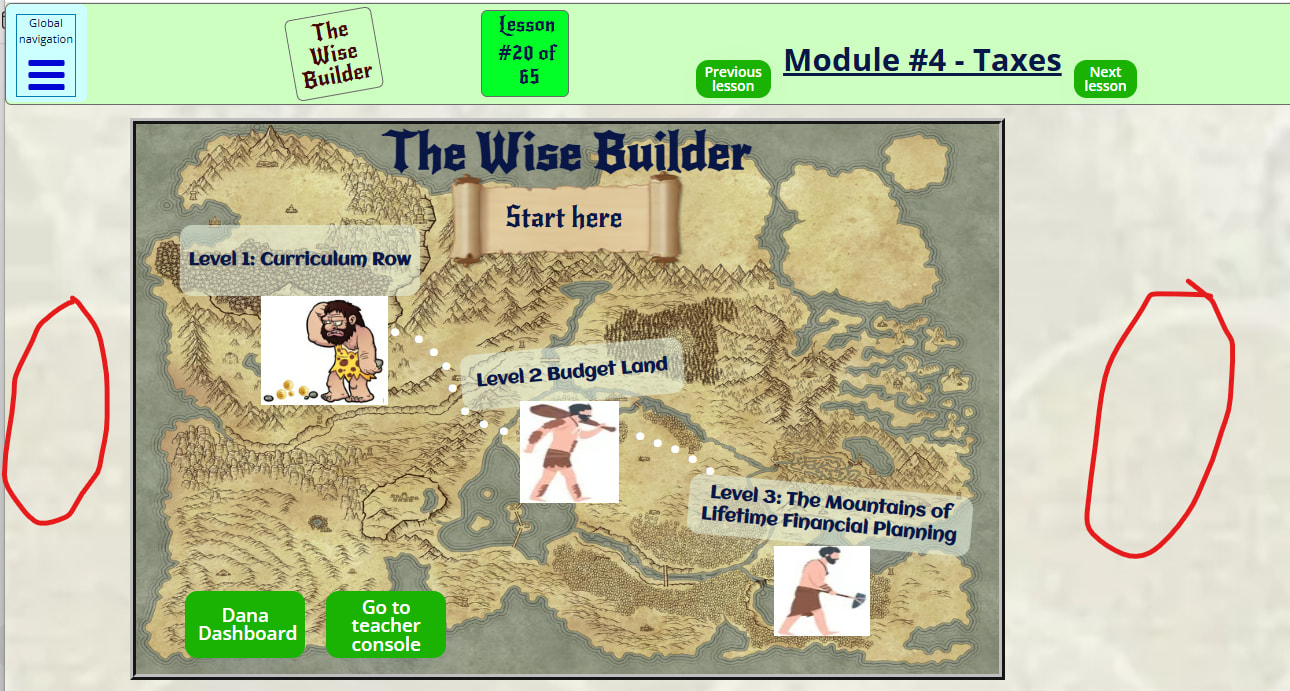
I have this header that is used on many pages. It’s supposed to be not clickable but the cursor shows as a finger pointer in the areas that are not supposed to be clickable, so it thinks it’s clickable.
The header is a reusable element and not clickable is selected.
How does it appear as clickable of it’s not? I have duplicated this header on my index as an element, not as a reusable, and it works correctly when not clickable.

You might have other elements that are clickable inside of the header
I have 2 headers, both are the same, they both have a clickable Nav Group. One is used as an element in my index page and the other is used as a Reusable Group. The header as an element works fine, displays the cursor as non-clickable, the header as a reusable displays as clickable across the entire header where the element group does not.
Therefore, a clickable group inside a non-clickable group should not make the non-clickable group without a workflow appear clickable, right?
Try making the children elements not clickable. Also check that you don’t have two trigger events with conditionals.
Use the debugger, as it will show you which group you are hovering, which will also help show why it’s clickable.
Oooh, that helps a lot!  Working on it, stay tuned.
Thanks!
Looks like I have a slightly different configuration that makes the operations confusing. But I think I have it worked out now. The debugger was helpful, thanks.
Well, since you asked,
My header in the index has a header element and the Navmap. The Navmap is in a separate group (cirlced below), so I had both the header element and Group Navmap each clickable, which turned out well because I could make the header non-clickable.
In the Reusable Header, the Navmap did not have a separate group, so the entire Reusable was set as clickable. So when the Navmap became visible, it’s still part of the Reusable, which made the sides (and the header) clickable even though there wasn’t a Group Navmap. It acted the same as in the Index, but I couldn’t disconnect the header separately. Make sense?
As always, thank you for your help!
Hey there,
Had this exact headache before. If the reusable header has “not clickable” selected but still shows the pointer, check a couple things:
-
Nested elements inside the header – sometimes a child group or text element has its own click behavior enabled, overriding the parent. Double-check every layer.
-
Overlapping elements – if something else (even invisible) is sitting on top of the header, it can trigger the pointer cursor. Try inspecting the header in the live preview and see what’s actually underneath.
Since your duplicated version works fine on index, it’s probably something in the reusable itself that’s carrying over a rogue interaction. Try rebuilding a fresh reusable from scratch – sometimes that’s faster than hunting down the ghost.
Let us know if you find it!
I got it figured out, thanks!