I’ve been working on this for a couple of days…
I’ll try and explain it as short and detailed as possible.
I’m building an app that manages all my apartments…about 200.
My app is a SPA.
There is a group called ‘create a listing’ where I can create a new listing for an apartment.
On that ‘create a listing’ group is a field for amenities with a checkbox feature. I can click the checkbox to add an amenity to the data type which has a field ‘amenities’ which is connected to the option set ‘amenities’ and is a list.
Right now there’s about 15 different amenities… off street parking, pet friendly, etc.
I created a custom state on the repeating group ‘selected_item’.
I created 2 workflows…when checkbox is checked add amenity to selected item. And also when checkbox is unchecked delete from selected item.
This isn’t working.
When I create a new listing it is only showing 1 item from the custom state and not all of them.
Also, I have another custom state ‘edit’ which when page loads and there is a get data from url, the custom state is set to ‘yes’ so the form can be used to edit the listing.
I know I’m doing something wrong with being able to add the amenities to the data type, but I can’t figure out what.
I’ve been working on this for so long that I’m going in circles and my mind is getting more confused with each thing I try.
Does anyone have an idea on why this isn’t working?
Hi there,
I’d make sure each of these workflows has a Condition: When Checkbox Value changes, Only When Checkbox value is Checked: add amenity to selected item (and vice-versa).
Can you also confirm that both your custom state, and the database field, are of type list?
Also when you add to the custom state, what you’ll want to do is Set the Custom State’s value as: the custom state’s value: Plus Item- this keeps your current list and adds to it, as opposed to overwriting it.
1 Like
Hey, thanks for the quick reply.
I’ll go back over everything and check it out.
I’ve made so many changes and reverted changes and added changes that I may just need to go back and start over.
I’ll check it all out and get back to you on everything and upload some screenshots after I’ve reassesed everything.
Thanks again.
1 Like
I’ll try to get some screenshots from my similar setup as well.
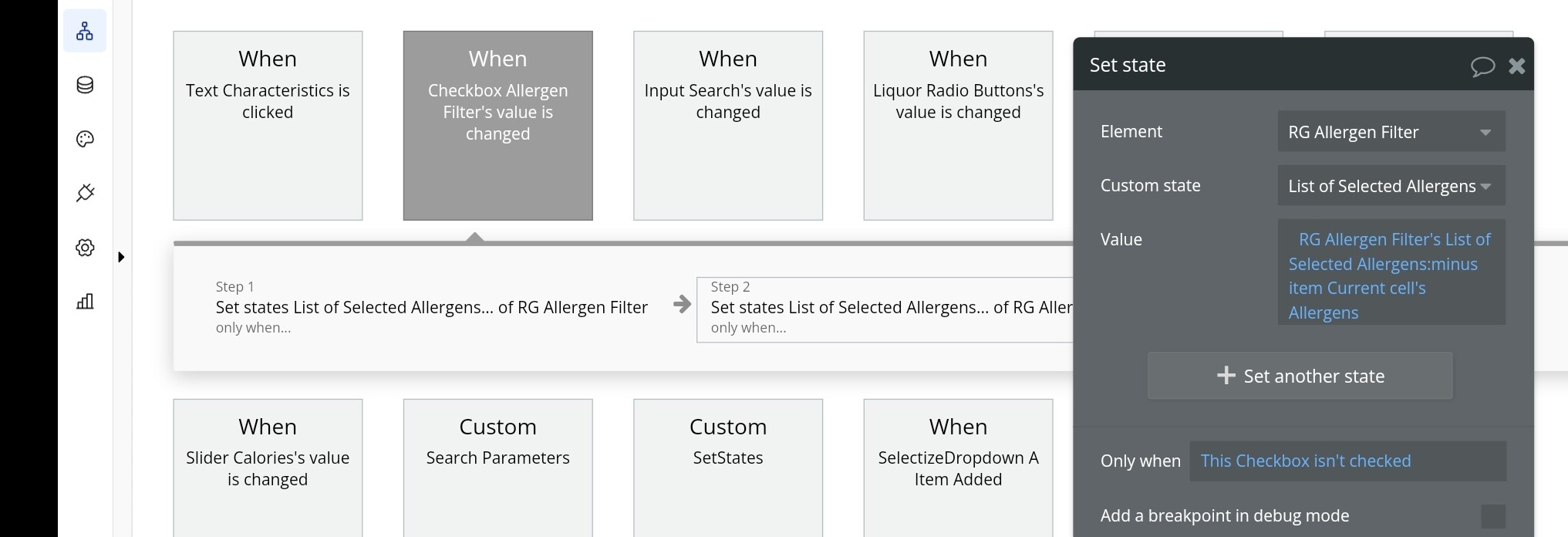
Ok here’s how I setup the Checkbox workflow to set the custom state - notice the 2 steps with opposite conditions:
When I sent them to the URL, I used a URL friendly character that I know I won’t use in my Option Set Display to separate them, in my case, the underscore: _ .
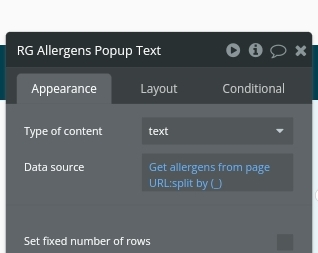
Here’s how I get them from the URL, via a hidden RG of type text:
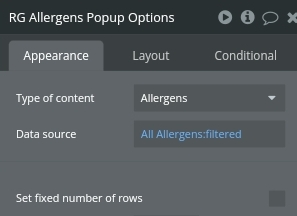
And another RG of type Option set:
Filtered:
When page is loaded, I also update the custom state based on the URL parameters in this hidden RG, and then here’s how I set the Checkbox status to match:
I hope this helps - I’m away from my laptop today so these screenshots are all from my phone, I apologize if the size is funky!
1 Like
You’re awesome!
I may have to rethink this because from your description I think you’re way more advanced than I am right now. I need to explore this more.
Here’s my setup on my ‘add a listing’
I have a custom state:
Then on my ‘create a listing’
Which I think may be where my problem is…
then again I may be getting in way over my head on this and need to look for a simpler solution.
Forgot to add:
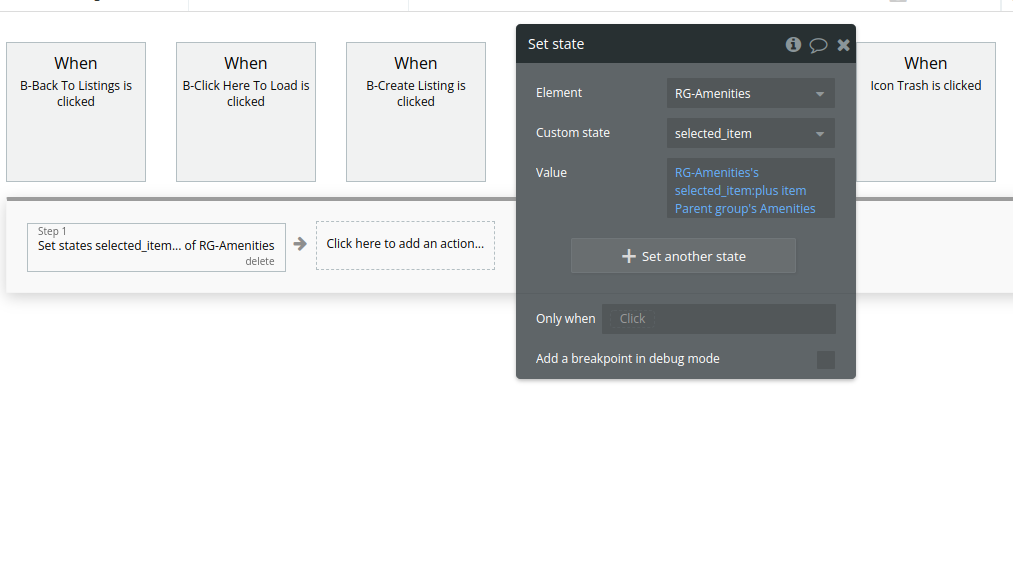
I do have the workflow set up…
With one set up:
and the other…
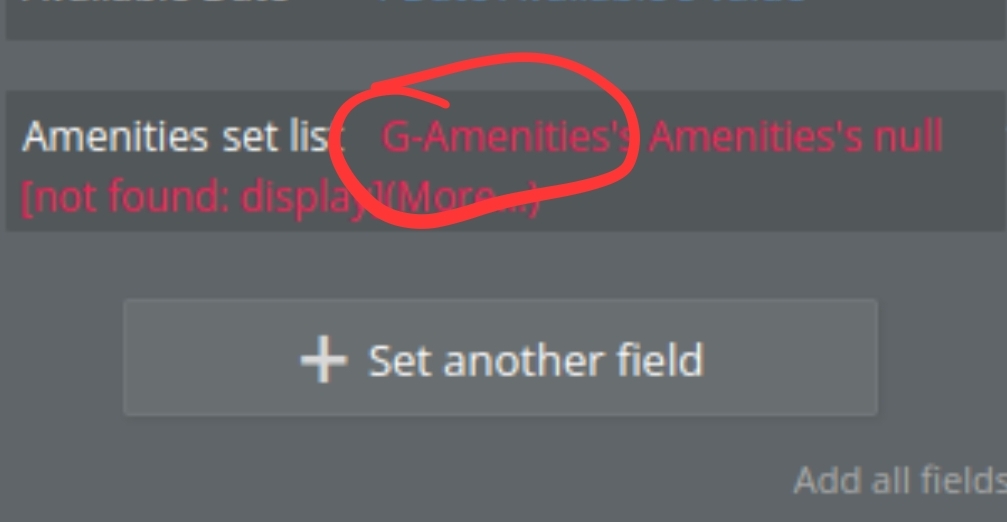
One thing I noticed, is your RG is called RG-Amenities, but the value you’re trying to save to the database is ‘R-Amenities’ (missing the ‘R’ prefix)
Additionally I see you’re pointing to the Option Set’s display, but you should instead be saving this as a list of options (unless your database field for this is of type text, which if it is, I’d recommend instead making it a list of type Option Set Amenities)
1 Like
Sometimes when I work on something for so long my mind just kind of glazes over when it comes to thinking straight.
You helped me focus.
Thank you so much for your help. You’re an angel!
1 Like
Same  sometimes having someone outside our heads take a look is all it takes - happy to help!
1 Like