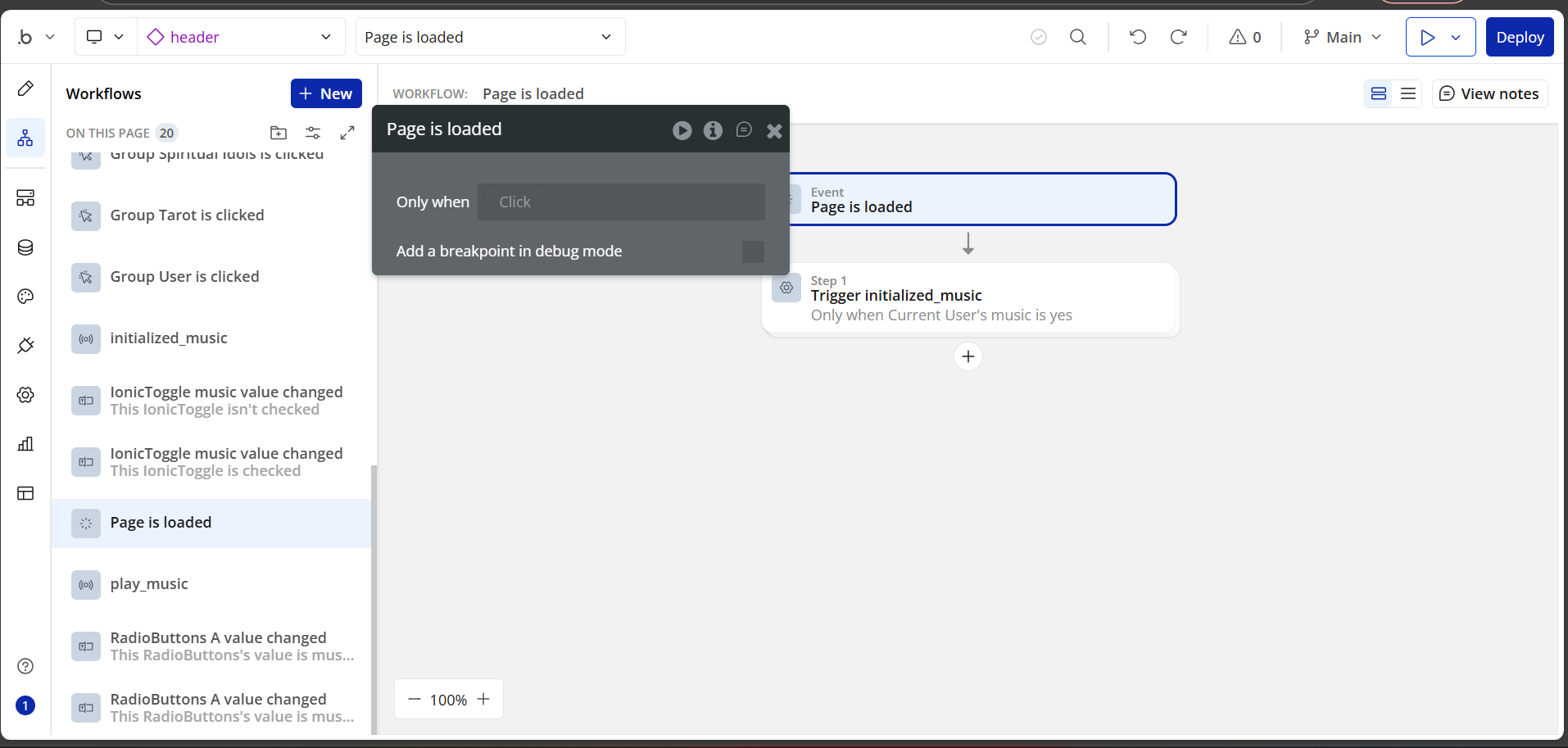
I have attached screen-shots of all my music workflows and everything related to the music. The music workflows are on the reusable element the ‘header’. There is no way I can make the background music persistent across webpages or page reloads.
I don’t quite understand the error you’re experiencing, although you seem to be on the right track.
However, most plugins in Bubble don’t work properly when they are invisible. From what I can see in your screenshots, the plugin element is in a group focus.
I don’t know if that’s really your problem, but if it is, you can leave the “Howler” element always visible, but hidden in some way.
Other than that, what you’ve described seems to be correct. Could you describe your problem in more detail? Or is it what I mentioned above?
I wish I knew that before but now my website has a few pages, also I hired developers to build this app, it wasn’t me who did it, I just know a little bit but now I’m trying to fix issues on my own. Maybe that is the reason why this isn’t working because I am doing it in a reusable element, but it is on the ‘‘menu’’ that is attached to the header where the user selects the type of music they want to hear, unless there is a trick around it. When I had the howler elements on the pages the music was constant across pages and it would restart when I reloaded the pages.
The music isn’t constant across pages or when pages are reloaded. It stops everytime I land in a new page or when I reload the page. Sorry to ask but do you mean by invisible that the Howler element is inside a group? The music workflows are on the reusable element which is the ‘header’ and the 2 howler elements which are music 1 and music 2 are inside the group focus which is a ‘‘menu’’ atached to the header, where the user selects the music they want to hear or where he switches it on or off.
I think every app should be a single-page app. But that’s my opinion; everyone has their own way of doing things.
The SPA should use URL parameters. You need these if you want users to share.
You could still convert your app to a SPA.
Does take some learning, but in the end, it’s worth it and gives you a ton of benefits.
When I started, I almost gave up a couple of times. I watched a ton of videos and read a ton of forum posts. What finally helped me was @rico.trevisan 3-part series on setting it all up
Now I understand better. You have more than one page in your app, and you want the music to play continuously even when navigating between different pages. This complicates the situation a little more, and the best solution would really be an SPA.
But if you already have separate pages in production, there’s a workaround:
you can store the current time, the music file, and whether it’s paused or playing using localStorage.
With an HTML element and a small JavaScript snippet, you can:
Track when the music pauses or changes,
Save the current time before the page unloads,
Resume playback from that same point when the new page loads.
If your music files are dynamically stored in your database, that makes it even easier to manage.
And if you have a reusable element (like a fixed player) that appears on all pages, you can just place this HTML/script inside it.
Just keep in mind the autoplay restrictions, since some browsers block playback unless the user has already interacted with the page (user gesture).
Sorry I didn’t explain myself properly. I understand that if the issue is fixed everytime I will land in a new page or reload the page the music will start over again and there is no problem about this because the sound are loops anyway. For the moment I will just hire somebody because I don’t know about HTML scripting…I am not that advanced in bubble.io but thank you a lot for wanting to help