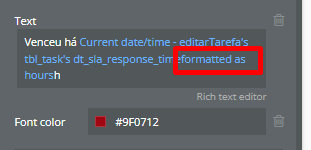
Description:
Hi everyone,
I’m having trouble working with a variable of type “evaluates to a date”.
What I’m trying to do:
The issue:
-
Bubble only lets me format the result as days, hours, minutes, or seconds, but not directly in the HH:MM format.
-
I’m currently using a text element to display the value.
Question:
What’s the correct way to format a date difference and display it as HH:MM in Bubble?
Here’s how you can achieve this in Bubble:
The Challenge:
When you subtract dates in Bubble, you get a date interval (measured in milliseconds), but the built-in formatting options don’t directly give you HH:MM format.
The Solution:
You’ll need to use mathematical operators to convert the date interval into hours and minutes:
- Calculate Hours: Use
Date difference :formatted as hours to get the total hours
- Calculate Minutes: Use
Date difference :formatted as minutes and then use the modulo operator (%) with 60 to get remaining minutes
- Format as Text: Combine these in a text element like:
Hours & ":" & Minutes
Example Expression:
In your text element, you could use something like:
Current date/time - Other date :formatted as hours & ":" & (Current date/time - Other date :formatted as minutes % 60)
Important Note:
Once you format a date using :formatted as, it becomes text and can no longer be manipulated as a date. That’s why we use the mathematical approach instead.
This approach gives you the precise HH:MM format you’re looking for while working within Bubble’s date handling system!
tku men!
I have used this logic:
((Data A - Data B):formatted as minutes) ÷ 60 :floor & “:” & ((Data A - Data B):formatted as minutes mod 60):formatted as 00