@sniphairmail It seems to be caused by a faulty file on jsdelivr… I have now reverted back to a previous version of the paragraph block and fixed the version. I assume that this will be fixed asap, but if you upgrade to the latest version 1.76.0 it should work again!
If you are having this issue, please update the plugin!
Is there any reason why the element wouldn’t be useable inside of a reusable element?
I have dropped the element into a reusable group and it’s not selectable at all, I can’t figure out why, I didn’t change anything else about it except it’s background color.
Edit Actually, it wasn’t working at all anywhere, I upgraded it to the latest plugin version and now it works - but wow, if this had been live it would have disabled commenting and messaging for my entire app until I figured it out.
@ian11 Yes please update to the latest version as there is an issue with jsDelivr that is outside my control which can only be fixed with a plugin update unfortunately. Luckily, that update will prevent this issue from ever happening again in the future
For everyone else:
If you are having this issue, please update the plugin and it will be fixed!
Hey @Pat! Looking into this tool it seems to be quite buggy. UI wise it is not great and very hard to use on mobile, and when I try to the demo it does not seem to always work. That’s why I do not think I can include this tool as I do not want to include a block that is buggy / can cause a lot of support requests.
In will put the tooltip block in my list to see if it is stable enough to include! Looks like a cool feature to have!
Hi @herlimtelhano, no, at this time the plugin supports 3 text alignment options: right, center and left
Understand that the editor.js block is just not mature enough for you to incorporate it.
Question: Would it be possible for me to do a workaround with CSS?
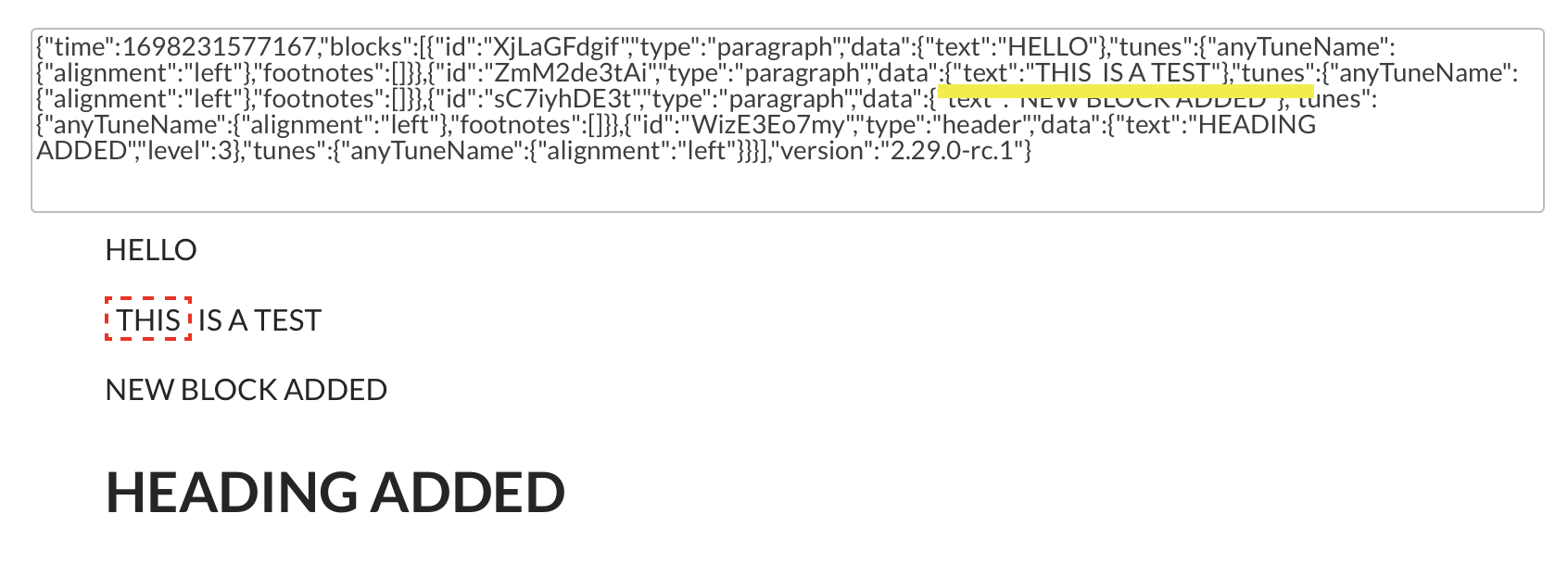
Could I work with the JSON or HTML somehow? I have two views/ users of the editor plug-in. The user “editor” which will write something and then I have a number of users who will be “readers” (plug-in in read-only mode) who will only read and not edit. Can I set this up in a way, where the end-result (JSON or html) can go through another processing step where I can change the coloring and style of various markers in the text. I am thinking of something like this:
The markers will be included in the HTML. You can add CSS to the page to change the styling for these tags by displaying the HTML in a HTML element and use CSS. Alternatively, you might also be able to CSS to change the styling of the marker for the editor itself.
Can you maybe help how to do this? I have managed to make it work but when I update the text in the editor (e.g. add another block / text) the styling goes away.
How I am doing it at the moment (just to experiment and learn) manually:
CSS called border-highlight in HTML on the bubble page (see below for CSS)
Write in editor.js
Save JSON in text field of a thing
Edit the JSON in the database by adding “<span class="border-highlight">” and around the relevant part of the text
I see the relevant part of the text changed = it works
I change a different part of the text in the editor.js
JSON (of course) gets changed in the database
The style still gets applied (e…g the highlighted text is still highlighted)
BUT when I refresh the page everything is gone(because I assume the JSON which now does not contain the CSS reference anymore gets loaded)
@Pat I do not think you can change the JSON output like this. I have never tried it, but the output is updated when you change the editor content, so your changes to the json will be disregarded by the default json response.
I think I misunderstood your question as I thought you were using the default marker tool and not injecting html like this.
Not sure if I understand the use case here… Why are you doing this exactly? Maybe an explanation will help. Please note that this being a custom implementation with custom code I am not sure if I can offer support here.
I just want to introduct different marker/highlighter styles. I thought this would be possible by changing the JSON. Totally understand, this is not part of the actual plug-in but I thought the plug-in would potentially offer a way how to use the output and add e.g. CSS (for example, by not changing the JSON but using the HTML…??)
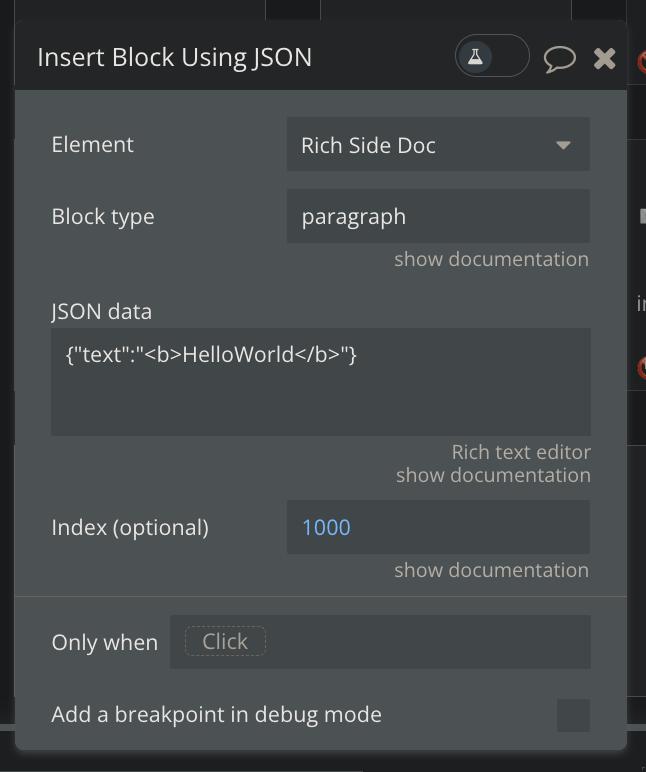
Hi! Little bug… : the “hello world” block is created, but it behaves like if the index (optionnal) field was empty: if the mouse is focused in the editor, it creates at the place of the mouse, and if the mouse is not focused, it creates at the index = 1.
The index option works fine for the “Insert Paragraph (text) Block RichDoc”.
Interesting, I don’t think that will be an issue. I’m conducting a small experiment with a client (basically an AI chatbot), and I’d like to use the RTE as the text box for sending messages instead of a multiline input. The reason is that the RTE allows me to make #mentions with a very good UI, and this way I can converse with the AI while referencing saved documents.
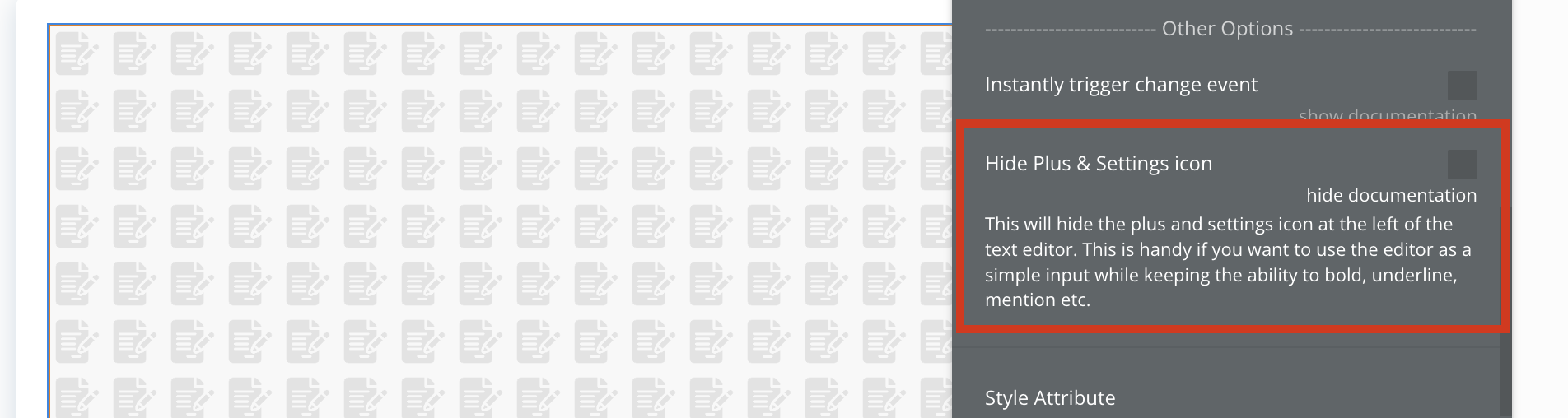
That said, I want to hide de “plus” from the left leaving only regular text + #mention feature.
Hi Thimo,
The plugin you created is really well-made. I appreciate it. Unfortunately, it doesn’t fully meet my needs, except for a mistake on my part. We don’t have the ability to input dynamic data.
Let me explain:
The user should be able to create a template for a contract document, for example, and have the ability to add placeholders like [current user’s Name] or [parent group’s user’s address].
When they open the template from another element, it should be pre-filled. Is this feature even possible?
Thank you for your attention and I look forward to hearing your thoughts on this matter.
@rustem.japarov1 I think you can do something like that, but it will take some experimenting on your part. Lets say you create a template with the place holders {{first_name}} and {{last_name}}. These placeholders will be visible in the JSON output, it is now up to you to fund and replace these {{…}} with the right values. No matter if you use my plugin or other text editors, this progress will be very similar. Does point you in the right direction?
This hides the plus icon, option icon and the toolbar that is opend when pressing the plus icon/toolbar. If you only wants to remove the plus icon you can keep that css and remove the rest
I might add this feature to the plugin in a future update as it is a cool way to just use the input as a text input
Edit: Added the feature to hide both icons in 1.84.2:
Actually I wanted the “Admin” user to be able to create templates by inserting dynamic data like in the Bubble editor. This is to avoid doing it manually for each client. In this way he (the Admin) make just un document for 100 clients. I don’t if i am clear
No, you need to replace those tags with the correct information yourself of course.
This is not possible by default as the plugin and/or bubble does not off a functionality like that, you will have to create your own system for that. I am not sure how that will look as it really depends on your app, but using tags {{}} and manually replacing them is one idea. But there could be more ways of doing that of course.